Introduction
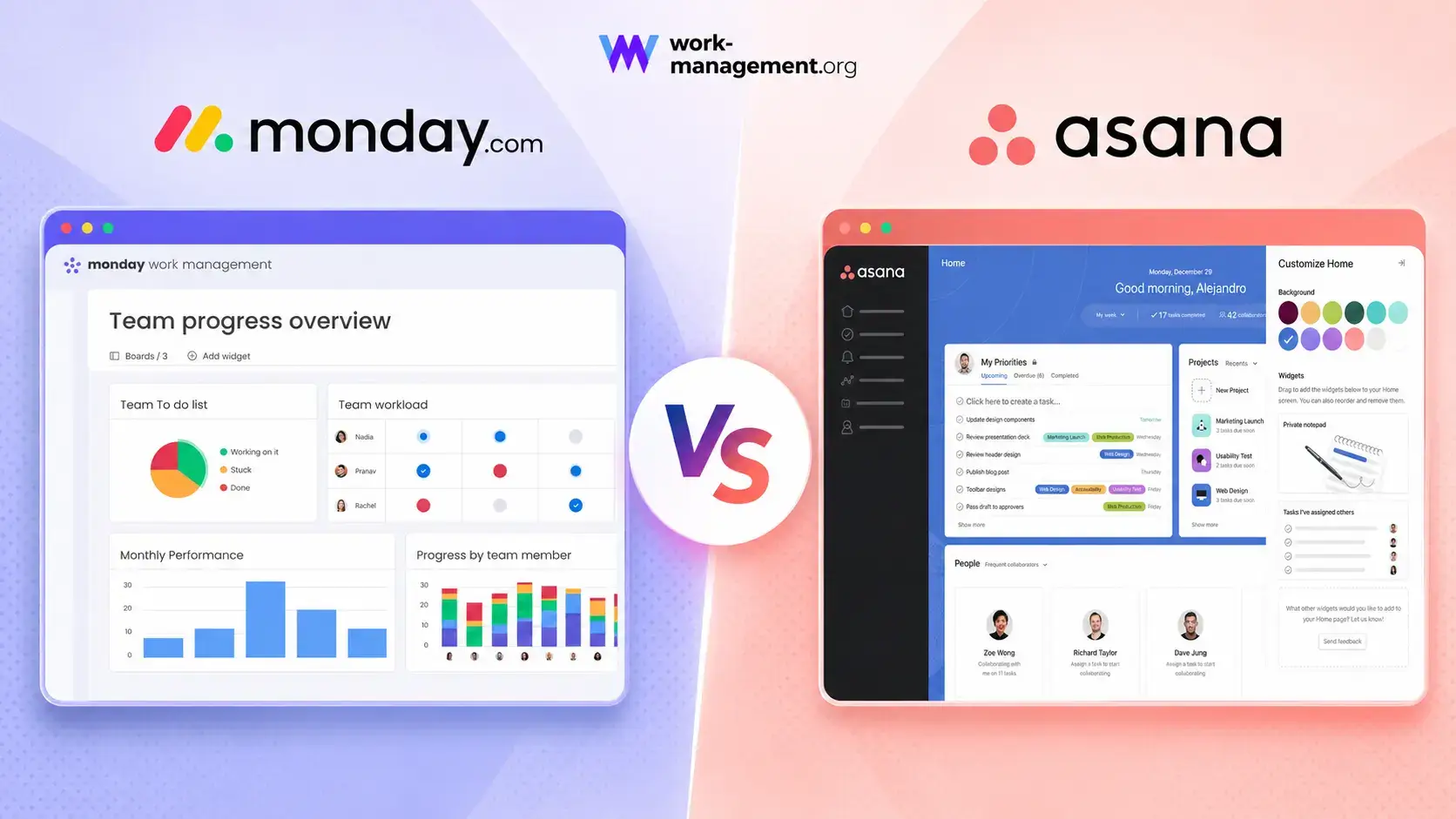
Choosing between monday.com vs Asana is difficult because both platforms are mature enough to manage serious cross-functional work. You can plan projects, assign owners, build forms, automate handoffs, track dependencies, report on portfolios, and add AI to recurring processes in either system.
The more useful question is not which platform has the longer feature list. It is which product matches the way your organization represents work. monday.com is board-first and highly configurable, so it is easier to shape around marketing, operations, PMO, HR, sales, and service workflows. Asana is task-first and more opinionated, so it is particularly strong when teams want disciplined ownership, dependencies, milestones, and repeatable project structures.
For most organizations, monday.com is the better overall choice. It combines visual adoption, flexible workflow design, accessible dashboards, and a broader AI work platform at a lower advanced-tier price. Asana is still the better option for some teams, especially those that value multi-homed tasks, unlimited automation rules on Starter, free guests, structured approvals, and a cleaner task-management model.
This comparison focuses on the operational consequences behind those differences. You will see where each tool creates administrative work, how plan limits affect real value, which AI strategy is more practical, and what to test before moving an entire department.
monday.com vs Asana at a Glance
Use this table as a starting point, then read the detailed sections before choosing a plan. Several categories change depending on whether you compare monday.com Standard with Asana Starter or monday.com Pro with Asana Advanced.
| Comparison Area | monday.com | Asana | Better Choice |
| Overall fit | Flexible visual work management across departments | Structured task, project, and portfolio coordination | monday.com for most teams |
| Ease of adoption | Color-coded, visual, and highly scannable | Clean and consistent, but more task-centric | monday.com |
| Task discipline | Flexible items, subitems, and connected boards | Strong ownership, dependencies, milestones, and multi-homing | Asana |
| Workflow customization | Broad board, column, dashboard, and app flexibility | More standardized project and task workflows | monday.com |
| Automation | Visual recipes with plan-based action limits | Unlimited rules on Starter, plus AI Studio workflows | Asana for volume, monday.com for accessibility |
| AI platform | Sidekick, agents, Vibe, Notetaker, AI columns, and workflows | AI Studio, AI Teammates, Dash, and AI connectors | monday.com for breadth |
| Dashboards | Highly visual cross-board dashboards | Clear project and portfolio reporting | monday.com |
| Goals and structured portfolios | Available, strongest at Enterprise | Goals and portfolios included on Advanced | Asana |
| Creative approvals | Flexible approval workflows | Native approvals and proofing on Advanced | Asana |
| Advanced-tier value | Pro at $19 per seat/month annually | Advanced at $24.99 per user/month annually | monday.com |
My recommendation: choose monday.com when you need one flexible platform that different departments can understand and adapt. Choose Asana when the organization already follows a structured project methodology and wants tasks, dependencies, approvals, portfolios, and goals to behave consistently.
How monday.com and Asana Were Compared
This comparison uses the same cross-functional product-launch scenario in both platforms: one intake form, 30 tasks, five phases, dependencies, two approval gates, six internal users, two external collaborators, three recurring processes, a workload view, an executive dashboard, and an AI-assisted status workflow.
The evaluation prioritizes adoption, data quality, project control, reporting, plan limits, and the administrative effort required to keep the workspace usable after the original builder is no longer involved.
| Evaluation Category | What Was Considered |
| Adoption | Navigation, templates, setup effort, and contributor training |
| Work model | How tasks, projects, boards, portfolios, and goals relate |
| Execution | Dependencies, milestones, recurring work, approvals, and forms |
| Automation | Rules, actions, AI workflows, limits, and maintainability |
| Visibility | Dashboards, portfolios, workload, goals, and status reporting |
| Collaboration | Comments, documents, guests, proofing, and notifications |
| Value | Seat rules, plan gates, AI credits, add-ons, and implementation cost |
| Scalability | Permissions, governance, standardization, and enterprise controls |
This framework includes an adoption tax. A technically powerful feature has little value when contributors cannot find it, managers do not trust the data, or only one administrator understands the configuration. The best platform is the one your team can maintain consistently, not the one that looks most impressive in a sales demonstration.
monday.com and Asana Platform Overviews
monday.com
monday.com is a visual work platform built around boards, items, columns, views, dashboards, automations, and connected products. Its main strength is range: the same platform can represent projects, campaign calendars, operational requests, portfolios, or service processes without forcing every team into one template.
monday.com Strengths
- Fast visual understanding across departments
- Highly configurable fields, views, and dashboards
- Accessible no-code automations and forms
- Broad AI platform with agents and app building
monday.com Limitations
- Two-seat free plan and seat-bucket pricing
- Only 250 automation actions on Standard
- Time tracking requires Pro
- Formal portfolio tools are strongest on Enterprise
Read the full monday.com review for a deeper analysis.
Asana

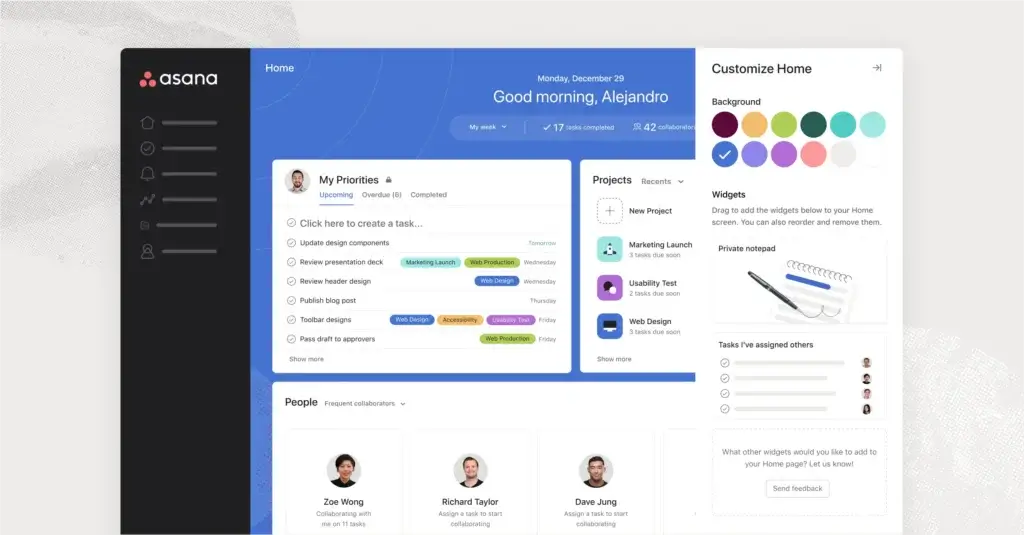
Asana is centered on tasks, projects, portfolios, and goals. Each task has one accountable assignee, while multi-homing lets the same task appear in several projects without creating duplicates. Its more opinionated model suits teams that value consistent ownership, dependencies, milestones, and status routines.
Asana Strengths
- Clear task ownership and multi-homing
- Unlimited automation rules on Starter
- Unlimited free guests on paid plans
- Strong portfolios, goals, approvals, and proofing
Asana Limitations
- Two-user free plan
- Advanced costs more than monday.com Pro
- Time tracking and workload require Advanced
- Universal capacity planning requires Enterprise
Read the full Asana review for more detail.
Ease of Use
monday.com Is Easier for Mixed-Skill Teams
monday.com starts with a visible grid. Users scan owners, dates, and color-coded statuses directly on the board, so occasional contributors can often update work without learning a formal project-management system.
Asana is also clean, but users need to understand how My Tasks, projects, multi-homed tasks, portfolios, and goals relate. That structure is efficient for disciplined project teams, but it creates more concepts for infrequent users.
Better choice for broad adoption: monday.com. Asana may be more focused for experienced users, while monday.com requires less explanation across varied departments.
Task and Project Management
Asana Provides Stronger Structured Execution
Both tools support owners, dates, recurring work, dependencies, custom fields, files, comments, and multiple views. Asana has the advantage when your methodology depends on explicit task relationships. Tasks can include subtasks, milestones, approvals, dependencies, custom task types, and project-level status updates.
Multi-homing is especially valuable. One legal-review task can appear in a campaign plan, compliance project, and launch program while retaining one assignee, completion state, and discussion history.
monday.com is more flexible. Items and subitems can represent tasks or other records, while Connected Boards and Mirror Columns link projects, clients, budgets, or resources. This supports broader operational workflows, but the architecture requires more design.
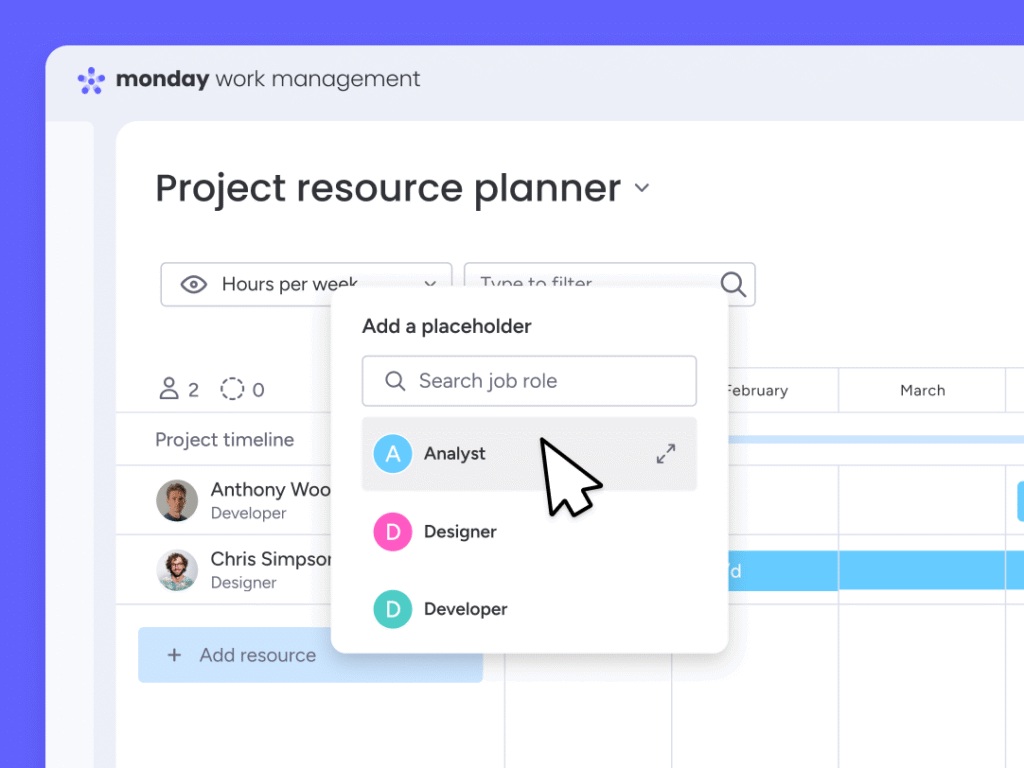
Asana Advanced also includes portfolios, goals, and portfolio workload. monday.com can create flexible high-level dashboards below Enterprise, but its packaged portfolio and resource-management tools are strongest on Enterprise.
Better choice for structured project execution: Asana. Better choice for adaptable operational work: monday.com.
Workflow Automation
Asana Wins on Volume, monday.com Wins on Accessibility
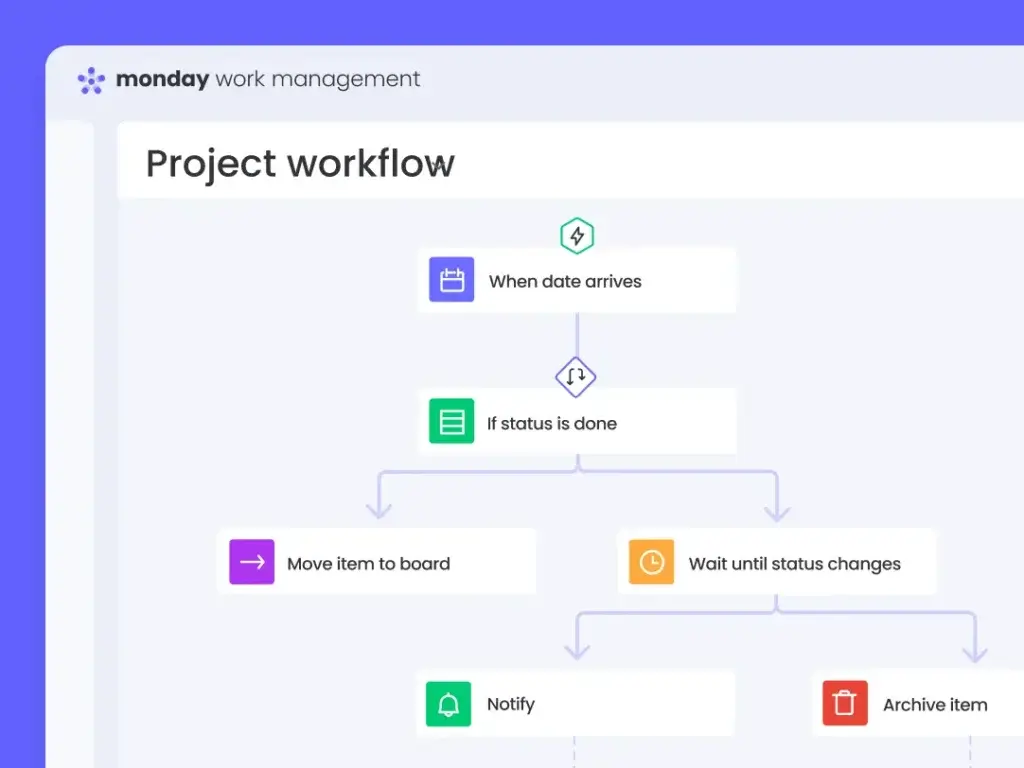
monday.com uses visual recipes and a workflow builder for assignments, reminders, status changes, item creation, approvals, and integrations. The logic is easy for non-technical managers to understand because it uses the same board fields they already update.
Asana Rules can assign tasks, change fields, move work, create follow-ups, and trigger connected actions. Starter includes unlimited automations, making Asana the stronger value for teams running many standard rules.
monday.com Standard includes 250 automation and 250 integration actions monthly, while Pro raises each allowance to 25,000. Asana still needs governance because overlapping rules copied across projects can become difficult to troubleshoot.
Better choice for included automation volume: Asana. Better choice for approachable workflow building: monday.com.
AI Features
monday.com Offers the Broader AI Work Platform
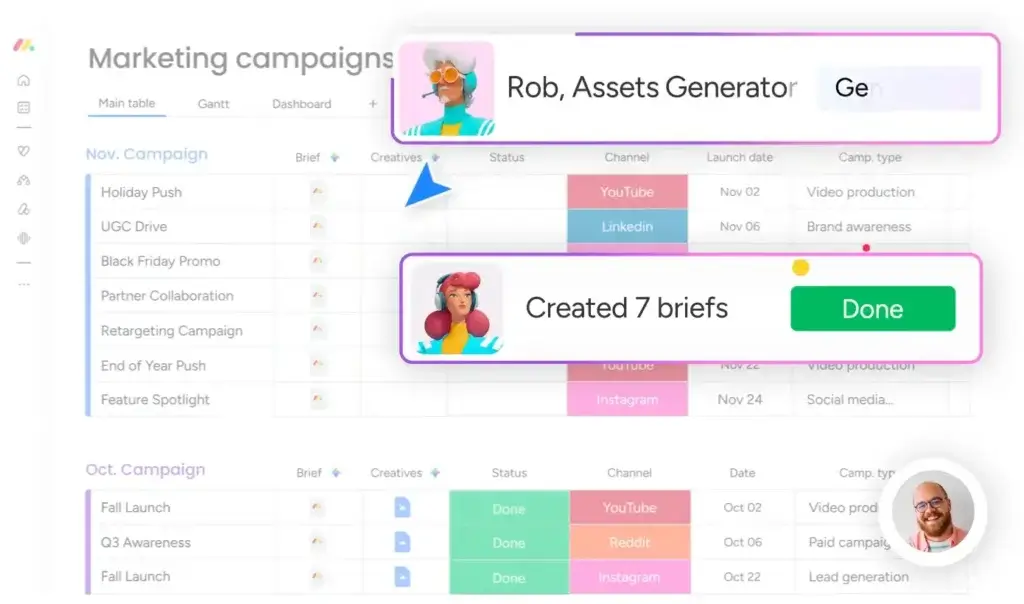
monday.com spreads AI across several work layers. Sidekick can summarize, answer questions, create content, analyze board data, build automations, and generate dashboards. Agents can execute defined work, AI columns process board data, Notetaker converts meetings into actions, and Vibe creates custom apps from natural-language prompts.
Asana AI Studio builds AI-powered workflows for intake, classification, routing, updates, and approvals. Starter includes 50,000 Basic credits per billing account monthly, while Advanced includes 75,000. AI Studio Plus costs $135 per account monthly when billed annually. AI Teammates are add-ons that can take assigned work, and Asana Dash prioritizes what needs attention.
Asana is strong when AI should follow a structured task and project model. monday.com is the better overall AI choice because it combines assistance, agents, meeting capture, AI fields, workflows, and no-code app building in one visual platform. Its tradeoff is credit planning, because usage varies by capability and task complexity.
Better choice for AI breadth: monday.com. Better choice for generous entry-plan workflow credits: Asana.
Collaboration, Documents, and Creative Review
Both platforms keep comments, mentions, files, and activity near the work. monday.com connects item updates with boards, dashboards, workdocs, and visual collaboration tools, which suits cross-functional operating processes.
Asana keeps discussion attached to tasks and projects. Advanced adds approvals and proofing for designs and PDFs, while paid plans include unlimited free guests. This makes Asana particularly strong for agencies and controlled creative-review cycles.
Better choice for approvals and guest collaboration: Asana. Better choice for flexible cross-functional collaboration: monday.com.
Dashboards, Reporting, and Resource Management
monday.com Is Better for Custom Executive Visibility
monday.com dashboards combine board data into charts, timelines, workload widgets, budgets, progress indicators, and custom visualizations. They can report on operational measures beyond task completion, including spend, risk, pipeline value, or vendor cost.
Asana Advanced provides a more standardized management layer through portfolios, goals, dashboards, and portfolio workload. Enterprise adds universal workload and capacity planning across projects.
Better choice for flexible dashboards: monday.com. Better choice for standardized goals and portfolio governance: Asana.
Integrations and Extensibility
Both platforms connect with common communication, storage, CRM, development, analytics, and automation tools. Asana includes more than 100 free integrations on Personal, while Advanced adds support for Salesforce, Tableau, and Power BI.
monday.com combines native integrations with its marketplace, API, automation actions, and MCP support. It is stronger when an integration must update custom fields, trigger a workflow, connect records, or become part of an internal app.
Better choice: close. Test field mapping, sync direction, errors, plan requirements, and action consumption before buying.
Pricing and Total Cost
Both free plans now support only two users. Asana Personal allows unlimited tasks and projects, while monday.com Free is limited to three boards. Neither is a practical long-term plan for a working department.
| Plan Level | monday.com | Asana |
| Free | 2 seats and 3 boards | 2 users, unlimited tasks and projects |
| Comparable team tier | Standard at $12 per seat/month | Starter at $10.99 per user/month |
| Advanced tier | Pro at $19 per seat/month | Advanced at $24.99 per user/month |
| Automation | 250 actions on Standard, 25,000 on Pro | Unlimited rules on Starter |
| Time tracking | Pro | Advanced |
| Portfolios and goals | Flexible builds, packaged tools strongest on Enterprise | Included on Advanced |
| Guests | Guest rules apply on shareable boards | Unlimited free guests on paid plans |
| AI | Tiered credits across multiple AI tools | AI Studio Basic included, paid upgrades available |
The Cost Difference for a 10-Person Team
monday.com Standard costs $120 monthly at annual list pricing, while Asana Starter costs $109.90. Asana is slightly cheaper and includes unlimited rules and free guests, but monday.com offers a more configurable visual system.
monday.com Pro costs $190 monthly for 10 seats, compared with $249.90 for Asana Advanced. Asana adds portfolios, goals, workload, approvals, proofing, formulas, and more AI Studio credits. monday.com is the stronger advanced-tier value when those Asana-specific capabilities are not essential.
Also budget for unused seat buckets, AI add-ons or credits, implementation, migration, and external tools.
Better choice near the Starter level: Asana. Better advanced-tier value: monday.com.
Security, Administration, and Enterprise Readiness
Both vendors provide mature enterprise controls, including SSO, user provisioning, permissions, audit capabilities, and governance features on appropriate plans.
monday.com Enterprise adds multi-level permissions, portfolio and resource management, large automation allowances, higher API limits, and a 99.9% uptime SLA. Asana Enterprise adds SAML, SCIM, service accounts, view-only licenses, universal workload, capacity planning, project admin controls, and workflow bundles. Enterprise+ extends Asana with controls such as SIEM integrations, data residency, audit logs, and managed workspaces.
Better choice for standardized project administration: Asana. Better choice for enterprise adoption across varied workflows: monday.com.
Implementation and Migration Risk
Test the Data Model, Not Only the Interface
A polished demo can hide the hardest part of a work management rollout: deciding how real work should be represented. Before purchasing, rebuild one active process in both tools rather than relying on a generic template. Include intake, dependencies, approvals, recurring work, reporting, and external collaboration.
In monday.com, pay close attention to board architecture. Decide which information belongs in one board, when to create separate project boards, and how Connected Boards or Mirror Columns will support portfolio reporting. Standardize status labels, owners, date fields, and dashboard definitions before different departments begin creating their own versions.
In Asana, test the relationship between tasks, projects, portfolios, and goals. Confirm when multi-homing should be used, which custom fields must remain consistent, and how task ownership works when several teams contribute to the same deliverable. Also test whether portfolio workload is sufficient or whether you need Enterprise-level universal workload and capacity planning.
A Practical Two-Week Pilot
| Pilot Measure | What to Record |
| Setup effort | Administrator hours required to build the workflow |
| Contributor adoption | Percentage of tasks updated without reminders |
| Reporting quality | Whether dashboard data matches the real project |
| Automation reliability | Failed, duplicated, or confusing rule outcomes |
| Stakeholder clarity | How often managers ask where information belongs |
| Commercial fit | Required plan, seats, guests, AI, and add-ons |
Include one administrator, one project manager, two everyday contributors, one occasional stakeholder, and one guest. Ask each participant to complete the same actions in both platforms. The strongest signal is not stated preference after a demonstration. It is whether people update work correctly when no one is guiding them.
Migration Differences to Plan For
Moving between the platforms is not a simple row-for-row transfer. Asana multi-homed tasks do not map perfectly to monday.com connected boards. monday.com formulas, mirrored fields, dashboards, and board-level permissions may also need to be rebuilt manually in Asana. Export and test a representative project before the full cutover, then validate owners, dates, dependencies, attachments, guest access, automations, and reporting totals.
A controlled pilot prevents a common failure: choosing the platform that administrators enjoy building instead of the platform contributors will maintain.
Which Platform Fits Your Team?
Choose monday.com for Cross-Functional Operations
Marketing, operations, HR, PMO, and leadership teams often track budgets, request types, risks, assets, and performance data alongside tasks. monday.com’s flexible boards and dashboards handle this variety naturally.
Choose Asana for Structured Project Programs
Asana is stronger when teams want consistent owners, dependencies, milestones, project status routines, portfolios, and goals without designing a custom data model.
Choose Asana for Creative Approvals and Guest Work
Advanced proofing and approvals, plus unlimited free guests on paid plans, make Asana attractive for agencies and creative teams.
Choose monday.com for Advanced Value and Custom Reporting
monday.com Pro is materially less expensive than Asana Advanced and provides stronger custom dashboards, flexible fields, high automation allowances, and broader AI capabilities.
Pros and Cons of monday.com vs Asana
| Platform | Main Advantages | Main Drawbacks |
| monday.com | Visual adoption, flexibility, dashboards, AI breadth, advanced-tier value | Seat buckets, Standard action limits, custom-governance requirements |
| Asana | Task discipline, multi-homing, unlimited rules, free guests, portfolios and goals | Higher advanced-tier cost and more gated planning features |
monday.com vs Asana: Which Should You Choose?
Choose monday.com when workflow flexibility, visual reporting, broad adoption, and AI platform breadth matter most. Choose Asana when your priority is structured task coordination, multi-homing, unlimited rules, approvals, portfolios, and goals.
Overall Recommendation
monday.com is the better overall work management platform for most organizations. It is easier to understand visually, adapts to more departments, produces more flexible dashboards, and offers a broader AI platform. Its Pro tier also delivers substantial advanced functionality at a lower list price than Asana Advanced.
Asana deserves a serious trial when task discipline matters more than workflow flexibility. It is better for multi-homed work, structured dependencies, project status routines, unlimited standard rules, free guest collaboration, and packaged portfolio and goal management. Creative teams may also prefer its approvals and proofing.
Run a two-week pilot with the same workflow in both platforms. Include an administrator, project manager, everyday contributor, occasional stakeholder, and external guest. Measure setup time, update completion, reporting accuracy, automation consumption, and how often users ask where information belongs. The platform that produces reliable data with less explanation will create the better long-term return.
Frequently Asked Questions
-
Is monday.com better than Asana?
monday.com is better for visual customization, dashboards, AI breadth, and advanced-tier value. Asana is better for structured tasks, multi-homing, portfolios, goals, and approvals.
-
Is monday.com or Asana easier to use?
monday.com is usually easier for mixed-skill teams because boards are highly visual. Asana is clean, but its task, project, portfolio, and multi-homing model requires more context.
-
Which is cheaper, monday.com or Asana?
Asana Starter costs less than monday.com Standard. monday.com Pro costs less than Asana Advanced, making monday.com the stronger advanced-tier value.
-
Which has the better free plan, monday.com or Asana?
Both free plans support two users. Asana Personal includes unlimited tasks and projects, while monday.com Free is limited to three boards.
-
Which is better for automation, monday.com or Asana?
Asana Starter includes unlimited rules. monday.com is easier to configure visually, but Standard includes only 250 automation and 250 integration actions monthly.
-
Which platform has better AI features?
monday.com offers broader AI tools. Asana is strong for structured AI workflows through AI Studio, AI Teammates, Dash, and connectors.
-
Is Asana better for project management than monday.com?
Asana is better for structured ownership, dependencies, milestones, portfolios, and goals. monday.com is better for customized operational data and dashboards.
-
Which is better for marketing teams, monday.com or Asana?
monday.com is usually better for flexible marketing operations. Asana is stronger for structured deliverable ownership, creative approvals, and guest collaboration.
-
Which is better for portfolio management, monday.com or Asana?
Asana Advanced is better for standardized portfolios and goals. monday.com offers more flexible dashboards, while packaged portfolio tools are strongest on Enterprise.
-
Can you migrate from Asana to monday.com?
Yes. Map tasks, fields, owners, dependencies, attachments, automations, and permissions. Test one project first because multi-homing and connected boards use different data models.