Introduction
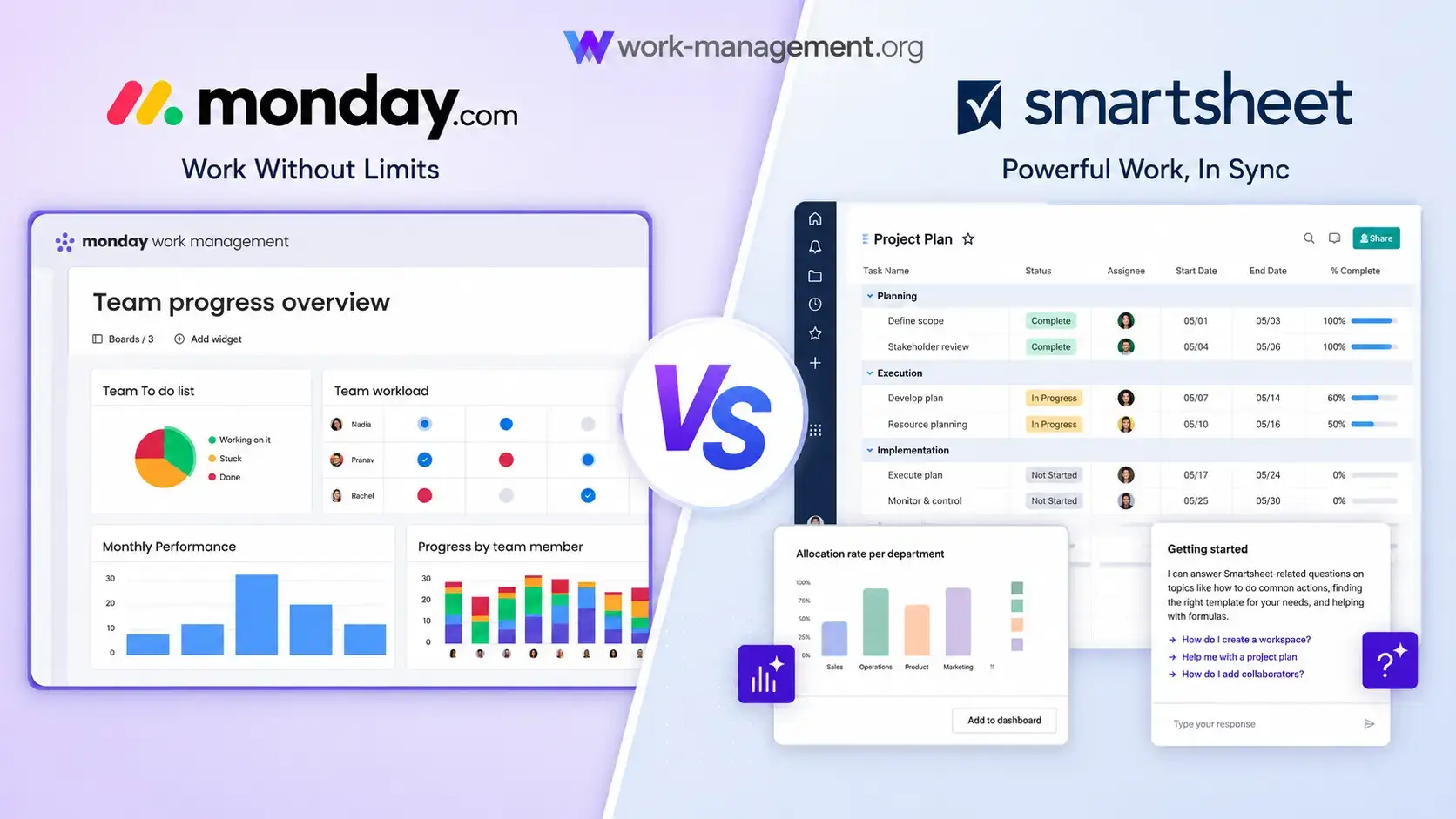
Choosing between monday.com vs Smartsheet is not simply a question of visual boards versus spreadsheets. Both platforms can manage projects, automate approvals, collect requests, create dashboards, coordinate external stakeholders, and support portfolio reporting. The more important difference is how each platform expects your organization to structure work and who will be responsible for maintaining that structure.
monday.com is the better overall choice for most cross-functional teams. It combines visual workflow design, approachable automation, flexible dashboards, and an expanding AI layer in a system that marketing, operations, HR, product, and leadership teams can understand without becoming spreadsheet specialists.
Smartsheet is the stronger option when your organization already thinks in rows, columns, formulas, dependencies, and standardized project templates. Its cross-sheet reporting, portfolio controls, Scenario Planning, Resource Management, and premium applications can be especially valuable for mature PMOs, construction teams, professional services firms, and spreadsheet-heavy enterprises.
This comparison looks beyond feature checklists. You will see how each platform affects adoption, governance, reporting accuracy, portfolio scale, AI usage, and total ownership cost. The goal is to help you choose the system your team will still maintain correctly after the initial implementation team moves on.
monday.com vs Smartsheet at a Glance
Use this table for a quick answer, then review the detailed sections before choosing a plan. Several categories change depending on whether you are buying for one department, a PMO, or an entire organization.
| Comparison Area | monday.com | Smartsheet | Better Choice |
| Overall fit | Visual cross-functional work management | Spreadsheet-based project and portfolio management | monday.com for most teams |
| Ease of adoption | Colorful, guided, and easy to scan | Familiar to spreadsheet users, denser for others | monday.com |
| Formulas and grid planning | Flexible columns and formulas on higher plans | Rich cell, column, and cross-sheet formulas | Smartsheet |
| Automation usability | Visual recipes and workflow builder | Rule-based workflows tied to sheet logic | monday.com |
| Automation allowance | 250 actions on Standard, 25,000 on Pro | 250 on Pro, unlimited on Business | Smartsheet Business |
| AI direction | Agents, Sidekick, AI columns, workflows, and app building | Smart Assist, Smart Columns, dashboards, and data analysis | monday.com for workflow execution |
| Dashboards | Accessible visual dashboards across boards | Strong reports and dashboards across sheets | Close |
| Portfolio planning | Integrated portfolio solution and AI risk insights | Portfolios, Control Center, and Scenario Planning | Smartsheet for mature PMOs |
| External collaboration | Guests, viewers, forms, and shareable boards | Unlimited contributors, guests, forms, and Dynamic View | Smartsheet |
| Free access | Ongoing free plan for up to two seats | 30-day trial, no permanent free plan listed | monday.com |
My recommendation: choose monday.com when you need broad adoption, fast workflow changes, and clear visibility across different departments. Choose Smartsheet when your organization has strong spreadsheet skills and needs formalized project controls, advanced what-if planning, or specialized portfolio applications.
How monday.com and Smartsheet Were Compared
This comparison uses the same 12-week product launch in both products, with 40 tasks, dependencies, approvals, forms, budgets, internal users, external collaborators, workload monitoring, and an executive dashboard.
The evaluation focuses on what happens after setup. A platform receives more credit when contributors can update it consistently, managers can trust its reports, and administrators can change the process without rebuilding the entire system.
The framework also includes a maintenance burden test: can another administrator understand and change the formulas, automations, links, and reports without rebuilding the workflow?
monday.com and Smartsheet Platform Overviews
monday.com
monday.com is a visual work platform built around boards, views, dashboards, automations, integrations, and connected products. The same data can be presented differently to contributors, project managers, and executives.
Its AI layer includes Sidekick, agents, meeting assistance, AI columns, workflow orchestration, and Vibe app building, extending the platform beyond traditional project management.
monday.com Strengths
- Visual interface that mixed-skill teams can understand quickly
- Flexible boards, views, dashboards, and no-code workflow design
- Strong fit for marketing, operations, HR, PMO, and cross-functional work
- AI capabilities focused on taking action inside operational workflows
- Broad ecosystem with more than 200 integrations and an API
monday.com Limitations
- Two-seat free plan is too small for most working teams
- Bucket pricing can force payment for unused seats
- Standard plan automation limits can be exhausted quickly
- Time tracking, workload, and advanced columns require Pro
- Spreadsheet power users may find cell-level modeling less natural
Read the full monday.com review for a deeper analysis of its plans, interface, automation, and use cases.
Smartsheet
Smartsheet begins with a spreadsheet-style grid and extends it through Gantt, board, calendar, forms, reports, dashboards, automation, AI, and portfolio products. It is effective when project data must behave like a structured operational model.
Business, Enterprise, and Advanced Work Management add capabilities such as unlimited automations, workload tracking, Portfolios, Scenario Planning, Control Center, Dynamic View, and data connectors, but also increase implementation complexity.
Smartsheet Strengths
- Excellent grid, formula, dependency, and cross-sheet reporting capabilities
- Strong external collaboration through contributors, guests, forms, and Dynamic View
- Unlimited automations on the Business plan
- Advanced PMO tools for standardization, scenario planning, and portfolio governance
- Familiar operating model for Excel-oriented project teams
Smartsheet Limitations
- Spreadsheet familiarity can hide a steeper advanced learning curve
- Complex linked-sheet systems may depend heavily on specialist administrators
- Several standout enterprise capabilities sit in premium products or custom plans
- Collaboration feels more data-centered than conversation-centered
- No permanent free plan is currently listed
Read the full Smartsheet review for more detail on its formulas, dashboards, premium applications, and enterprise use cases.
Ease of Use and Team Adoption
monday.com Is Easier for Mixed Departments
Initial Setup
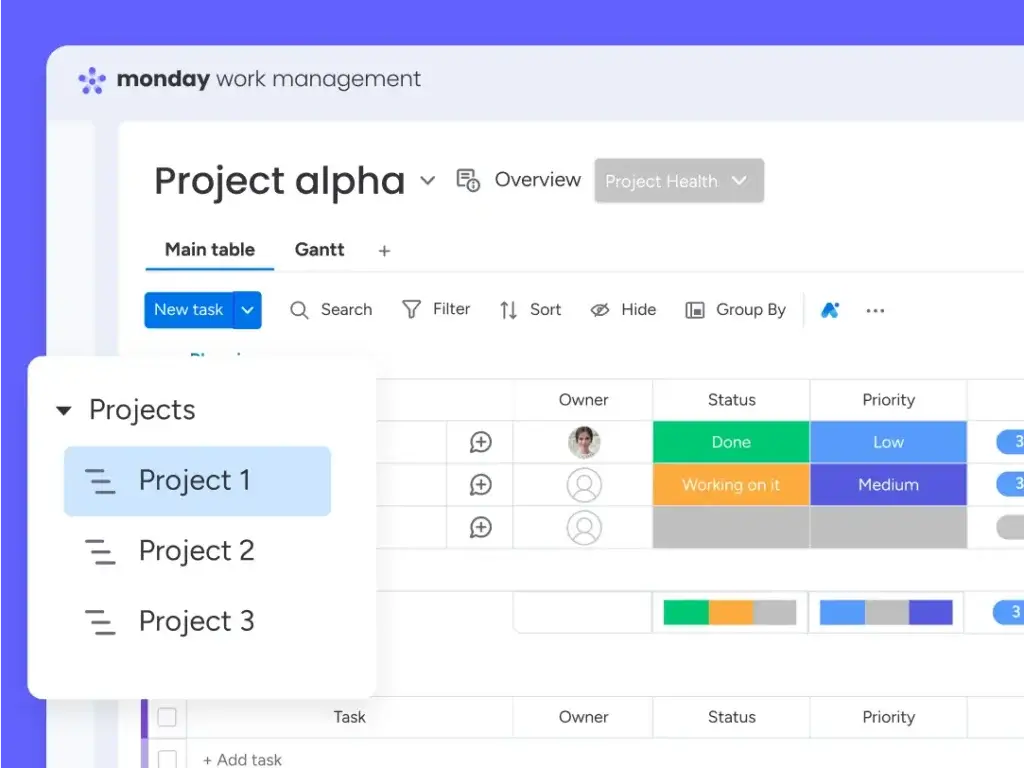
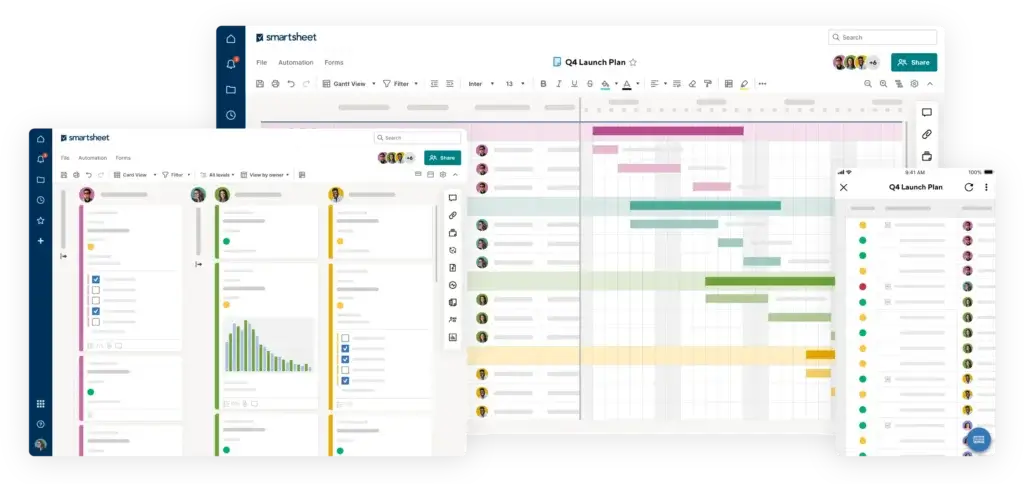
monday.com uses an approachable hierarchy of workspaces, boards, groups, items, and subitems. Status colors, owners, dates, and priorities make boards easy to scan, while templates speed up setup.
Smartsheet feels familiar to Excel and Google Sheets users. The learning curve rises when the solution expands into cross-sheet formulas, linked cells, reports, automations, premium applications, and portfolio structures.
Daily Contributor Experience
monday.com asks occasional users to understand fewer concepts. Contributors can update statuses, files, and deadlines without studying the underlying configuration, while managers use dashboards or portfolio views.
Smartsheet is efficient for users who are comfortable navigating structured grids. However, a large sheet can expose more fields than a contributor needs, and the difference between a sheet, report, dashboard, workspace, form, and Dynamic View may require formal onboarding.
Better choice for ease of use: monday.com. Smartsheet can be fast for spreadsheet specialists, but monday.com creates a more consistent experience across technical and non-technical departments.
Project Planning, Formulas, and Scheduling
Smartsheet Provides Stronger Spreadsheet-Based Control
Rows, Dependencies, and Baselines
Both platforms support task ownership, dates, dependencies, milestones, files, comments, forms, dashboards, and multiple project views. Smartsheet has the advantage when the project plan itself needs to function like a detailed calculation model.
Cell, column, and cross-sheet formulas, conditional formatting, cell history, baselines, and dependency-driven Gantt planning make Smartsheet well suited to schedule-heavy work.
monday.com supports dependencies, formulas, timelines, Gantt views, connected boards, mirrored data, and advanced columns. Its approach is easier to visualize and adapt, but complex cell-level analysis is not its natural center of gravity.
Flexible Work Models
monday.com becomes stronger when work does not fit one universal project sheet. A marketing request process, recruitment pipeline, product launch, onboarding plan, and executive portfolio can use different board structures while still sharing statuses, ownership logic, automations, and dashboards.
Better choice for formulas and traditional schedule control: Smartsheet. Better choice for flexible cross-functional workflows: monday.com.
Workflow Automation
monday.com Is Easier to Build, Smartsheet Offers More Volume
Designing Everyday Automations
monday.com uses visual triggers, conditions, and actions to route forms, assign owners, send reminders, update statuses, and initiate handoffs. Department managers can usually maintain the logic without specialist support.
Smartsheet automations respond to row changes, dates, values, approvals, alerts, and update requests. They work especially well for structured approval processes.
Allowance Differences Matter
monday.com Standard includes 250 automation actions and 250 integration actions each month. The vendor warns that this allowance can be consumed quickly by multi-step or frequently used workflows. Pro increases each allowance to 25,000 actions, while Enterprise increases them to 250,000.
Smartsheet Pro includes 250 automations per month. Business includes unlimited automations, which is a meaningful advantage for teams running high-volume alerts, approvals, and update requests. More specialized cross-system automation may still require Bridge, Data Shuttle, connectors, or another integration layer.
Better choice for automation usability: monday.com. Better choice for unlimited core automation volume on a self-service plan: Smartsheet Business.
AI Features and Intelligent Workflows
Both Platforms Have Moved Beyond Basic Writing Assistance
monday.com AI Focuses on Execution
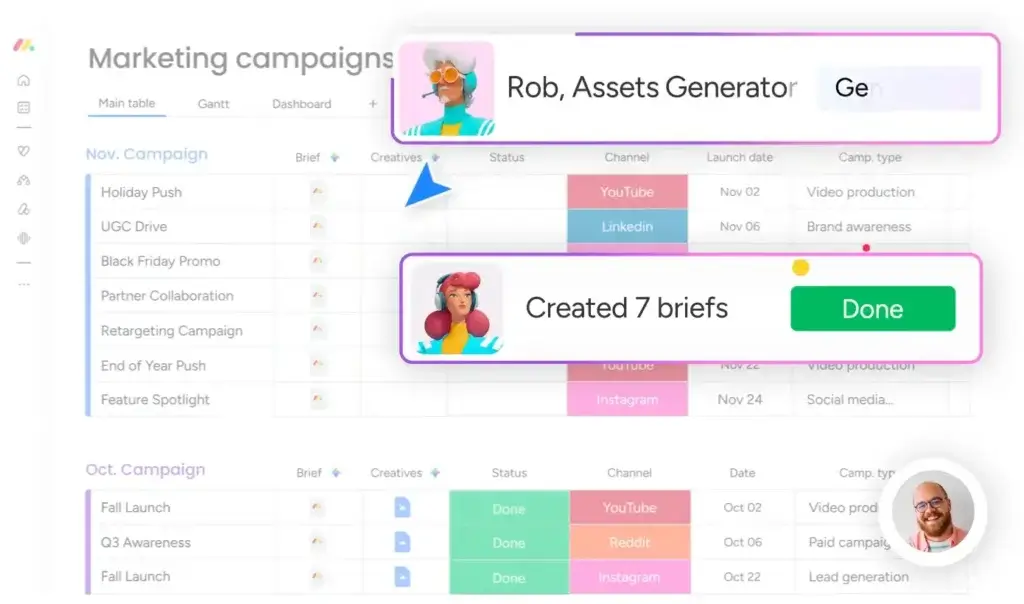
monday.com AI is designed to execute work, not only generate text. Sidekick uses account context, AI columns classify or enrich data, the meeting notetaker creates actions, and the workflow builder connects agents, triggers, and actions.
An AI agent workforce and Vibe app building make monday.com compelling when AI must participate in repeatable processes rather than remain a separate chat window.
Smartsheet AI Focuses on Data and Guidance
Smartsheet includes Smart Assist, Smart Columns, AI dashboard creation, and intelligent form fill. Smart Assist answers questions, flags risks, recommends next steps, and can create or act through natural language. Smart Columns enrich rows through summarization, classification, translation, or sentiment analysis.
Smartsheet also supports MCP-enabled connections, which can make Smartsheet data available within external AI tools. This is a notable advantage for organizations building an AI environment around assistants such as Copilot or Claude.
AI Cost and Governance
monday.com bundles different AI tool sets and monthly credit quantities into paid plans, with additional credits available for purchase. Smartsheet includes many conversational AI capabilities across Pro, Business, and Enterprise, but advanced capabilities and usage availability vary by plan.
Better choice for AI-driven workflow execution: monday.com. Smartsheet is highly competitive for natural-language data analysis, large-scale row enrichment, and bringing work data into external AI tools.
Dashboards, Reports, and Executive Visibility
monday.com Is More Accessible, Smartsheet Is More Analytical
monday.com dashboards pull live information from connected boards and display status, workload, timelines, budgets, charts, goals, and project health. The main advantage is interpretability. An executive can understand the dashboard without learning how each board is configured.
Smartsheet separates sheets, reports, and dashboards. Reports gather rows from multiple sheets, while dashboards present metrics, charts, reports, and links. This can produce sophisticated reporting when project templates are standardized.
Smartsheet rollups depend on consistent sheets, formulas, references, permissions, and report logic. monday.com also needs field consistency, but its visual configuration is easier to inspect.
Better choice for executive readability: monday.com. Better choice for spreadsheet-style cross-sheet analysis: Smartsheet.
Portfolio and Resource Management
Smartsheet Has the Edge for Advanced PMOs
Smartsheet Portfolio Capabilities
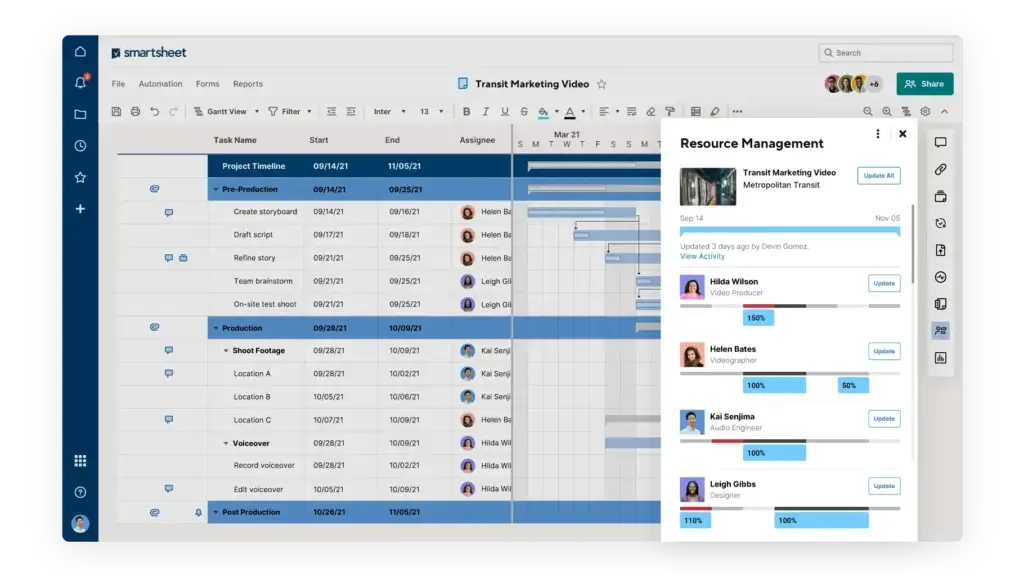
Smartsheet has strengthened its enterprise portfolio offering with Portfolios and Scenario Planning. Portfolios standardizes the launch and tracking of related projects, while Scenario Planning lets teams test changes to timelines, resources, and allocations without modifying live plans.
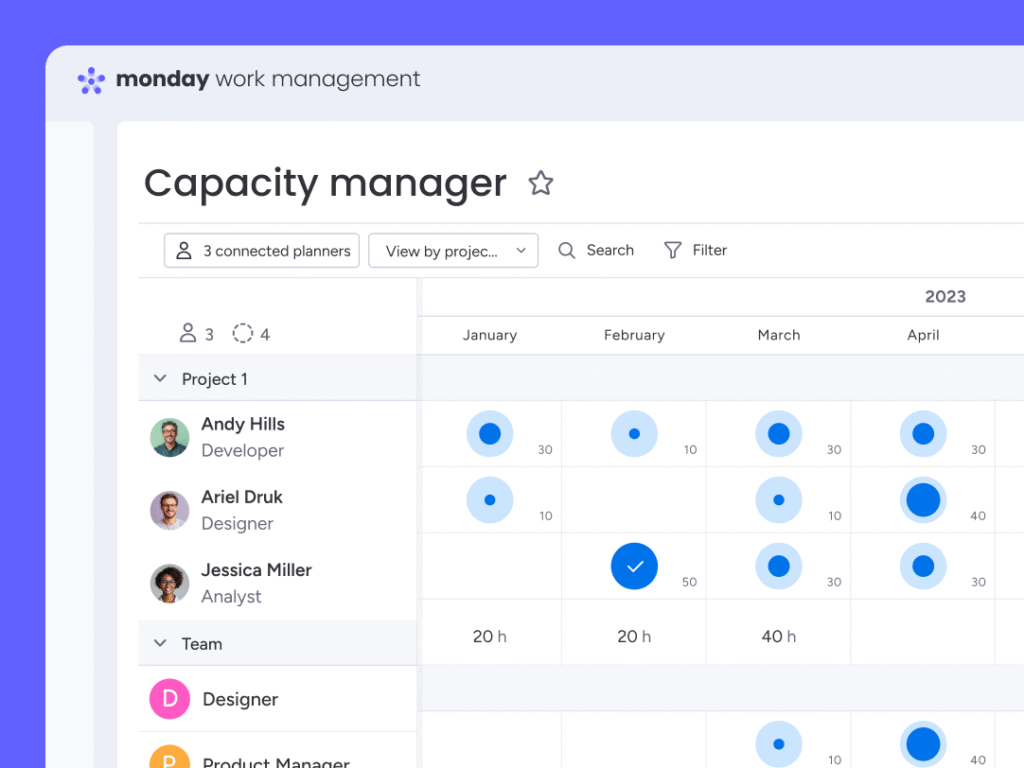
Control Center supports blueprint-based project creation and change management. Resource Management adds capacity, utilization, and forecasting, while Dynamic View and data products support secure collaboration and synchronization.
A mature PMO with standardized project types, dedicated administrators, and formal capacity planning can build a highly controlled system around these tools.
monday.com Portfolio Capabilities
monday.com’s Enterprise portfolio solution connects project boards to a central portfolio and an all-projects dashboard. Projects can be created from templates and automatically connected, while AI-powered Risk Insights analyzes project data and surfaces potential risks.
The experience is generally easier to adopt because portfolio data remains connected to visual project boards that departments already use. However, Smartsheet provides deeper what-if planning and a longer list of specialized enterprise products.
Better choice for sophisticated PMO scenario planning: Smartsheet. Better choice for an accessible portfolio layer across mixed departments: monday.com.
Collaboration and External Stakeholders
Smartsheet Is Stronger for Controlled External Participation
monday.com keeps collaboration close to work through item updates, mentions, files, notifications, workdocs, forms, guests, and viewers. This model works well when teams want conversations and decisions attached directly to tasks or records.
Smartsheet supports comments, conversations, attachments, forms, update requests, contributors, guests, published assets, and proofing. The Pro plan includes unlimited free contributors, while Business adds unlimited guests. Dynamic View can let a client, vendor, or stakeholder view and edit selected data without receiving access to the underlying sheet or report.
This is valuable for vendor onboarding, client delivery, construction coordination, and regulated workflows. Smartsheet provides more specialized ways to expose only the necessary data.
Better choice for internal team collaboration: monday.com. Better choice for structured external participation: Smartsheet.
Integrations and Extensibility
monday.com connects with more than 200 applications across communication, storage, CRM, development, finance, marketing, and time tracking. It also supports Zapier, Make, a marketplace, and a GraphQL API. The integration experience is generally approachable for business teams building common workflows.
Smartsheet integrates with Microsoft 365, Google Workspace, Slack, Salesforce, Jira, Adobe products, Tableau, Power BI, and other business systems. Its premium portfolio includes connectors, Data Shuttle, DataMesh, Bridge, and MCP-enabled AI connections.
Smartsheet is stronger for controlled enterprise data movement, while monday.com is often easier for everyday no-code connections. Test field mapping, two-way synchronization, permissions, errors, and plan requirements.
Better choice: close. monday.com is more accessible for common no-code integrations, while Smartsheet offers a deeper premium data integration stack.
Pricing and Total Cost of Ownership
Smartsheet has attractive annual list pricing for spreadsheet-oriented teams, while monday.com offers more plan levels and a permanent free option. The apparent price winner changes when you account for member types, seat rules, automation volume, AI usage, and premium portfolio products.
| Plan Level | monday.com | Smartsheet |
| Free or trial | Free for up to 2 seats, plus a 14-day Pro trial | 30-day trial, no permanent free plan listed |
| Entry paid | Basic at $9 per seat/month, billed annually | Pro at $9 per member/month, billed annually |
| Mid-tier | Standard at $12 per seat/month | Business at $19 per member/month |
| Advanced self-service | Pro at $19 per seat/month | Business is the main advanced self-service tier |
| Enterprise | Custom pricing | Enterprise and Advanced Work Management use custom pricing |
| External users | Unlimited viewers on paid plans, guest rules vary | Unlimited contributors on Pro, unlimited guests on Business |
| Important pricing rule | Seat buckets start at 3 and rise in set groups | Pro supports 1-10 members, Business starts at 3 members |
| AI model | Bundled monthly credits with optional additional credits | Many AI features included, availability varies by plan |
What a 10-Person Team Pays
At published annual rates, monday.com Standard costs $120 per month for 10 seats, while monday.com Pro costs $190. Smartsheet Pro costs $90 per month for 10 members, while Business costs $190.
The plans are not direct equivalents. Smartsheet Pro includes rich formulas, unlimited sheets, reports, dashboards, contributors, and 250 automations, but excludes workload tracking, guests, baselines, and several administrative features. monday.com Pro adds time tracking, workload, private boards, advanced columns, and much larger automation limits.
Hidden Costs to Model
- Unused monday.com seats caused by bucket pricing
- Smartsheet premium applications and Advanced Work Management
- Implementation partners, administrator training, and certification
- AI credit purchases or plan-specific AI limitations
- Resource Management, data connectors, and integration middleware
- Time spent repairing inconsistent sheets, boards, formulas, or reports
Better choice for the lowest 10-member entry cost: Smartsheet Pro. Better overall value for most cross-functional teams: monday.com Standard or Pro.
Security, Administration, and Enterprise Governance
Both platforms offer enterprise security, identity, permission, and administrative capabilities. Exact controls depend on the plan, contract, region, and products purchased.
monday.com Enterprise adds multi-level permissions, higher API and automation limits, analytics, portfolio capabilities, and centralized controls. Easier adoption also reduces the risk of departments returning to private spreadsheets.
Smartsheet Enterprise adds SAML SSO, directory integrations, Enterprise Plan Manager, Portfolios, and Scenario Planning. Advanced Work Management adds premium applications for large-scale portfolio and data operations.
Better choice for broad governed adoption: monday.com. Smartsheet may be better for an established enterprise PMO with dedicated platform administrators and a clear requirement for its premium applications.
Which Platform Fits Your Team?
Choose monday.com for Marketing and Cross-Functional Operations
Marketing, HR, operations, product, and leadership teams can use different board structures while sharing consistent dashboards and portfolio reporting.
Choose Smartsheet for Spreadsheet-Led PMOs
Smartsheet is stronger when project managers use formulas, linked data, baselines, and formal reporting, and the PMO can enforce templates.
Choose Smartsheet for Construction and Complex Client Delivery
Dependencies, external contributors, update requests, controlled views, and resource planning make Smartsheet attractive for construction and professional services.
Choose monday.com for Fast-Changing Workflows
monday.com is better when intake, approvals, ownership rules, and reporting requirements change frequently.
Choose Smartsheet for Advanced Scenario Planning
Scenario Planning gives Smartsheet an advantage when managers must test timelines and resource allocations before changing live plans.
Choose monday.com for AI-Orchestrated Work
Teams wanting agents, contextual assistance, smart fields, meeting actions, workflow orchestration, and app creation should prioritize monday.com.
Pros and Cons of monday.com vs Smartsheet
| Platform | Main Advantages | Main Drawbacks |
| monday.com | Visual adoption, accessible automation, flexible dashboards, cross-team workflows, broader AI execution | Seat buckets, small free plan, Standard automation limits, higher-tier feature gates |
| Smartsheet | Formulas, grid planning, cross-sheet reporting, unlimited Business automations, mature PMO tools | Administrative complexity, premium product costs, no permanent free plan, denser user experience |
The Six-Month Stress Test
A six-month stress test reveals whether the system remains accurate after projects multiply and the original builder is unavailable.
- Can a department owner change a workflow without opening a support ticket?
- Can an occasional user identify the one field they must update?
- Can a dashboard explain why a project is at risk, not only show that it is late?
- Can new projects inherit a controlled structure without copying old errors?
- Can external stakeholders contribute without seeing unrelated information?
- Can another administrator understand the formulas, automations, and data relationships?
monday.com performs better when maintenance and participation are the main risks. Smartsheet performs better when formal spreadsheet logic and dedicated administration matter most.
monday.com vs Smartsheet: Which Should You Choose?
Choose monday.com If You Want
- A visual platform that different departments can adopt quickly
- Flexible workflows without heavy reliance on spreadsheet formulas
- Dashboards that are easy for executives and occasional users to interpret
- AI agents and tools that execute work inside repeatable processes
- A scalable system with a lower maintenance burden for business teams
Choose Smartsheet If You Want
- Rich formulas, baselines, dependencies, and cross-sheet reports
- Unlimited automations on the Business plan
- Advanced PMO standardization, portfolio tools, and scenario planning
- Controlled external collaboration through contributors and Dynamic View
- A spreadsheet-style operating model your project managers already understand
Overall Recommendation
monday.com is the better work management platform for most organizations. It supports serious project and portfolio work while remaining easier to adopt. Its visual workflows, dashboards, and action-oriented AI reduce the distance between process builders and everyday users.
Smartsheet is better when formulas, baselines, cross-sheet reports, unlimited Business automations, controlled external access, or sophisticated PMO tools are central requirements. Scenario Planning is a meaningful enterprise advantage.
For a final decision, run the same pilot project in both systems for two weeks. Include a platform administrator, a project manager, two daily contributors, one occasional executive, and one external stakeholder. Measure setup time, update completion, reporting accuracy, workflow change time, and how often users need help locating the correct place to work.
The platform your organization can maintain accurately will produce the better return.
Frequently Asked Questions
-
Is monday.com better than Smartsheet?
monday.com is better for most cross-functional teams because it is easier to adopt and customize. Smartsheet is better for advanced formulas, formal project controls, and specialized PMO capabilities.
-
Is monday.com or Smartsheet easier to use?
monday.com is easier for mixed departments and occasional users. Smartsheet feels familiar to spreadsheet users, but advanced formulas, reports, and premium applications require more training.
-
Is Smartsheet cheaper than monday.com?
Both start at $9 per member or seat monthly when billed annually. Smartsheet Pro can be cheaper for 10-member teams, while premium applications raise enterprise costs.
-
Which has better automation, monday.com or Smartsheet?
monday.com makes automation easier to design. Smartsheet Business includes unlimited automations, which suits high-volume alerts, approvals, and update requests.
-
Which platform has better AI features?
monday.com is stronger for AI execution through Sidekick, agents, AI columns, workflows, and app building. Smartsheet excels at conversational analysis, Smart Columns, dashboards, and MCP connections.
-
Is Smartsheet better for portfolio management?
Smartsheet is better for mature PMOs needing Control Center, Scenario Planning, and Resource Management. monday.com offers a more accessible portfolio layer with templates, dashboards, and AI risk insights.
-
Which is better for construction, monday.com or Smartsheet?
Smartsheet often fits construction teams better because of dependencies, Gantt planning, baselines, external contributors, formulas, and controlled stakeholder views.
-
Does Smartsheet have a free plan?
Smartsheet offers a 30-day trial but no listed permanent free plan. monday.com has an ongoing free plan for up to two seats with limited features.
-
Which is better for reporting, monday.com or Smartsheet?
monday.com is better for readable executive dashboards. Smartsheet is better for cross-sheet reports, formulas, and analytical rollups maintained by experienced administrators.
-
Can you migrate from Smartsheet to monday.com?
Yes. Map rows, owners, dates, statuses, dependencies, attachments, permissions, formulas, automations, reports, and dashboards before switching. Complex portfolios may require a staged migration.