Introduction
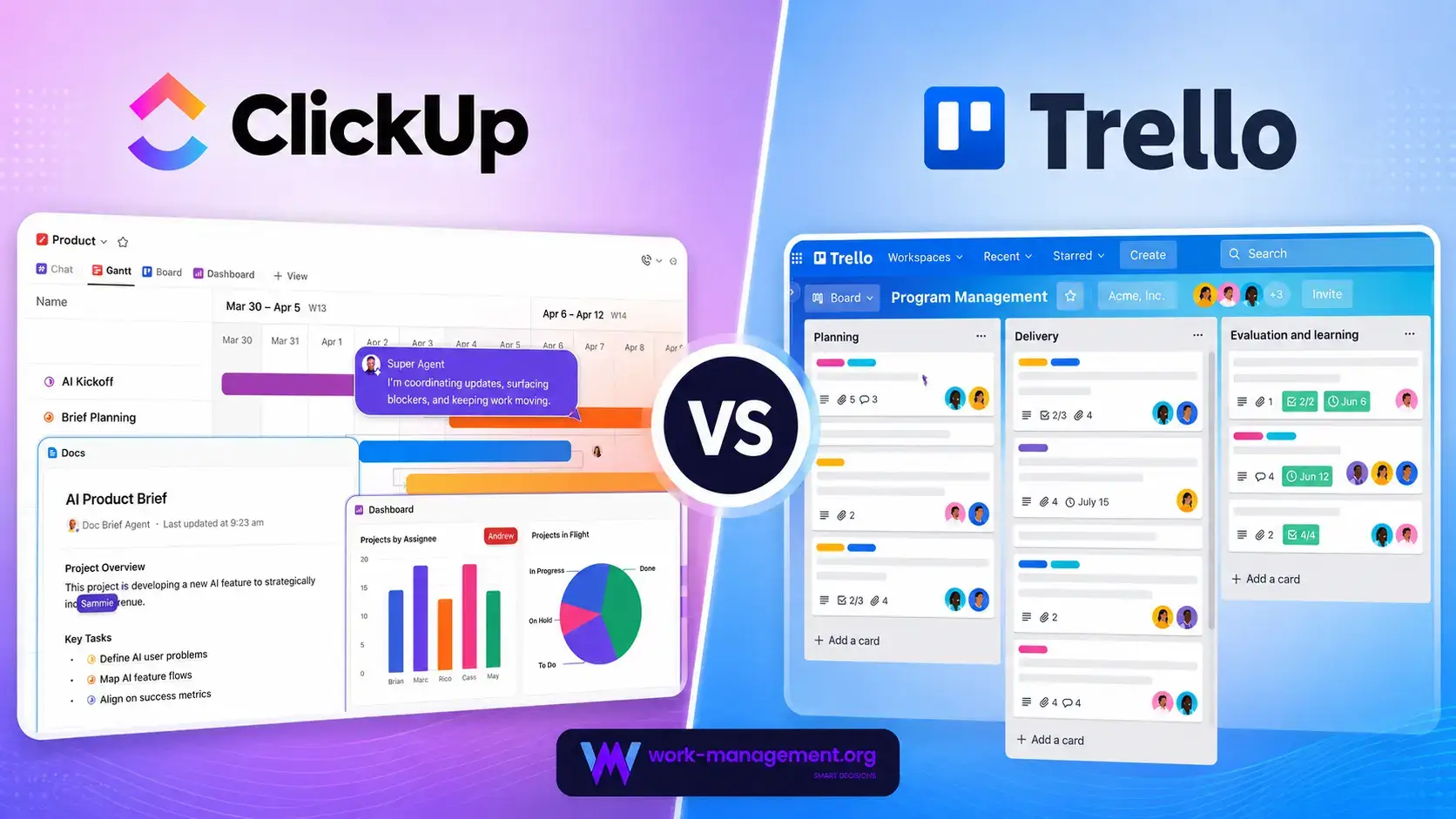
Choosing between ClickUp vs Trello is about deciding how much structure your team needs. Trello centers on visual boards, lists, and cards. ClickUp expands task management into Docs, dashboards, goals, time tracking, workload, chat, whiteboards, forms, sprints, and AI.
ClickUp is the better overall choice for most growing teams. It provides deeper hierarchy, dependencies, reporting, resource management, documentation, and automation. Trello is better when speed and visual simplicity matter more than advanced controls.
The real question is when Trello’s simplicity begins creating extra work through additional boards, Power-Ups, spreadsheets, and manual reporting. This comparison focuses on that transition.
ClickUp vs Trello at a Glance
Use this table for a quick recommendation. The detailed sections explain where each difference becomes important in daily work.
| Comparison Area | ClickUp | Trello | Better Choice |
| Overall fit | All-in-one work and project management platform | Visual Kanban task management | ClickUp for most growing teams |
| Ease of adoption | More capable but denser | Fast, familiar, and highly visual | Trello |
| Task management | Nested work, task types, dependencies, estimates, relationships | Cards, checklists, labels, members, dates, and Custom Fields | ClickUp |
| Kanban experience | Flexible Board view within a larger workspace | Focused board-first experience | Trello |
| Project views | More than 15 view types | Board plus Premium Calendar, Timeline, Table, Dashboard, and Map views | ClickUp |
| Automation | Deeper workflow actions and integrations with plan quotas | Approachable built-in automation with generous Premium runs | ClickUp for depth, Trello for simplicity |
| AI | Brain AI, multiple models, agents, search, Notetaker, and AI Fields | AI board builder, card summaries, content generation, and quick capture | ClickUp |
| Docs and communication | Docs, Wikis, Chat, Whiteboards, Clips, email | Card comments, attachments, Inbox, and Power-Ups | ClickUp |
| Reporting | Custom dashboards, portfolios, workload, goals, and time reports | Basic Dashboard view and third-party reporting options | ClickUp |
| Native time tracking | Included on Unlimited | Requires a Power-Up or integration | ClickUp |
| Free plan | Unlimited members with feature limits | Up to 10 collaborators and 10 boards per Workspace | Depends on team structure |
| Starting annual price | $7 per user/month | $5 per user/month | Trello for basic boards |
My recommendation: choose ClickUp for detailed projects, recurring operations, documentation, reporting, capacity, and AI. Choose Trello for a shared visual board that users can understand in minutes.
How ClickUp and Trello Were Compared
This comparison uses the same launch workflow in both platforms: structured intake, 40 tasks, recurring work, approvals, dependencies, guests, documentation, estimates, workload checks, reporting, and an AI summary.
It also considers an ongoing editorial pipeline, where board sprawl and cross-project reporting become more important than the quality of a single board.
| Evaluation Category | What Was Considered |
| Adoption | Setup effort, navigation, templates, and contributor training |
| Execution control | Tasks, subtasks, dependencies, recurrence, hierarchy, and views |
| Workflow design | Forms, automation, approvals, handoffs, and cross-project actions |
| Visibility | Dashboards, workload, portfolios, status reporting, and board sprawl |
| Collaboration | Comments, documents, files, chat, guests, and knowledge sharing |
| AI value | Search, drafting, summaries, agents, board creation, and cost |
| Total cost | Plan pricing, add-ons, Power-Ups, integrations, and replaced tools |
| Scalability | Permissions, governance, migration effort, and administrative overhead |
ClickUp and Trello Platform Overviews
ClickUp
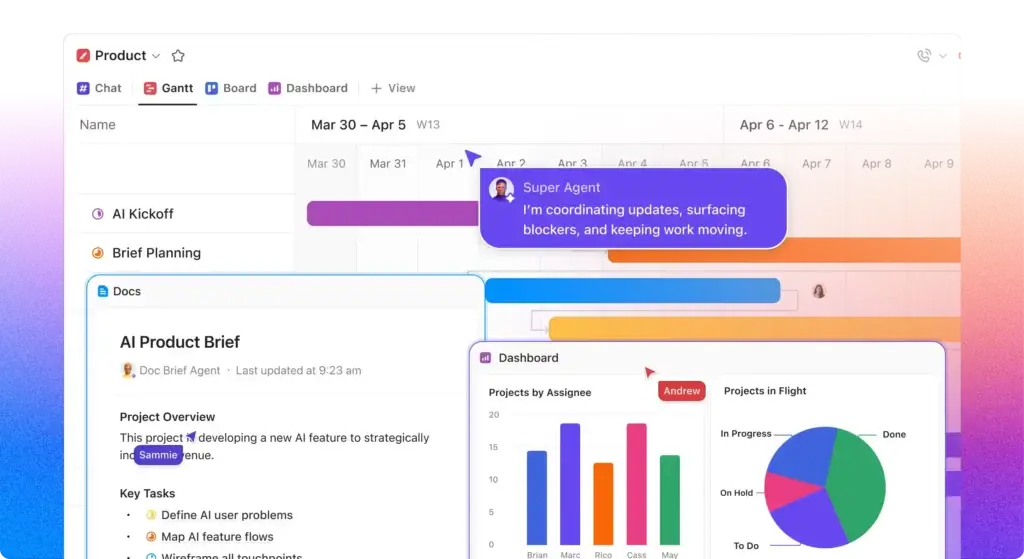
ClickUp is a configurable work platform organized through Workspaces, Spaces, Folders, Lists, tasks, and subtasks. It combines project management with Docs, Wikis, Chat, Whiteboards, dashboards, Goals, time tracking, forms, email, proofing, Clips, sprints, automations, and a growing AI suite.
Its main advantage is connecting planning, execution, communication, documentation, and reporting without relying on several external products.
ClickUp Strengths
- Detailed hierarchy with tasks, subtasks, task types, relationships, and dependencies
- More than 15 views for operational, timeline, resource, and stakeholder needs
- Native Docs, Wikis, Chat, Whiteboards, Clips, email, and time tracking
- Custom dashboards, goals, portfolios, workload, and sprint reporting
- Strong automation, forms, integrations, API access, and AI capabilities
- Competitive pricing for teams replacing several separate tools
ClickUp Limitations
- Requires more setup and workspace architecture decisions
- Feature density can overwhelm occasional contributors
- Poor governance can create duplicate fields, statuses, and views
- Automation and AI usage limits require monitoring
Read the full ClickUp review for a deeper analysis of its features, plans, hierarchy, and best use cases.
Trello

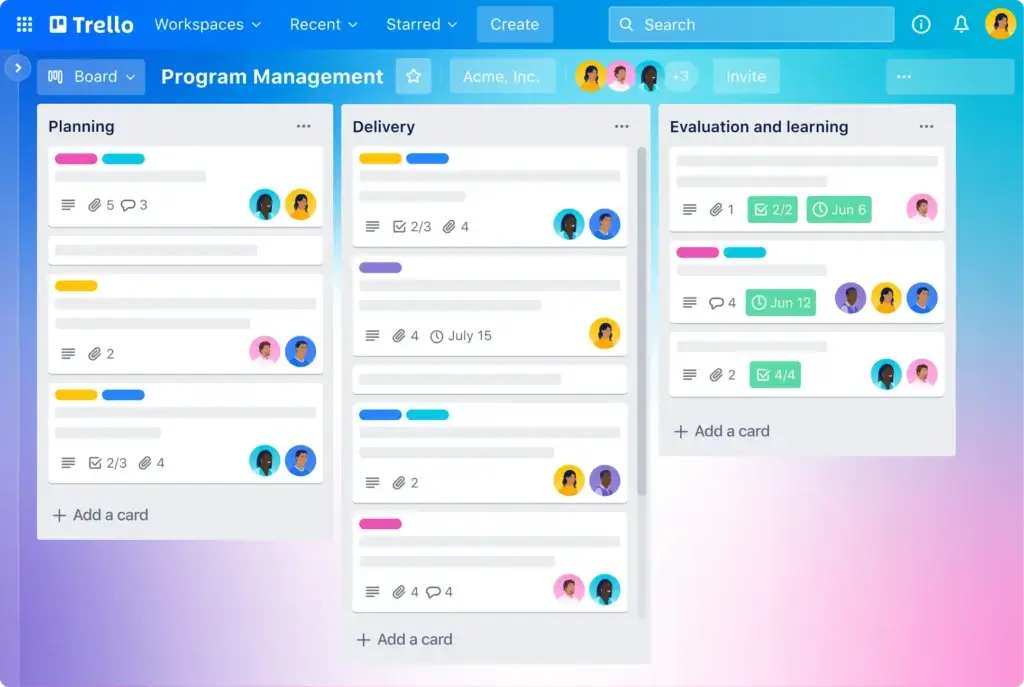
Trello is a visual work management product centered on boards, lists, and cards. Paid plans add unlimited boards, card mirroring, Planner, Custom Fields, additional views, AI, administration, and higher automation quotas.
Trello’s strength is focus. A new user can understand the workflow by looking at the board, making it effective for content calendars, events, personal planning, and lightweight Agile work.
Trello Strengths
- One of the fastest project and task tools to learn
- Excellent drag-and-drop Kanban experience
- Useful free plan for small teams with up to 10 collaborators
- Built-in automation available on every plan
- Inbox, Planner, card mirroring, templates, and unlimited Power-Ups per board
- Strong Atlassian ecosystem and straightforward Jira integration
Trello Limitations
- Limited hierarchy beyond boards, lists, cards, and checklists
- No native time tracking, Docs, goals, or full resource management
- Advanced views and AI require Premium or higher
- Reporting becomes fragmented across boards and Power-Ups
- Complex programs can create board sprawl and duplicated information
Read the full Trello review for more detail on its boards, automation, Power-Ups, plans, and ideal workflows.
Ease of Use and Team Adoption
Trello Is Easier to Learn and Launch
Workspace Setup
Trello has the clearer starting model. You create a Workspace, add a board, define lists such as Backlog, In Progress, Review, and Done, then add cards. The interface communicates the workflow without requiring users to understand a formal hierarchy.
ClickUp asks more questions. You must decide how Spaces, Folders, Lists, statuses, Custom Fields, views, Docs, and permissions should work together. These decisions produce a more scalable system, but the first implementation requires an owner who can define standards.
Daily Contribution
Trello is particularly strong for contributors who only need to move cards, update checklists, attach files, and comment. The limited surface area reduces hesitation and makes the tool suitable for volunteers, clients, contractors, and mixed-skill teams.
ClickUp becomes efficient after onboarding, but its extra fields, relationships, estimates, dependencies, and views can overwhelm occasional contributors.
Better choice for ease of use: Trello. Choose it when immediate adoption is more important than building a detailed operating system.
Task and Project Management
ClickUp Provides More Structure for Complex Work
Hierarchy, Dependencies, and Recurring Work
ClickUp supports a deeper hierarchy and more detailed task modeling. Teams can organize work by department, client, program, project, sprint, or service line, then add subtasks, relationships, dependencies, custom task types, milestones, estimates, priorities, and recurring schedules.
Trello cards can contain rich information, but the model stays flatter. Advanced checklists add assignees and dates, yet they do not provide the same portfolio-ready hierarchy as full tasks and subtasks.
Views and Planning
ClickUp offers List, Board, Calendar, Gantt, Timeline, Table, Workload, Team, Mind Map, Whiteboard, and other views. One dataset can serve contributors, project managers, resource leads, and executives.
Trello Premium adds Calendar, Timeline, Table, Dashboard, Map, and Workspace views. They improve planning, but provide less control over dependencies, capacity, and cross-project reporting.
Better choice for task and project management: ClickUp. Trello handles straightforward workflows well, but ClickUp gives you more room before your process outgrows the platform.
Kanban Boards and Visual Workflow Management
Trello Delivers the Cleaner Board-First Experience
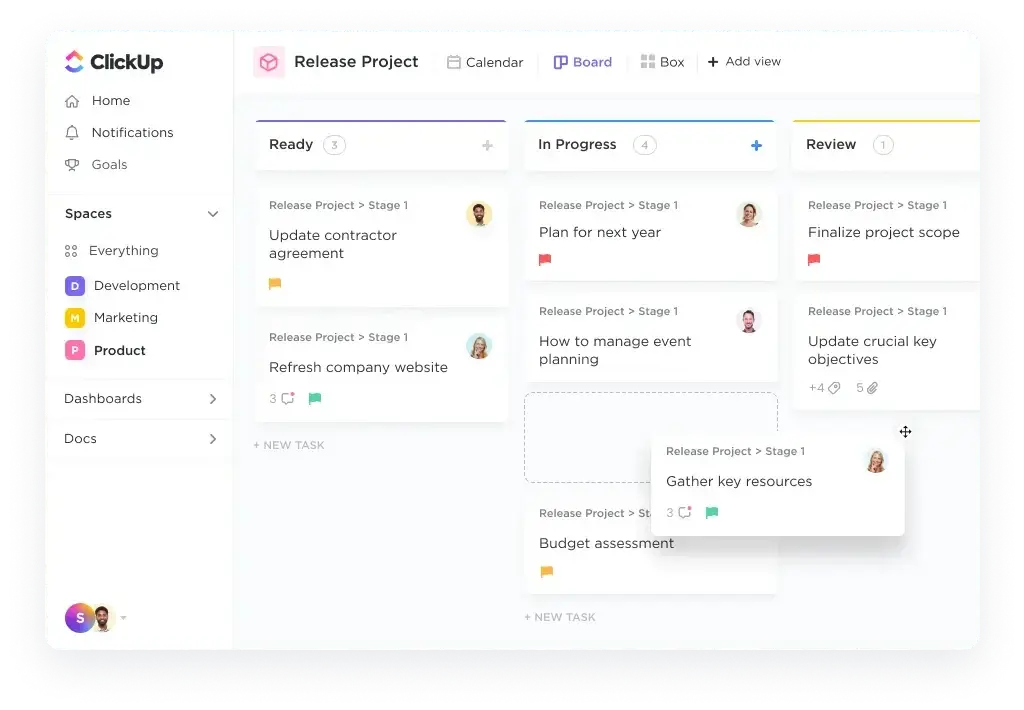
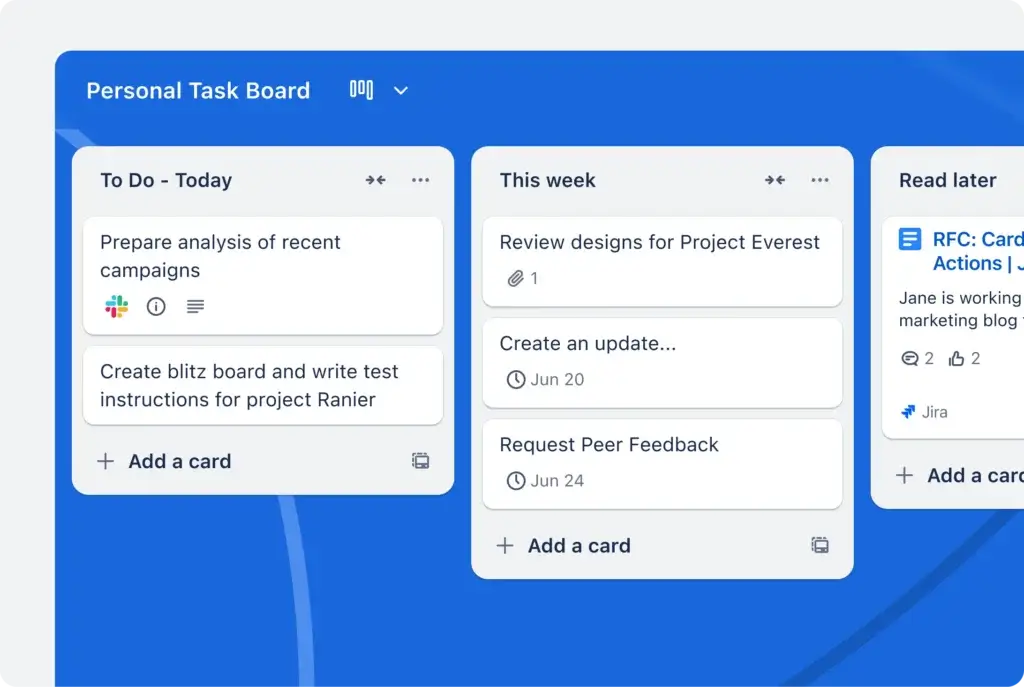
Trello remains one of the best choices when the board itself is the workflow. Lists can represent stages, priorities, teams, or time periods, while cards move through the process with minimal friction. Card covers, labels, list colors, collapsible lists, templates, and Power-Ups make the board easy to scan and personalize.
ClickUp’s Board view can group and filter tasks by status, assignee, priority, or Custom Field. Trello remains cleaner for teams that only want a shared visual board.
Trello makes blocked work and overcrowded stages easy to spot. The risk appears when one workflow becomes many boards and the team loses a reliable cross-workspace view.
Better choice for pure Kanban simplicity: Trello. Better choice for Kanban connected to deeper project controls: ClickUp.
Workflow Automation and Intake
ClickUp Is Deeper, While Trello Is Easier to Automate
Automation Builders
Trello automation can react to card moves, dates, labels, and buttons, then assign members, update fields, move cards, manage checklists, send emails, or coordinate boards.
ClickUp automations can change statuses, assignees, priorities, dates, fields, comments, locations, and subtasks. Business adds automation integrations and webhooks, making it better suited to workflows that must coordinate project data with CRM, development, communication, or service tools.
Forms and Request Management
ClickUp has the stronger native intake system. Forms can create detailed tasks, populate Custom Fields, route work, assign owners, and trigger larger workflows.
Trello can receive work through Inbox, email, Slack, Teams, Power-Ups, and external automation, but structured routing and conditional intake usually require more assembly.
Better choice for approachable board automation: Trello. Better overall choice for workflow automation and structured intake: ClickUp.
AI Features and Intelligent Workflows
ClickUp Offers a Broader AI Workspace
ClickUp Brain AI and Agentic Features
ClickUp Brain works across tasks, Docs, Chat, and workspace knowledge. It can search, summarize, draft, answer questions, create updates, use multiple models, and support agents and AI-powered fields.
This breadth matters when AI must search work, create updates, turn meetings into actions, populate fields, and operate across projects rather than only improve text.
Trello AI
Trello’s AI is more focused. Paid plans support AI-generated boards and quick capture, while Premium and Enterprise add writing, editing, summarization, and action-item generation in cards.
The AI board builder reduces blank-board setup by creating lists, cards, checklists, dates, labels, and covers from a prompt.
Better choice for fast AI-assisted board creation: Trello. Better overall AI platform: ClickUp. ClickUp provides more context, more models, more automation options, and a clearer path toward agents that act across work.
Collaboration, Docs, and Communication
ClickUp Can Replace More Separate Products
Trello keeps collaboration attached to cards. Members can comment, mention colleagues, attach files, watch activity, and use Inbox to capture messages and tasks before organizing them into boards. This is simple and keeps discussions close to the work item.
ClickUp adds Docs, Wikis, Chat, Whiteboards, Clips, email, proofing, and collaborative editing to standard task comments and files.
Trello works well when your team already uses Google Docs, Confluence, Slack, or Teams. ClickUp is better when project knowledge and delivery records should stay in one searchable system.
Better choice for lightweight card collaboration: Trello. Better choice for collaboration breadth and tool consolidation: ClickUp.
Dashboards, Reporting, and Resource Management
ClickUp Gives Managers More Operational Visibility
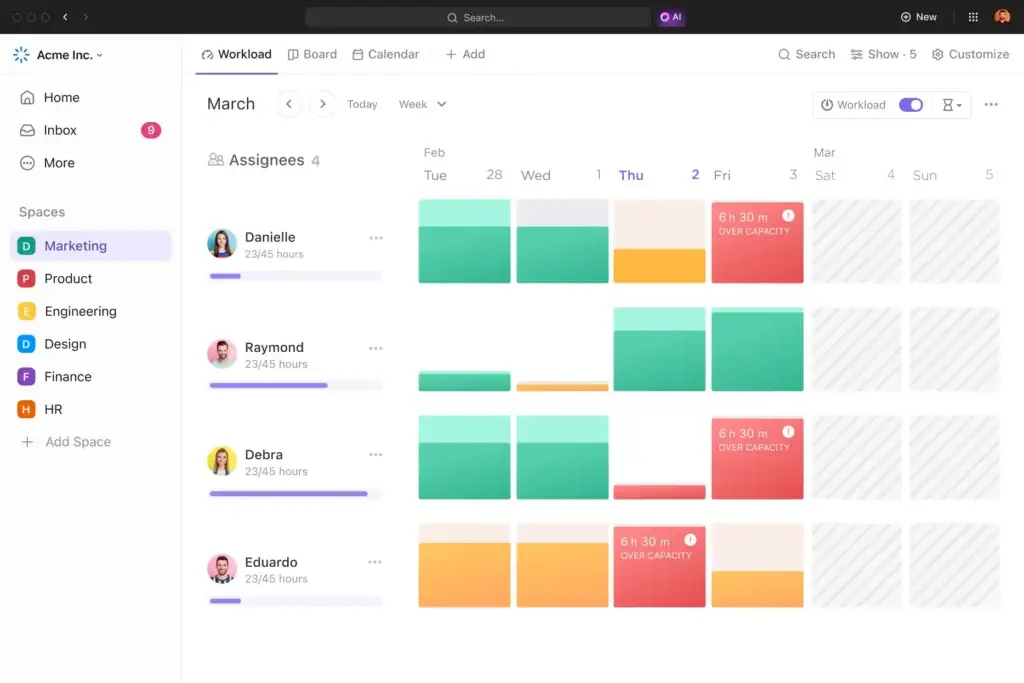
ClickUp dashboards can combine task status, time, workload, priorities, sprint data, calculations, charts, and custom metrics. Goals and portfolio tools provide higher-level context, while workload views help managers identify over-allocation before deadlines are affected.
Trello Premium provides Dashboard, Workspace Table, and Workspace Calendar views, while Dashcards and Power-Ups extend reporting. The result is useful but less flexible than ClickUp.
The gap appears when leaders need fast answers about project risk, workload, approval queues, missed deadlines, and time by client or campaign.
Better choice for dashboards, reporting, and resource management: ClickUp. Trello remains sufficient when management only needs a visible workflow and basic card counts.
Time Tracking and Agency Operations
ClickUp Is Better for Billable and Capacity-Based Work
ClickUp Unlimited includes native time tracking, estimates, Goals, portfolio management, and resource management. Team members can start timers from tasks, add time manually, compare estimates with actual effort, and report hours across clients or projects.
Trello does not include native time tracking. Agencies must add a Power-Up or integration, which separates time data from project reporting and workload planning.
Trello can suit a small fixed-fee creative team. ClickUp is stronger for retainers, billable hours, utilization, recurring delivery, and client reporting.
Better choice for agencies, consulting teams, and time-based services: ClickUp.
Integrations, Power-Ups, and Extensibility
Trello uses Power-Ups to extend boards with file storage, communication, time tracking, forms, reporting, voting, calendars, CRM tools, and development services. Unlimited Power-Ups per board are available even on the Free plan, which gives Trello unusual modular flexibility.
The limitation is that third-party Power-Ups may add separate pricing, permissions, support, and data handling.
ClickUp promotes more than 1,000 integrations, plus a public API, webhooks on higher plans, automation integrations, email features, and an MCP server.
Better choice for a modular board with specialized add-ons: Trello. Better choice for native breadth and centralized administration: ClickUp.
Pricing and Total Cost
Trello has the lower entry price: Standard costs $5 per user per month annually, compared with $7 for ClickUp Unlimited. Trello Premium costs $10, while ClickUp Business costs $12.
| Plan Level | ClickUp | Trello |
| Free | Unlimited members, core tools, feature usage limits | Up to 10 collaborators, 10 boards, 250 automation runs |
| Entry paid | Unlimited at $7/user/month annually | Standard at $5/user/month annually |
| Advanced self-service | Business at $12/user/month annually | Premium at $10/user/month annually |
| Native time tracking | Unlimited | Not included |
| Advanced views | Broad view set across paid plans | Calendar, Timeline, Table, Dashboard, and Map on Premium |
| Automation | 1,000 actions on Unlimited, 5,000 on Business | 1,000 runs on Standard, unlimited runs on Premium with operation limits |
| AI | Brain AI at $9/user/month, Everything AI at $28/user/month annually | AI board creation on paid plans, broader AI on Premium and Enterprise |
| Enterprise | Custom pricing | $17.50/user/month annually at listed base pricing |
What a 10-Person Team Pays
At annual list pricing, 10 users cost $840 per year on ClickUp Unlimited and $1,440 on ClickUp Business. Trello Standard costs $600 per year, while Trello Premium costs $1,200.
Trello is cheaper when boards, Custom Fields, Planner, card mirroring, and automation cover the workflow. ClickUp offers better value when it replaces separate reporting, documentation, time tracking, chat, or resource tools.
Hidden Cost Checklist
- Time spent rebuilding the same information across multiple Trello boards
- Paid Power-Ups, integration platforms, and reporting products
- Separate subscriptions for Docs, chat, whiteboards, and time tracking
- ClickUp implementation, governance, and contributor training
- Automation operations, actions, and AI usage allowances
- Guest billing rules, inactive users, and multi-board access
- Migration work when a lightweight system reaches its limits
Better choice for the lowest basic subscription: Trello. Better choice for total capability per paid seat: ClickUp.
Security, Administration, and Enterprise Readiness
Both platforms provide credible enterprise security foundations. ClickUp reports SOC and ISO certifications, PCI DSS compliance, penetration testing, and a bug bounty program.
Trello benefits from Atlassian’s security program. Enterprise includes Atlassian Guard Standard, SSO, provisioning, organization-wide permissions, board controls, Power-Up administration, and mobile device management.
Both platforms require careful configuration of public sharing, guests, board visibility, Spaces, and custom roles.
Better choice for organizations already standardized on Atlassian identity and governance: Trello. Better choice when enterprise controls must support a broader all-in-one work platform: ClickUp.
Which Platform Fits Your Team?
Choose ClickUp for Agencies and Professional Services
ClickUp combines client organization, recurring templates, native time tracking, Docs, proofing, email, dashboards, and workload planning. It is the stronger choice when delivery, utilization, client communication, and profitability must connect.
Choose Trello for Small Teams With Simple Workflows
Trello is excellent for small teams managing a clear flow such as Ideas, Planned, In Progress, Review, and Published. It keeps the process visible without forcing the team to design a more complex workspace.
Choose ClickUp for Product and Software Teams
ClickUp includes sprints, points, estimates, dependencies, Git integrations, custom statuses, Docs, Whiteboards, dashboards, and workload tools. Trello can support lightweight Kanban, but it needs Jira or additional Power-Ups for deeper development planning.
Choose Trello for Personal Planning and Ad Hoc Collaboration
Trello’s Free plan, Inbox, templates, Planner, and visual boards make it attractive for personal goals, editorial calendars, event planning, household projects, and temporary collaborations.
Choose ClickUp for Marketing Operations
ClickUp is better when marketing work includes requests, campaign briefs, dependencies, calendars, proofing, time, goals, dashboards, and recurring production. Trello is strong for a single content or campaign board but becomes harder to report across several programs.
Choose Trello for Teams With Minimal Administrative Capacity
Trello is safer when nobody can own a detailed system design. A basic board can remain useful with limited governance, while an unmanaged ClickUp workspace can accumulate excessive statuses, fields, and views.
Pros and Cons of ClickUp vs Trello
| Platform | Main Advantages | Main Drawbacks |
| ClickUp | Project depth, views, time tracking, Docs, Chat, dashboards, AI, sprints | Learning curve, setup effort, governance needs, added AI cost |
| Trello | Ease of use, Kanban clarity, low entry price, automation, Power-Ups | Flat hierarchy, limited reporting, no native time tracking, board sprawl |
Migration and Trial Strategy
How to Test ClickUp vs Trello Before Buying
Build the same real workflow in both products and invite the same users. Measure contribution effort, management visibility, setup time, and workarounds.
- Create one intake path and one reusable project template
- Add a manager, two contributors, one guest, and one executive viewer
- Track dependencies, recurring work, approvals, estimates, and due dates
- Build one leadership report that combines multiple projects or boards
- Test automation for assignment, reminders, handoffs, and overdue work
- Generate an AI board or project summary in each platform
- Record setup time, user questions, add-ons, and manual spreadsheet work
ClickUp provides a direct Trello importer, but review Custom Fields, attachments, members, archived cards, automation, Power-Ups, and visibility after migration. Moving complex work into Trello may require copy and paste, the API, or third-party tools.
Overall Recommendation
ClickUp is the better project management platform for most teams comparing ClickUp vs Trello. It wins on task depth, hierarchy, views, dependencies, native time tracking, documentation, collaboration tools, dashboards, workload, sprint support, structured intake, and AI breadth.
Trello is better when simplicity is the main requirement. Its board system is easier to launch and teach, while Standard offers a low-cost path to unlimited boards, Custom Fields, Planner, card mirroring, and more automation.
Choose Trello when the workflow is likely to stay simple. Choose ClickUp when more clients, projects, dependencies, reports, and roles are likely to enter the process.
Frequently Asked Questions
-
Is ClickUp better than Trello?
ClickUp is better for most teams that need detailed project planning, multiple views, dependencies, time tracking, dashboards, Docs, workload management, and AI. Trello is better for simple visual workflows and faster adoption.
-
Is ClickUp or Trello easier to use?
Trello is easier to use because its board, list, and card structure is immediately understandable. ClickUp requires more setup and training, but it gives teams greater control over complex projects and reporting.
-
Is ClickUp cheaper than Trello?
No at the entry tier. Trello Standard starts at $5 per user per month annually, while ClickUp Unlimited starts at $7. ClickUp may provide better total value when it replaces time tracking, Docs, dashboards, and other tools.
-
Which has the better free plan, ClickUp or Trello?
ClickUp supports unlimited members but applies feature usage limits. Trello Free supports up to 10 collaborators and 10 boards per Workspace. Trello is excellent for a small board-based team, while ClickUp offers more room to explore advanced features.
-
Which is better for agencies, ClickUp or Trello?
ClickUp is usually better for agencies because it includes native time tracking, client hierarchy, Docs, proofing, forms, dashboards, recurring work, and workload management. Trello works for small agencies with simple fixed-fee workflows.
-
Which platform has better automation?
ClickUp offers deeper workflow automation and integration actions. Trello automation is easier to configure and Premium includes unlimited runs, although operation limits still apply. The better choice depends on workflow complexity.
-
Does ClickUp or Trello have better AI?
ClickUp has the broader AI platform with workspace search, multiple models, agents, AI Fields, Notetaker, drafting, and summaries. Trello provides useful AI board creation, quick capture, summaries, and writing assistance.
-
Is Trello good for complex project management?
Trello can support moderately complex workflows through Premium views, automation, card mirroring, Custom Fields, and Power-Ups. It is less suitable when you need deep dependencies, resource planning, time reporting, portfolios, or complex hierarchy.
-
Which is better for personal productivity?
Trello is often better for personal productivity because it is visual, quick to configure, and easy to maintain. ClickUp is better for individuals who want goals, Docs, time tracking, multiple views, and a more structured system.
-
Can you migrate from Trello to ClickUp?
Yes. ClickUp provides a direct Trello importer. Review members, Custom Fields, attachments, archived cards, Power-Ups, automation, and permissions after import because not every Trello configuration maps directly to ClickUp.