Introduction
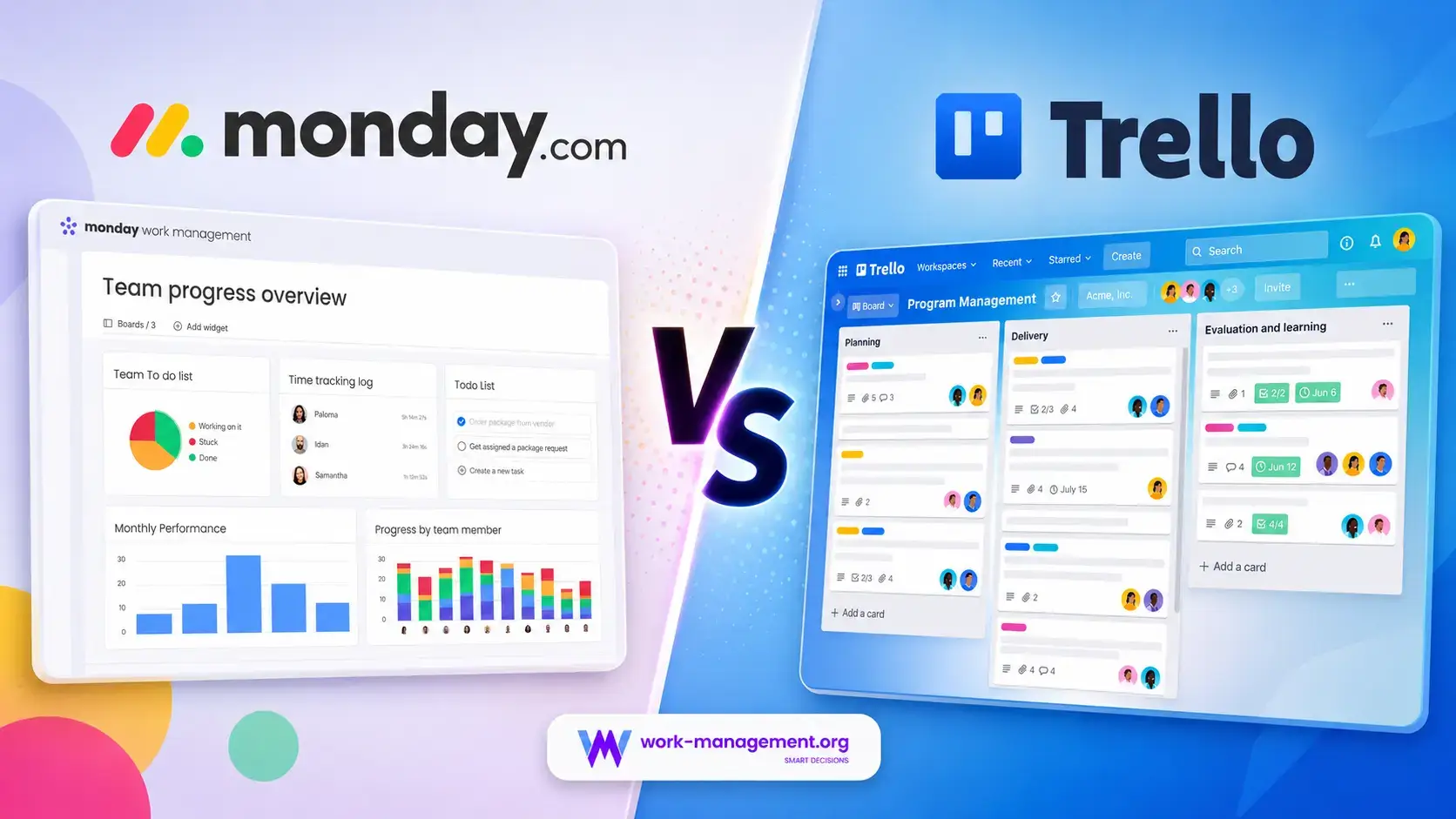
The monday.com vs Trello comparison is not simply about colorful boards and movable cards. The two products are designed around different ideas of how far a task board should scale.
Trello is easier and less expensive for individuals and small teams that need visual Kanban management. monday.com requires more setup, but adds deeper processes, dependencies, forms, time tracking, resource planning, and cross-project reporting.
For most growing teams, monday.com is the better overall platform. Trello wins on simplicity, while monday.com becomes more valuable when managers must monitor project risk, team capacity, and portfolio performance.
monday.com vs Trello at a Glance
This table gives you the fast recommendation. The sections that follow explain why the differences become more important as the number of people, boards, and reporting requirements increases.
| Comparison Area | monday.com | Trello | Better Choice |
| Overall fit | Configurable work management across teams and portfolios | Accessible Kanban task management | monday.com for most growing teams |
| Ease of adoption | More setup choices and controls | Very fast to understand and deploy | Trello |
| Task and project depth | Dependencies, formulas, subitems, forms, milestones, workload, time tracking | Cards, checklists, labels, dates, custom fields, mirroring | monday.com |
| Cross-project visibility | Multi-board dashboards, portfolios, workload, connected boards | Workspace Table and Calendar plus board-level Dashboard | monday.com |
| Automation value | More workflow depth, but strict action limits by plan | Generous automation allowances at lower prices | Trello for volume, monday.com for breadth |
| AI capabilities | Sidekick, agents, AI blocks, workflows, Notetaker, Vibe, MCP | AI board creation, writing help, quick capture, MCP | monday.com |
| Integrations | 200+ integrations, marketplace, API, SDKs, MCP | 200+ integrations and Power-Ups, API, MCP | Close |
| Native time tracking | Included on Pro | Requires a Power-Up or external app | monday.com |
| Free plan | Up to two seats and three boards | Up to 10 collaborators and 10 boards | Trello |
| Starting annual price | Basic from $9 per seat/month | Standard from $5 per user/month | Trello |
My recommendation: choose monday.com when work crosses multiple projects, departments, clients, or reporting levels. Choose Trello when your team wants the fastest possible route from an idea to a shared board and does not need sophisticated portfolio or resource management.
How monday.com and Trello Were Compared
This comparison applies the same cross-functional launch scenario to both platforms: 35 tasks, five phases, intake, dependencies, guests, recurring work, approvals, workload review, reporting, and an AI update.
The central question is how much manual coordination, add-on software, and reporting remains after the workflow becomes active.
| Evaluation Category | What Was Considered |
| Adoption | Setup, navigation, templates, contributor effort, and training needs |
| Execution control | Tasks, subtasks, dependencies, recurrence, custom fields, and views |
| Workflow design | Forms, automations, approvals, routing, and multi-step processes |
| Management visibility | Dashboards, portfolios, workload, reporting, and cross-board context |
| Collaboration | Comments, documents, files, notifications, guests, and external work |
| AI value | Board creation, summaries, writing, agents, workflow actions, and governance |
| Total cost | Plan price, seat rules, AI consumption, Power-Ups, and replacement tools |
| Scalability | Permissions, administration, data structure, and reporting overhead |
monday.com and Trello Platform Overviews
monday.com

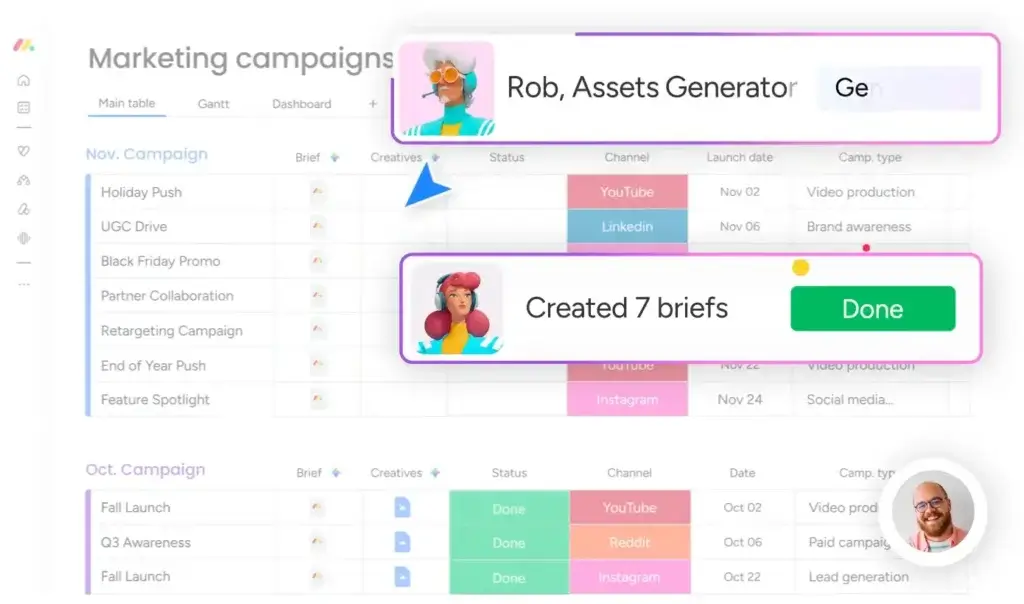
monday.com is a visual work management platform built around boards, items, subitems, columns, dashboards, workdocs, forms, and automations. The same structured data can feed Kanban, Calendar, Timeline, Gantt, Workload, Form, and dashboard views.
It can support campaigns, operational requests, and portfolios in one account, but an administrator should standardize fields, permissions, and board architecture.
monday.com Strengths
- Flexible boards and columns for many project and process types
- Strong dashboards, portfolio reporting, dependencies, and connected boards
- Native forms, time tracking, workload, workdocs, and visual planning
- Broader AI portfolio with agents, Sidekick, workflows, and app building
- Useful enterprise governance, permissions, provisioning, and audit controls
- Better long-term fit when multiple departments need one operating layer
monday.com Limitations
- More configuration and governance than Trello requires
- Paid plans generally begin with a minimum of three seats
- Standard automation and integration allowances are restrictive
- New AI pricing adds a separate credit-consumption consideration
Read the full monday Work Management review for a deeper analysis of its plans, features, and ideal use cases.
Trello

Trello is centered on Workspaces, boards, lists, and cards. Cards hold owners, dates, checklists, labels, files, comments, custom fields, and automation, while the main interaction remains moving work between stages.
Inbox, Planner, card mirroring, workspace views, AI-generated boards, and MCP add useful depth without changing Trello’s lightweight identity.
Trello Strengths
- Fast setup and one of the clearest Kanban experiences available
- Excellent free plan for small teams and personal workflows
- Low paid-plan prices with generous built-in automation allowances
- Unlimited Power-Ups and a broad integration ecosystem
- Useful Inbox, Planner, card mirroring, and AI board generation
- Natural fit for teams already using Jira, Confluence, Slack, or Teams
Trello Limitations
- Limited native portfolio, workload, and resource management
- Board sprawl can make cross-project reporting difficult
- Time tracking and deeper dependencies usually require Power-Ups
- Executive reporting is less flexible than monday.com dashboards
Read the full Trello review for more detail on its boards, automation, Power-Ups, and pricing.
Ease of Use and Team Adoption
Trello Is Faster to Learn
Initial Workspace Setup
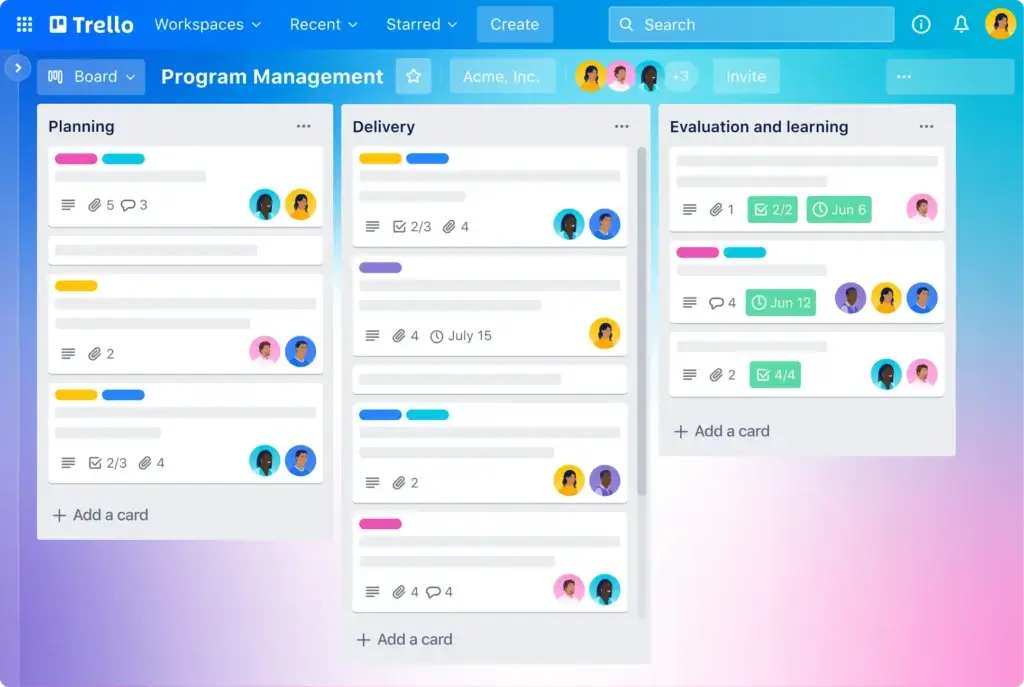
Trello has the clearer starting point: create a Workspace, add a board, name lists, and add cards. The sticky-note metaphor is immediately familiar.
monday.com exposes more decisions around columns, statuses, views, automations, permissions, and board relationships. The flexibility is valuable, but inconsistent setup can create governance problems.
Daily Contributor Experience
Trello is excellent for occasional contributors because cards make ownership, dates, and workflow stage obvious. monday.com provides stronger personal views and dashboards, but contributors may need focused onboarding.
Better choice for ease of use: Trello. monday.com remains approachable for a platform with this much depth, but Trello wins when immediate adoption matters more than future process sophistication.
Task and Project Management
monday.com Handles More Complex Work
Data Structure, Dependencies, and Planning
Both tools manage owners, dates, statuses, checklists, files, comments, and recurring activity. monday.com adds subitems, dependencies, milestones, formulas, connected boards, mirrored data, baselines, and deeper visual planning.
Trello cards remain flexible through custom fields, advanced checklists, mirroring, dates, and Premium views. Dependencies and project calculations usually require links, automation, or Power-Ups, which adds maintenance.
The Board Sprawl Problem
Trello works beautifully while each board represents a self-contained process. Friction appears when one initiative spans several boards or leaders need a unified view across many projects. Workspace Table and Calendar help, but they do not provide the same reporting depth as connected monday.com boards and multi-board dashboards.
At scale, Trello teams may pay a reporting tax through duplicated cards, manual updates, Power-Ups, and spreadsheet rollups.
Better choice for task and project management: monday.com. Trello is better for clean Kanban execution, while monday.com gives teams more ways to model and control interconnected work.
Workflow Automation and Request Intake
Trello Offers Better Low-Cost Automation Volume
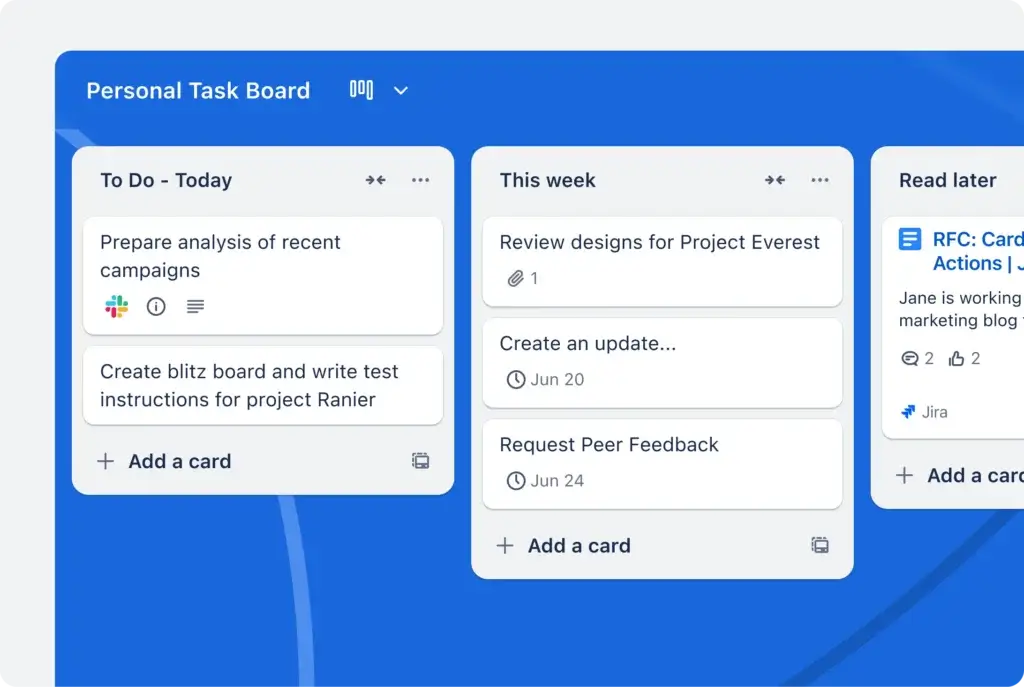
Trello Automation supports rules, card buttons, board buttons, scheduled commands, and due-date actions. Free Workspaces receive 250 command runs per month, Standard receives 1,000, and Premium and Enterprise include unlimited runs subject to operation limits. This is unusually generous for a product starting at $5 per user per month.
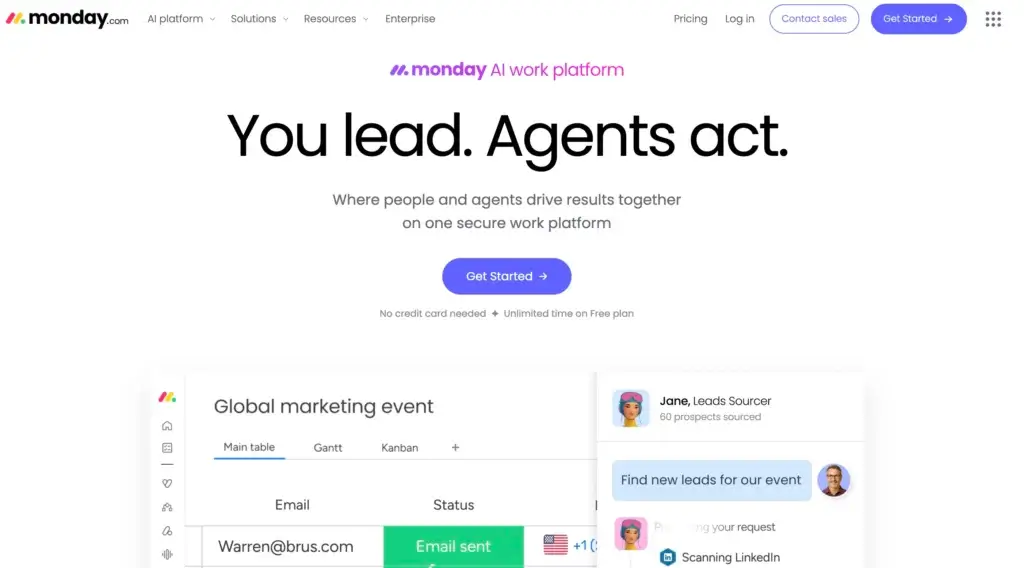
monday.com offers sentence-based automations, integrations, and a visual workflow builder for more advanced multi-step processes. Automations can create items, update statuses, notify people, move work, assign owners, connect boards, and trigger external integrations. WorkForms can convert submissions into structured items, making monday.com stronger for creative requests, operational intake, onboarding, approvals, and service-like processes.
The weakness is allowance. Standard includes only 250 automation actions and 250 integration actions per month. monday.com itself warns that this can be exhausted quickly when recipes notify several people or map multiple columns. Pro raises each allowance to 25,000, which is more practical for an active team but also raises the seat price.
Better choice for affordable automation volume: Trello. Better choice for sophisticated intake and connected workflows: monday.com. The overall advantage goes to monday.com when automation must coordinate several boards, forms, dependencies, and reporting layers.
AI Features and Agentic Work
monday.com Has the Broader AI Strategy
monday Sidekick, Agents, and AI Workflows
monday.com’s AI portfolio includes Sidekick, AI blocks and columns, workflows, Notetaker, agents, Vibe app building, and MCP connections. These tools can summarize, classify, extract, draft, transcribe, and take action against structured workspace data.
Trello AI and MCP
Trello AI can generate structured boards from prompts, capture tasks from email, Slack, and Teams, and assist with writing or summarization on eligible plans. Its MCP server also connects compatible AI tools to Workspace data.
AI Pricing Requires Attention
For new monday AI Work Platform customers from May 6, 2026, seats and AI credits are purchased together. Minimum monthly credit quantities are tied to the selected tier, and different tools consume credits at different rates. This gives administrators one shared consumption model, but it also makes actual cost dependent on behavior.
Trello packages more AI directly into paid tiers, although feature availability differs between Standard and Premium. Its AI scope is smaller, so it is easier to predict but cannot replace the wider agent, meeting, app-building, and workflow functions available in monday.com.
Better overall AI platform: monday.com. Trello is the more economical option for lightweight board generation and writing assistance. monday.com is the stronger long-term choice when AI needs to take action across business workflows.
Collaboration, Documents, and External Work
monday.com Keeps More Context Inside the Platform
Trello collaboration is centered on cards. Team members can comment, mention colleagues, attach files, watch activity, and receive notifications. This keeps discussion attached to the specific unit of work and avoids the ambiguity of a separate chat stream.
monday.com uses item updates in a similar way, but extends collaboration through workdocs, embedded boards, forms, dashboards, files, annotations, and WorkCanvas. Teams can keep a project brief, meeting notes, decisions, task data, and visual planning connected instead of dividing context across a board, a document product, and a spreadsheet.
Guest economics also matter. Trello includes single-board guests on Standard, while multi-board guests become billable. monday.com’s Standard plan allows a limited number of free guests before billing rules apply. In both tools, you should model how agencies, clients, contractors, and reviewers will access work before comparing seat prices.
Better choice for lightweight card discussion: Trello. Better choice for connected project context and documentation: monday.com.
Dashboards, Portfolios, and Resource Management
monday.com Gives Managers More Reliable Visibility
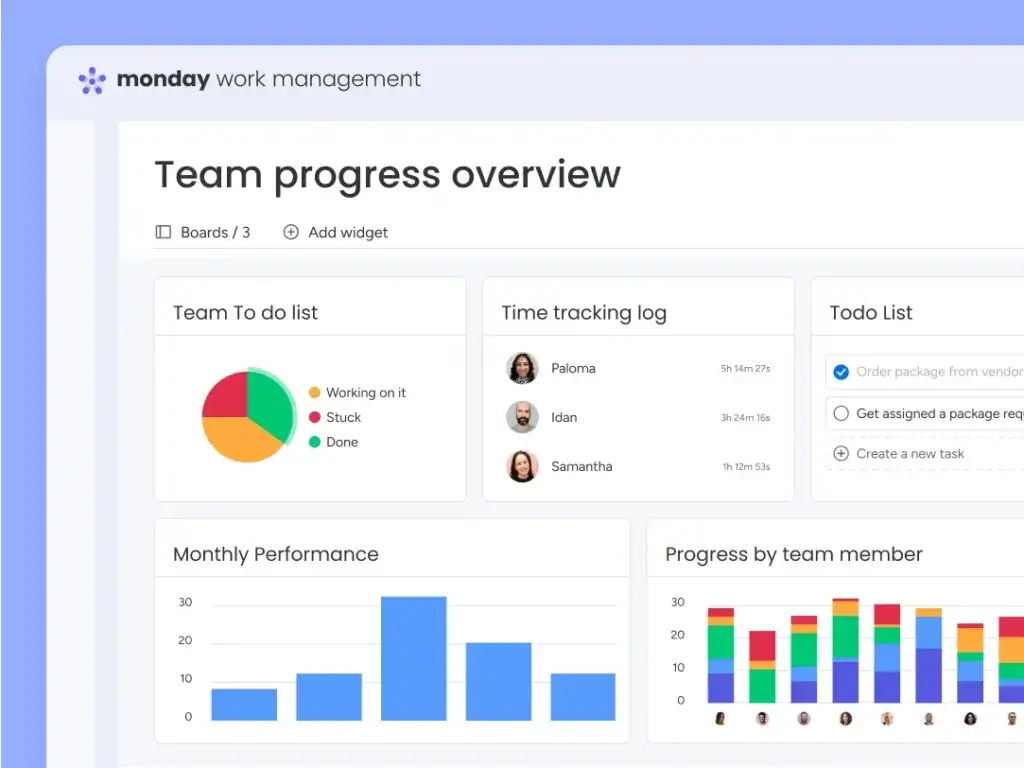
This is the clearest difference in the monday vs Trello comparison. monday.com dashboards combine multiple boards into charts, timelines, tables, calendars, and workload widgets. Standard connects five boards per dashboard, Pro connects 20, and Enterprise expands further.
Pro also adds Workload and time tracking, while Enterprise adds portfolio and resource management capabilities. These tools help leaders assess project health, capacity, deadlines, and allocation without asking every project owner to maintain a separate reporting spreadsheet.
Trello Premium adds Dashboard, Workspace Table, and Calendar views. They improve visibility but do not equal a configurable portfolio layer with capacity, formulas, and rollups.
Better choice for dashboards, portfolios, and resource management: monday.com. Trello provides enough visibility for a small set of boards, but monday.com gives management teams a clearer path from task data to operational decisions.
Time Tracking and Client Delivery
monday.com Is Better for Agencies and Service Teams
monday.com Pro includes a native Time Tracking Column, formulas, private boards, Workload, and higher automation limits. Agencies can connect time, status, owner, budget-related fields, deliverables, and client reporting in one structure. This is not a complete professional services automation system, but it supports a practical delivery workflow without immediately adding a time-tracking product.
Trello does not include comparable native time tracking. Teams can add Power-Ups such as time trackers or connect an external service, which may be perfectly acceptable if that product is already part of the stack. The drawback is fragmented reporting and another integration to govern.
Better choice for agencies, consultants, and time-based project delivery: monday.com.
Integrations and Extensibility
Both ecosystems exceed 200 integrations. monday.com adds marketplace apps, GraphQL APIs, SDKs, webhooks, custom apps, and MCP. Trello offers unlimited Power-Ups, an API, MCP, and especially useful connections across Jira, Slack, Bitbucket, and Atlassian products.
The practical distinction is architectural. Trello often extends a board by adding a Power-Up. monday.com more often uses integrations as part of a structured automation or connected workflow. Neither approach is inherently better, but monday.com is easier to position as a central operating layer.
Better choice for an Atlassian-centered stack: Trello. Better choice for broad workflow orchestration: monday.com.
Pricing and Total Cost
Trello wins on list price: Free supports 10 collaborators and 10 boards, Standard costs $5 annually, and Premium costs $10. monday.com Free supports two seats and three boards, while Basic costs $9, Standard $12, and Pro $19 per seat per month annually.
Trello Premium is excellent value, but it lacks native workload, time tracking, and monday.com’s dashboard depth. monday.com Pro costs more because it addresses a broader operational use case.
| Plan Level | monday.com | Trello |
| Free | Up to 2 seats, 3 boards, 3 docs | Up to 10 collaborators, 10 boards, unlimited Power-Ups |
| Entry paid | Basic at $9/seat/month annually | Standard at $5/user/month annually |
| Mid-tier | Standard at $12/seat/month annually | Premium at $10/user/month annually |
| Advanced self-service | Pro at $19/seat/month annually | Enterprise from $17.50/user/month annually |
| Automation | Standard: 250 actions; Pro: 25,000 actions | Standard: 1,000 runs; Premium: unlimited runs subject to operation caps |
| Reporting | Multi-board dashboards, charts, workload, portfolios by tier | Dashboard, Table, Calendar, Timeline, and Workspace views on Premium |
| Native time tracking | Pro | Not included |
| AI | Credit-based AI portfolio for new AI Work Platform customers | AI features across paid plans, with broader card AI on Premium |
| Enterprise controls | Custom pricing | Guard Standard included at Enterprise |
What a 10-Person Team Pays
Before taxes, add-ons, and special AI-credit pricing, annual list prices for 10 seats are approximately $1,080 on monday.com Basic, $1,440 on Standard, and $2,280 on Pro. Trello costs about $600 on Standard, $1,200 on Premium, and $2,100 at the listed Enterprise starting rate.
Calculate the complete workflow cost. Trello may require reporting, time, dependency, or form add-ons. monday.com may add seat-bundle waste, implementation, higher automation tiers, and AI credits.
Hidden Cost Checklist
- Minimum seat quantities and guest billing rules
- Power-Ups or marketplace subscriptions
- Automation actions, operations, and overage planning
- AI credit consumption and governance
- Time tracking, reporting, forms, and documentation tools
- Implementation, training, migration, and workspace administration
- Manual reporting caused by disconnected boards
Better choice for lowest subscription cost: Trello. Better overall value for complex cross-team work: monday.com. Trello should not be discounted simply because it is cheaper, but monday.com can replace more coordination and reporting work as complexity grows.
Security, Reliability, Administration, and Support
Both Platforms Are Suitable for Serious Business Use
monday.com maintains security and privacy programs that include ISO 27001, ISO 27018, SOC 2 Type II, GDPR, and other frameworks. Enterprise adds advanced permissions, SSO, SCIM provisioning, audit capabilities, governance controls, and a 99.9% uptime SLA with enterprise support.
Trello benefits from Atlassian’s cloud security program. Trello states that it is SOC 2 Type II and ISO/IEC 27001 certified, uses two-factor authentication, and encrypts stored data using AES-256. Enterprise includes Atlassian Guard Standard, SSO, user provisioning, organization-wide permissions, and 24/7 Enterprise Admin support.
Support differs by tier. Trello provides help resources for all users, priority support on Premium, and around-the-clock enterprise administration support at Enterprise. monday.com offers a large knowledge base, academy, webinars, community resources, and 24/7 support, with more structured onboarding and customer-success assistance for enterprise customers.
Better choice for administration and enterprise workflow governance: monday.com. Trello remains a credible enterprise product when organizations want governed boards inside the Atlassian ecosystem.
Which Platform Fits Your Team?
Choose monday.com for Marketing, Operations, and PMOs
Forms, approvals, dependencies, dashboards, workload, connected boards, and portfolios make monday.com stronger for cross-functional execution and program reporting.
Choose Trello for Individuals and Small Teams
Trello’s free plan, Inbox, Planner, templates, and simple cards provide useful structure without requiring a platform implementation.
Choose monday.com for Agencies and Client Delivery
Time tracking, private boards, reusable workflows, dashboards, and Workload create a more complete delivery environment as the client portfolio grows.
Choose Trello for Kanban and Atlassian-Centered Work
Trello is difficult to beat for stable card-based workflows and connects naturally with Jira, Confluence, Bitbucket, Slack, and Atlassian administration.
Pros and Cons of monday.com vs Trello
| Platform | Main Advantages | Main Drawbacks |
| monday.com | Project depth, dashboards, portfolios, workload, forms, time tracking, AI breadth | Higher price, setup effort, action limits, AI credit complexity |
| Trello | Ease of use, low pricing, strong free plan, automation value, Power-Ups | Limited resource management, weaker cross-project reporting, add-on dependence |
Migration and Trial Strategy
How to Test monday.com vs Trello Before Buying
Use the same workflow, users, and reporting requirements in both pilots. Run each for two weeks and record where work becomes easier or requires a workaround.
- Create the same intake process and project template
- Add one manager, three contributors, one guest, and one executive viewer
- Track dependencies, recurring work, files, approvals, and late tasks
- Build one cross-project report and one capacity view
- Test an automation that routes and assigns incoming work
- Generate an AI board or summary and estimate ongoing consumption
- Record setup time, add-ons, support questions, and manual reporting
Migration is easier in the Trello-to-monday.com direction because monday.com provides a direct importer for task names, labels, and dates. Descriptions, checklists, activities, and files are not supported by that importer and must be rebuilt or moved separately. Trello has no universal importer, so moving complex monday.com data into Trello may require copy-and-paste, APIs, or third-party services.
Overall Recommendation
monday.com is the better overall platform for most teams comparing monday.com vs Trello. It offers stronger project structures, dashboards, cross-project visibility, workload, time tracking, forms, documents, and AI.
Trello is the better choice when simplicity, speed, and price lead the decision. Its free and Standard plans deliver excellent value, and a small team should not pay for depth it will not use.
The practical decision is therefore not whether Trello can manage projects. It can. The decision is whether your organization expects its project tool to remain a visual task board or become a shared management system. For the second requirement, monday.com offers the clearer path.
Frequently Asked Questions
-
Is monday.com better than Trello?
monday.com is better for most growing teams because it offers deeper project controls, multi-board dashboards, workload management, time tracking, forms, portfolios, and broader AI capabilities. Trello is better for simple, affordable Kanban workflows.
-
Is monday.com or Trello easier to use?
Trello is easier to learn. Its board, list, and card structure requires little training. monday.com remains user-friendly, but its columns, views, connected boards, dashboards, and automations require more setup decisions.
-
Is Trello cheaper than monday.com?
Yes. Trello Standard starts at $5 per user per month with annual billing, while monday.com Basic starts at $9 per seat per month. monday.com may provide better total value when you need advanced reporting, workload, forms, or time tracking.
-
Which has the better free plan, monday.com or Trello?
Trello has the stronger free plan for teams because it supports up to 10 collaborators and 10 boards per Workspace. monday.com Free supports up to two seats and three boards, making it more suitable for individual evaluation.
-
Which is better for complex projects?
monday.com is better for complex projects because it provides dependencies, milestones, formulas, connected boards, Gantt planning, workload, multi-board dashboards, and portfolio capabilities. Trello is strongest when work follows a straightforward Kanban flow.
-
Which platform has better automation?
Trello offers better automation volume at lower prices, including 1,000 monthly runs on Standard. monday.com supports deeper multi-step and cross-board workflows, but its Standard plan includes only 250 automation actions per month.
-
Does monday.com or Trello have better AI?
monday.com has the broader AI platform with Sidekick, agents, AI workflows, AI blocks, Notetaker, Vibe, and MCP connections. Trello offers useful AI board generation, writing help, quick capture, and MCP with a simpler scope.
-
Which is better for reporting and workload management?
monday.com is substantially better for reporting and workload management. It can combine several boards in dashboards and provides native Workload, time tracking, connected boards, and portfolio features on higher plans.
-
Can I migrate from Trello to monday.com?
Yes. monday.com directly imports Trello task names, labels, and dates. Descriptions, checklists, activities, and files are not supported by the importer, so plan to move or rebuild them separately.
-
Which is better for small businesses, monday.com or Trello?
Trello is better for very small businesses that need inexpensive task boards. monday.com is better for small businesses expecting to add departments, client workflows, forms, dashboards, workload planning, and standardized reporting as they grow.