Introduction
Choosing between ClickUp vs Wrike is not simply a question of which platform has more project management features. Both can organize complex work, build custom workflows, automate routine actions, create dashboards, manage dependencies, support multiple views, and add AI to day-to-day execution. The more useful question is where each platform places the burden of complexity.
ClickUp is the better overall choice for most small, mid-sized, and growing teams. It delivers a broader set of built-in tools at a substantially lower self-service price, including Docs, Chat, Whiteboards, native time tracking, goals, portfolio features, and a highly configurable task hierarchy. Wrike is the stronger option for organizations that need mature creative proofing, formal request and approval workflows, advanced capacity planning, budgeting, business intelligence, or customer-managed encryption.
This comparison focuses on adoption, governance, reporting, AI costs, and the effort required to keep each workspace usable after setup.
ClickUp vs Wrike at a Glance
Use this table for a fast comparison. The detailed sections explain where the category winner may change based on team size, work type, and plan level.
| Comparison Area | ClickUp | Wrike | Better Choice |
| Overall fit | Flexible all-in-one work platform | Structured enterprise work management | ClickUp for most teams |
| Ease of adoption | Feature-rich but approachable with templates | Structured but more formal and layered | ClickUp |
| Task management | Deep hierarchy and customization | Strong structured project execution | ClickUp |
| Portfolio and resource planning | Good workload and portfolio tools | Advanced capacity, bookings, and budgeting | Wrike |
| Creative proofing | Native proofing on higher plans | Mature file review and approval workflows | Wrike |
| Collaboration breadth | Docs, Chat, Whiteboards, Clips, and tasks | Task comments, files, approvals, and whiteboards | ClickUp |
| AI approach | Contextual assistant, multiple models, and agents | Governed agents, Copilot, and work intelligence | ClickUp for breadth |
| Reporting | Flexible dashboards and operational cards | Advanced BI and external data options | Wrike at enterprise scale |
| Integrations | 1,000+ through native and third-party connections | 400+ with advanced sync and integration products | ClickUp for general use |
| Entry paid price | $7 per user/month annually | $10 per user/month annually | ClickUp |
| Mid-tier price | $12 per user/month annually | $25 per user/month annually | ClickUp |
| Enterprise governance | Strong SSO, SCIM, audit, and residency controls | Strong governance plus Wrike Lock options | Wrike for regulated needs |
My recommendation: choose ClickUp for functionality, flexibility, and value. Choose Wrike for mature resources, creative reviews, enterprise reporting, and stricter controls.
How ClickUp and Wrike Were Compared
This comparison uses the same product-launch scenario in both platforms: 40 tasks, dependencies, recurring work, approvals, intake, guests, workload monitoring, and an executive dashboard. It prioritizes adoption, reliable reporting, and maintainability after setup.
| Evaluation Category | What Was Considered |
| Adoption | Setup decisions, navigation, templates, and training burden |
| Execution | Tasks, dependencies, recurring work, views, and milestones |
| Workflow control | Forms, approvals, automations, and cross-project actions |
| Visibility | Dashboards, portfolios, workload, reporting, and data consistency |
| Collaboration | Comments, documents, chat, files, proofing, and guest access |
| Value | Plan pricing, feature gates, AI charges, and add-ons |
| Scalability | Permissions, security, governance, integrations, and administration |
The analysis includes a complexity tax. Extra fields, views, statuses, and automations create future maintenance. ClickUp keeps its advantage only when customization is governed.
ClickUp and Wrike Platform Overviews
ClickUp
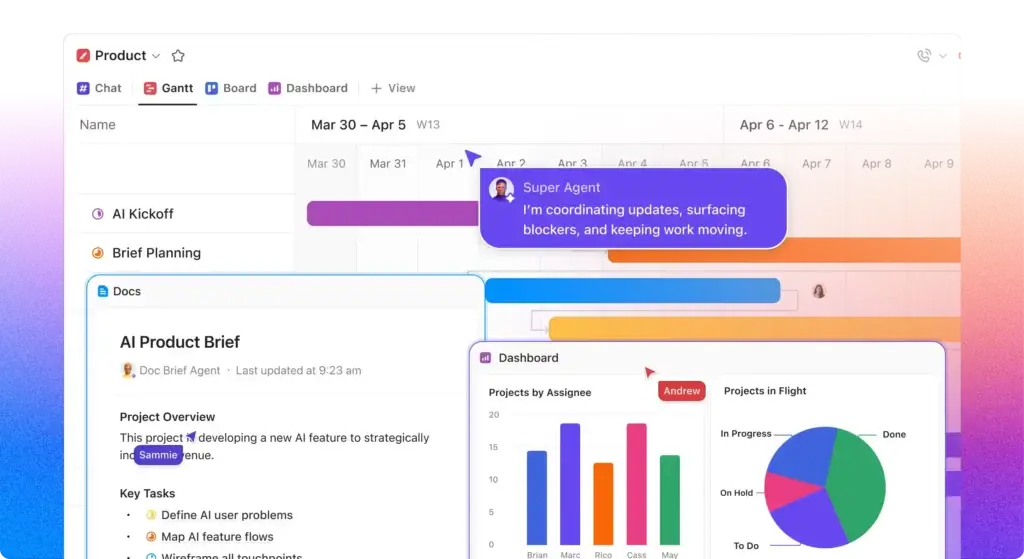
ClickUp combines hierarchical project management with Docs, Chat, Whiteboards, Clips, goals, time tracking, dashboards, forms, calendars, and AI.
Its main advantage is consolidation. Tasks, conversations, documents, goals, and reporting stay connected. Without naming standards and templates, however, the workspace can become cluttered.
ClickUp Strengths
- Strong task hierarchy and extensive workflow customization
- Native time tracking, Docs, Chat, Whiteboards, and goals
- Competitive pricing across self-service paid plans
- Broad AI suite connected to workspace context
- Large integration ecosystem and flexible API options
ClickUp Limitations
- Feature density can overwhelm occasional users
- Workspace quality depends heavily on early governance
- Advanced reporting and proofing require higher tiers
- AI subscriptions can materially increase the per-user cost
Read the full ClickUp review for a deeper analysis of its hierarchy, AI tools, plans, and daily user experience.
Wrike
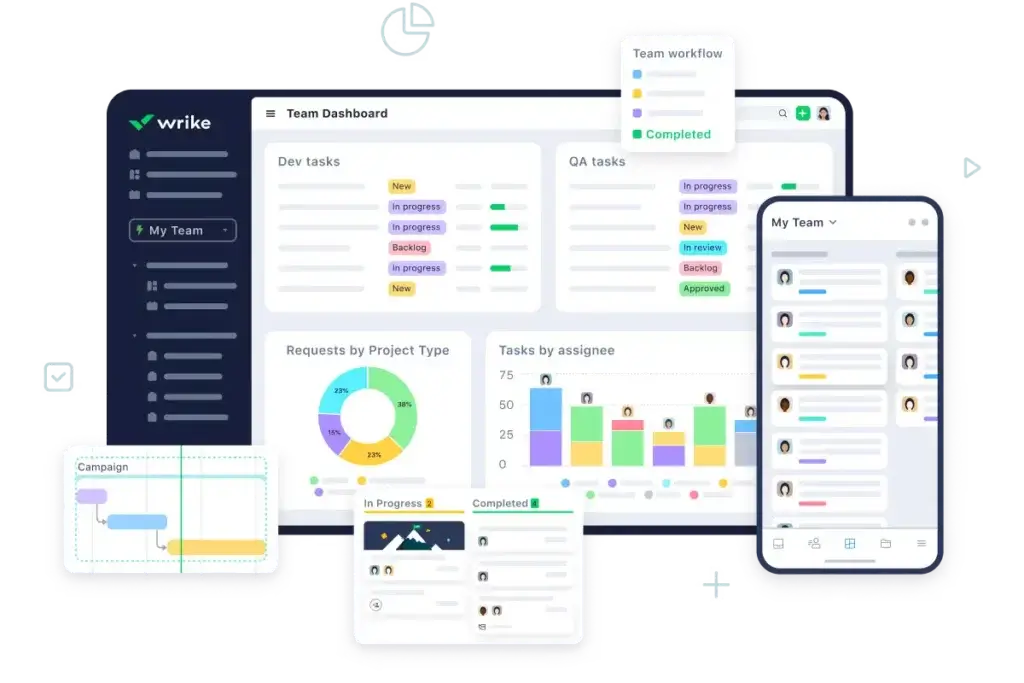
Wrike is a structured platform for cross-functional execution, portfolios, resources, requests, approvals, and enterprise governance.
Wrike is most compelling when work needs formal control. Creative teams gain structured approvals, while PMOs gain capacity, budget, and reporting tools. Many of these differentiators sit on custom-priced plans or paid add-ons.
Wrike Strengths
- Mature proofing, approvals, and request workflows
- Advanced resource planning, budgeting, and portfolio controls
- Strong enterprise reporting and external data options
- Detailed permissions and security capabilities
- Structured fit for PMOs, agencies, and complex operations
Wrike Limitations
- Business pricing is high compared with ClickUp
- Several advanced products require custom pricing or add-ons
- Formal structure can slow onboarding for smaller teams
- Fewer built-in communication and knowledge tools
Read the full Wrike review for more detail on its reporting, proofing, plans, and enterprise capabilities.
Ease of Use and Workspace Setup
ClickUp Is Easier to Start, but Governance Still Matters
ClickUp is usually faster for a small or mid-sized team to start. Templates, familiar task terminology, and the Free Forever plan let you test a real workflow before involving sales.
The main decision is hierarchy. Spaces, Folders, Lists, tasks, and subtasks can separate departments and projects, but they create duplication when managers build inconsistent structures. Limit statuses, standardize fields, and define where projects live.
Wrike Is Structured but More Formal
Wrike creates a controlled environment with spaces, folders, projects, and work items. It suits PMOs that prioritize consistency, but users need more guidance on where work belongs and which views apply.
Better choice for ease of use: ClickUp. Both products require onboarding for advanced work, but ClickUp gives teams a faster path from basic task management to a useful all-in-one workspace.
Task and Project Management
ClickUp Provides More Task-Level Control
Both platforms support assignees, dates, dependencies, recurring work, custom fields, priorities, comments, attachments, forms, milestones, and multiple project views. ClickUp goes further at the task level with nested subtasks, task types, relationships, checklists, time estimates, sprint points, custom statuses, and flexible hierarchy.
This depth benefits agencies, software teams, and service businesses. A ClickUp task can hold the brief, owner, timeline, fields, comments, files, time entries, dependencies, and documentation. Wrike’s strengths appear more clearly across formal programs, resources, and approvals.
Views and Scheduling Are Strong in Both
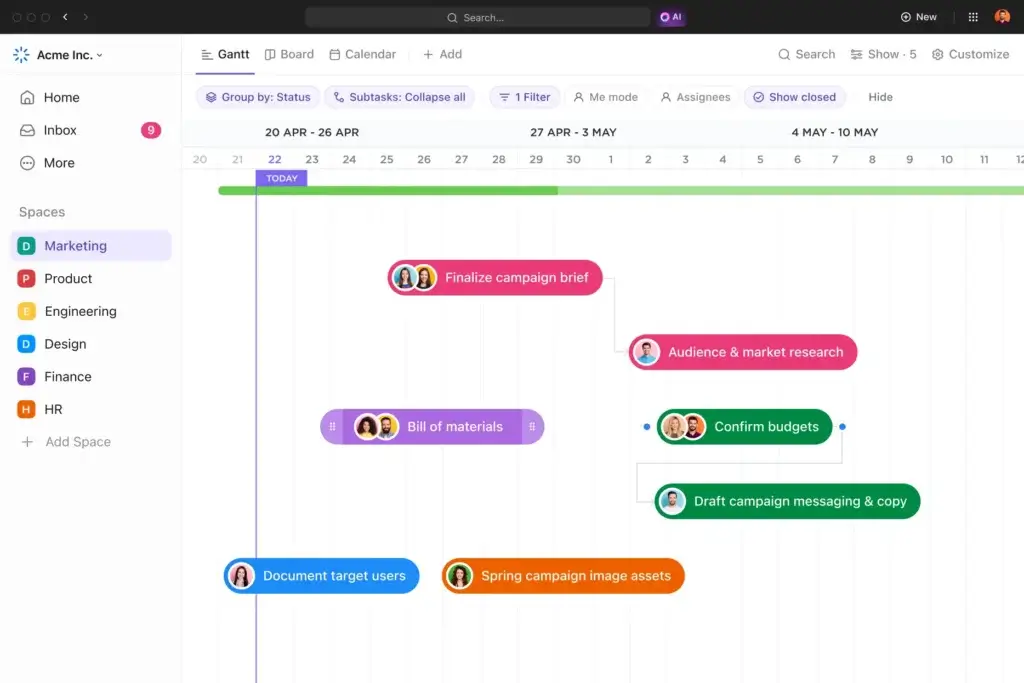
Both platforms provide Board, Table, Calendar, Gantt, workload, and dashboard experiences. ClickUp offers more view variety across hierarchy levels, while Wrike is especially strong for formal dependency and cross-project scheduling.
Better choice for task and project flexibility: ClickUp. Wrike remains competitive for structured scheduling, but ClickUp gives more teams the controls they need without requiring a high-priced plan.
Workflow Automation and Request Management
ClickUp Offers Stronger Value for Everyday Automation
ClickUp automations use triggers, optional conditions, and actions to update tasks, assign owners, change dates, create subtasks, post comments, send emails, connect integrations, and standardize recurring processes. The Unlimited plan includes 1,000 actions per month, while Business includes 5,000 and unlocks webhooks and automation integrations.
The automation builder fits naturally with ClickUp’s custom fields and statuses. For example, a marketing request can create a task, assign a channel owner, set a due date, apply a template, and notify the requester when the status changes.
Wrike Is Better for Formal Intake and Approval Chains
Wrike’s automation engine supports a large number of rules and can trigger structured actions across tasks and projects. Its request forms, blueprints, approvals, custom item types, and enterprise workflows make it particularly effective when work must enter through controlled intake rather than informal task creation.
Wrike has an advantage for organizations that need a clear request-to-delivery chain with defined approvals, routing, and auditability. However, advanced cross-system automation may depend on Wrike Integrate, Sync, or higher-priced packaging.
Better choice for general automation value: ClickUp. Better choice for formal request and approval workflows: Wrike.
AI Features and Agentic Work
ClickUp Brain Is Broader and More User-Facing
ClickUp Brain connects AI to tasks, Docs, Chat, and workspace data. It answers questions, drafts and summarizes content, searches connected information, supports multiple models, and powers agents. Brain MAX adds desktop, mobile, search, and voice tools.
Brain AI and Everything AI are separate subscriptions, while credit-based features can raise costs as usage expands.
Wrike Focuses on Governed AI Inside Enterprise Workflows
Wrike separates AI Essentials from AI Elite. Essentials covers content, summaries, prioritization, and natural-language automation. Higher plans add agents and larger action allowances inside Wrike’s role-based enterprise framework.
Which AI Platform Is Better?
ClickUp is better for multi-model assistance, workspace search, voice tools, and agents. Wrike is stronger when AI must operate inside tightly governed enterprise processes.
Better choice for overall AI breadth: ClickUp. Wrike can be stronger for a regulated enterprise that values governance more than broad user-facing AI functionality.
Collaboration, Docs, Chat, and Knowledge
ClickUp Replaces More Standalone Tools
ClickUp includes Docs, wikis, Chat, Whiteboards, Clips, comments, proofing, email, and task updates. This creates a practical advantage for teams trying to reduce app switching. A project can contain its task plan, documentation, meeting notes, decisions, chat channel, recorded walkthroughs, and dashboards.
Teams still need rules for whether decisions belong in Chat, task comments, or Docs.
Wrike Keeps Collaboration Closer to Formal Work
Wrike centers collaboration around tasks, projects, files, comments, requests, approvals, dashboards, and notifications. This narrower approach reduces the number of communication surfaces, although many teams will still rely on Slack, Microsoft Teams, or a separate knowledge base.
Wrike Whiteboard expands visual collaboration, but it is a paid add-on on several plans and included more broadly with Apex. ClickUp Whiteboards are more naturally positioned as part of the platform’s built-in collaboration set.
Better choice for collaboration breadth: ClickUp. Wrike is the cleaner choice when you want project communication tied closely to controlled work items and already have separate communication tools.
Dashboards, Reporting, and Portfolio Visibility
ClickUp Handles Operational Reporting Well
ClickUp dashboards combine task data, time tracking, workload, goals, charts, lists, calculations, and portfolio information. Business adds advanced dashboard cards and unlimited dashboards, making the plan useful for agencies, operations teams, and department leaders.
Dashboard accuracy depends on consistent statuses, fields, and hierarchy across teams.
Wrike Is Stronger for Enterprise BI
Wrike’s higher plans provide advanced reporting, forecasting, resource information, budgeting, and portfolio visibility. Wrike Datahub can connect external and operational data so leaders can analyze more than native project fields. Scheduled reports and structured analytics are a meaningful advantage for enterprise PMOs.
The limitation is accessibility. The capabilities that make Wrike clearly stronger often require Pinnacle, Apex, or separately priced products. Smaller teams comparing ClickUp Business with Wrike Business may not receive the full enterprise reporting advantage.
Better choice for most team dashboards: ClickUp. Better choice for advanced enterprise BI: Wrike.
Resource Management, Time Tracking, and Budgeting
ClickUp Covers Common Resource Needs at a Lower Price
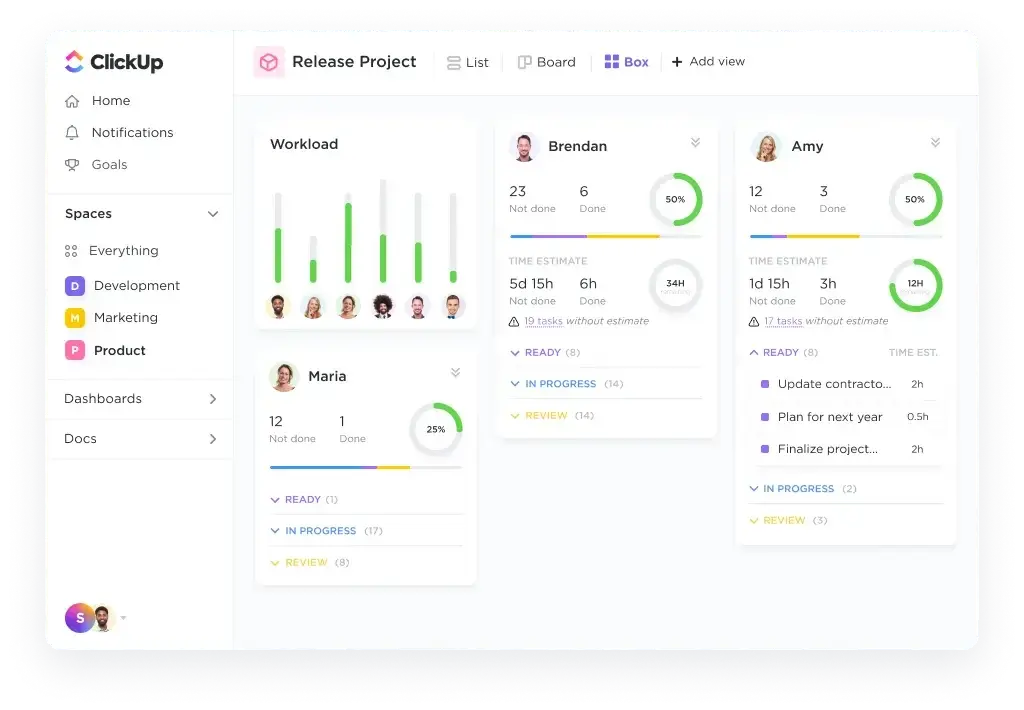
ClickUp Unlimited includes native time tracking, resource management, goals, and portfolio features. Business adds portfolio workload management and stronger reporting. This is sufficient for many agencies and service teams that need time entries, estimates, workloads, and delivery visibility.
Logged time can stay connected to tasks, clients, projects, and dashboards.
Wrike Wins for Advanced Capacity and Financial Planning
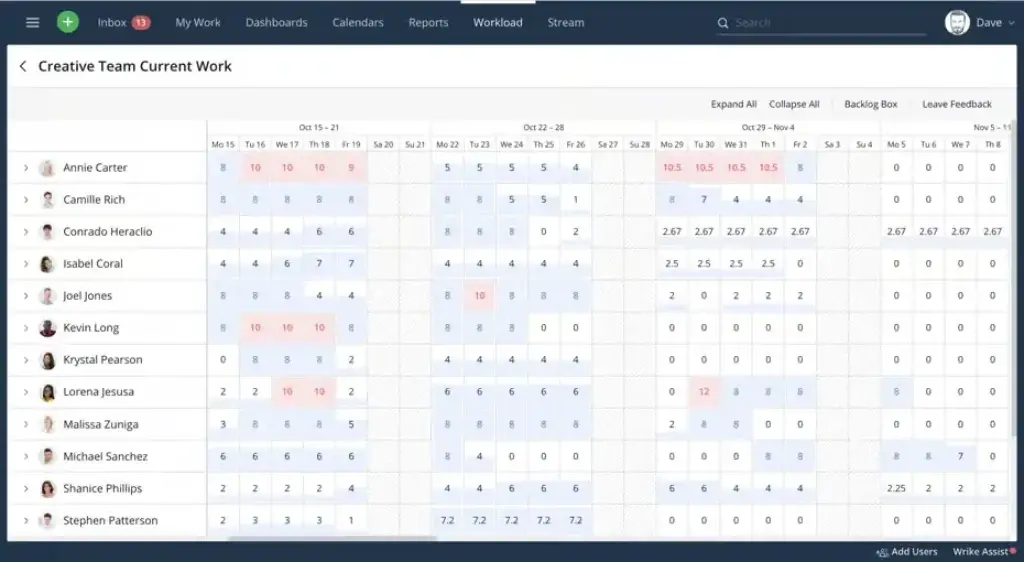
Wrike’s higher tiers support advanced resource and capacity planning, role management, user custom fields, bookings, billable time, cost rates, budgets, and planned-versus-actual financial tracking. These features are better suited to professional services organizations and PMOs managing capacity across departments or portfolios.
Wrike provides a more mature model for long-range staffing, utilization, role-based planning, and budget control.
Better choice for affordable time and workload tracking: ClickUp. Better choice for advanced resource planning and budgeting: Wrike.
Creative Proofing and Approvals
ClickUp Business includes unlimited proofing, allowing reviewers to add contextual feedback to supported files and connect revisions to tasks. For many marketing teams, this is enough to avoid email-based review cycles.
Wrike is stronger when creative production is a core operating process. Its proofing system keeps feedback, files, versions, decisions, and approvals together. Teams can automate approval requests, compare versions, and manage review stages within structured campaign or asset workflows.
Wrike also fits better when external request forms feed directly into creative production and multiple approvers must sign off before delivery. That combination of intake, proofing, and formal approval is more mature than ClickUp’s general-purpose approach.
Better choice for creative proofing: Wrike. This advantage can justify Wrike’s higher price for high-volume creative departments and agencies.
Integrations and Extensibility
ClickUp connects with more than 1,000 tools through native integrations and third-party platforms. Popular connections include Slack, Microsoft Teams, Google Workspace, GitHub, GitLab, HubSpot, Zoom, Figma, Zapier, Make, and Unito. Unlimited includes unlimited integrations, while Business adds webhooks and automation integrations.
Wrike offers more than 400 integrations and supports its API, Wrike Integrate, Two-Way Sync, Datahub, and enterprise connectors. Wrike can be the stronger integration platform when an organization needs governed bidirectional synchronization or complex workflows across CRM, ERP, development, and BI systems.
Test required connections for field mapping, error handling, permissions, sync direction, and plan requirements. Raw integration counts do not show connection depth.
Better choice for broad, affordable connectivity: ClickUp. Better choice for controlled enterprise synchronization: Wrike.
Pricing and Total Cost of Ownership
ClickUp has a decisive pricing advantage for most buyers. Its Unlimited plan costs $7 per user per month when billed annually, and Business costs $12. Wrike Team costs $10 per user per month and supports two to 15 users, while Wrike Business costs $25 and begins at five users.
| Plan Level | ClickUp | Wrike |
| Free | Unlimited members, unlimited tasks, 60 MB storage | Basic project and task management |
| Entry paid | Unlimited at $7 per user/month annually | Team at $10 per user/month annually |
| Mid-tier | Business at $12 per user/month annually | Business at $25 per user/month annually |
| Advanced | Enterprise with custom pricing | Pinnacle and Apex with custom pricing |
| AI | Brain AI at $9 or Everything AI at $28 per user/month annually | AI Essentials and starter Elite usage included by plan, extra actions available |
| Notable add-ons | AI credits, Notetaker, Talk to Text | Whiteboard, Integrate, Sync, Datahub, Lock, AI action packs |
Example Cost for a 20-Person Team
For 20 users, ClickUp Business costs $240 per month and Wrike Business costs $500 at annual list pricing. That is a $3,120 annual difference before AI, integrations, implementation, or add-ons.
Look Beyond Subscription Price
- Implementation and workspace design time
- Training for contributors, managers, and administrators
- AI subscriptions, credits, and action overages
- Integration, sync, and reporting add-ons
- External chat, documentation, proofing, or time tools
- Migration, data cleanup, and process redesign
Better choice for pricing and total functional value: ClickUp. Wrike can produce a better return when its specialized resource, approval, reporting, or security capabilities replace expensive enterprise systems.
Security, Administration, and Enterprise Readiness
ClickUp Enterprise includes SAML SSO, SCIM provisioning, audit logs, session management, custom roles, data residency, enterprise API access, governance controls, and HIPAA availability. This is a strong package for organizations that want deep functionality without sacrificing core enterprise administration.
Wrike also provides enterprise identity, permissions, audit, compliance, and data protection controls. Wrike Lock adds customer-managed encryption keys, which gives security teams more control over access to encrypted data. That option is particularly relevant to regulated industries and organizations with strict internal key-management requirements.
Administration differs in practice. ClickUp needs governance to prevent workspace sprawl. Wrike needs governance to manage formal spaces, roles, workflows, custom item types, and enterprise products. Neither platform is self-governing at scale.
Better choice for most enterprise deployments: close. ClickUp offers stronger value and broad controls. Wrike is better when advanced encryption, formal governance, and enterprise work intelligence are central buying requirements.
What Current Users Commonly Like and Dislike
ClickUp users commonly praise flexibility, multiple views, and app consolidation, while criticizing clutter and setup complexity. Wrike users praise structured workflows and visibility, but often mention onboarding effort, extra clicks, and higher costs.
The pattern is consistent: ClickUp asks you to govern customization, while Wrike asks you to accept more formal processes and packaging.
Which Platform Fits Your Team?
Choose ClickUp for Startups and Growing Businesses
Teams can start with tasks and boards, then add Docs, Chat, goals, dashboards, time tracking, automation, and AI without migrating.
Choose ClickUp for Agencies and Client Delivery
Client Folders, templates, time tracking, forms, dashboards, Docs, and guests make ClickUp a strong agency choice. Wrike is better for complex creative proofing.
Choose ClickUp for Product and Software Teams
ClickUp’s hierarchy, sprints, statuses, Docs, Whiteboards, Git connections, goals, and AI fit detailed technical delivery.
Choose Wrike for Enterprise PMOs
Wrike is stronger when a PMO needs advanced portfolio reporting, resource bookings, role-based capacity, budgeting, forecasting, and controlled enterprise workflows across many departments.
Choose Wrike for High-Volume Creative Operations
Creative teams that process many requests, versions, annotations, and approval stages can justify Wrike through fewer review delays and better auditability.
Choose Wrike for Strict Encryption Requirements
Organizations requiring customer-managed encryption keys should evaluate Wrike Lock alongside the broader identity, permission, and compliance package.
Pros and Cons of ClickUp vs Wrike
| Platform | Main Advantages | Main Drawbacks |
| ClickUp | Feature breadth, task depth, built-in collaboration, AI, pricing | Complexity, workspace sprawl, advanced feature learning curve |
| Wrike | Resources, proofing, approvals, BI, governance, security options | Higher pricing, add-ons, formal setup, fewer built-in communication tools |
A Practical Two-Week Pilot Plan
Build the same live process in each platform and include users with different experience levels.
- Create one intake form and route five real requests
- Build a project with dependencies, milestones, and recurring tasks
- Invite one external guest and test permissions
- Run one approval and one file review cycle
- Create a workload view and an executive dashboard
- Track setup time, questions, missed updates, and reporting errors
Score contribution rates, setup time, reporting accuracy, and required upgrades. A system occasional users avoid will produce unreliable dashboards.
Overall Recommendation
ClickUp is the better choice for most teams comparing ClickUp vs Wrike. It offers deeper task customization, a wider built-in collaboration suite, stronger AI breadth, native time tracking at a lower tier, and substantially better self-service pricing. It can support a startup, agency, operations team, or product organization without forcing an early jump to enterprise pricing.
Wrike deserves serious consideration when your requirements are more specialized. Its creative proofing, formal approvals, resource planning, budgeting, enterprise BI, synchronization products, and customer-managed encryption can be more valuable than ClickUp’s broader feature set.
The deciding question is not which tool can manage a project. Both can. Choose ClickUp when you want one flexible workspace that delivers more functionality per dollar. Choose Wrike when you need a controlled enterprise delivery system and are prepared to pay for advanced operational depth.
Frequently Asked Questions
-
Is ClickUp better than Wrike?
ClickUp is better for most teams because it provides more built-in tools, deeper task customization, broader AI capabilities, and lower self-service pricing. Wrike is better for advanced resource planning, creative proofing, enterprise BI, and strict governance requirements.
-
Is ClickUp or Wrike easier to use?
ClickUp is generally easier to start and test, although its many features require governance. Wrike has a structured interface but usually needs more formal onboarding for advanced workflows and portfolio management.
-
Is ClickUp cheaper than Wrike?
Yes. ClickUp Unlimited costs $7 per user per month annually and Business costs $12. Wrike Team costs $10 and Business costs $25 per user per month annually, before optional add-ons.
-
Which has the better free plan, ClickUp or Wrike?
ClickUp has the stronger free plan for most users because it supports unlimited members and tasks, collaborative Docs, boards, sprint management, and other core tools with usage limits.
-
Which is better for agencies, ClickUp or Wrike?
ClickUp is better for most agencies because it combines client organization, time tracking, Docs, forms, proofing, dashboards, and competitive pricing. Wrike is stronger for large creative agencies with complex review and approval workflows.
-
Which is better for resource management?
Wrike is better for advanced resource management, including capacity planning, bookings, role-based allocation, cost rates, billable time, and budgeting. ClickUp is better for affordable workload and time tracking.
-
Does ClickUp or Wrike have better AI?
ClickUp offers broader user-facing AI through Brain, multiple models, workspace search, Brain MAX, AI Skills, and Super Agents. Wrike is stronger when AI must operate inside governed enterprise workflows.
-
Which tool is better for creative proofing?
Wrike is better for creative proofing because it provides mature annotations, version comparison, approval stages, request forms, and automated review workflows. ClickUp proofing is sufficient for many smaller marketing teams.
-
Which is better for software development teams?
ClickUp is usually better for software teams because it includes sprints, points, nested work, custom statuses, Docs, Whiteboards, Git integrations, dashboards, and detailed task controls.
-
Can you migrate from Wrike to ClickUp?
Yes. Plan the migration by mapping spaces, folders, projects, tasks, custom fields, statuses, users, files, dependencies, and permissions. Rebuild automations and dashboards during a staged pilot before the final cutover.