
Introduction
Patreon has moved beyond monthly tipping into memberships, free audiences, digital products, native video, podcasts, livestreaming, community, and discovery.
That broader product is useful, but the economics have become harder to ignore. New creators who publish after August 4, 2025 generally pay a 10% platform fee, then payment processing, payout fees, possible currency conversion, and applicable taxes on creator fees. Purchases made through Apple’s in-app system can introduce another major pricing decision.
The key question is whether its checkout, content, community, and growth tools justify a revenue-based fee as your income increases.
This Patreon review examines its features, real creator costs, strengths, limitations, best use cases, and leading alternatives in 2026.
What Is Patreon?
Patreon is a membership and creator commerce platform that helps creators earn directly from fans. You can offer monthly or annual memberships, publish free and paid content, sell selected digital products as one-time purchases, host community discussions, and manage member relationships without building a complete subscription website from scratch.
Podcasters, video creators, writers, artists, educators, and other audience-led businesses use Patreon. Members access content through the web, mobile apps, email, private podcast feeds, Spotify, and Discord.
How Patreon Has Evolved
Patreon initially became popular because it made recurring fan support easier than collecting donations manually. The modern platform is more ambitious. Free memberships create a wider audience layer, native media tools reduce reliance on external hosting, the Shop supports one-time sales, and new discovery features help fans find creators beyond the people they already follow.
Who Patreon Is Designed For
- Podcasters – Deliver bonus episodes, ad-free feeds, archives, and private RSS access.
- Video creators – Publish members-only videos, previews, livestreams, and behind-the-scenes content.
- Writers and journalists – Send public, free-member, and paid posts through Patreon and email.
- Artists and makers – Share work in progress, tutorials, files, commissions, and digital products.
- Educators and experts – Package recurring lessons, resources, office hours, and community access.
- Established audience businesses – Convert engaged followers into predictable recurring revenue.
Patreon is less suitable when you need a fully branded website, advanced courses, deep email automation, complex funnels, or complete control over checkout and customer data.
Key Features
Membership, Content, and Community
Patreon’s strongest advantage is the way several creator workflows connect. A fan can discover a public post, join for free, upgrade to a paid tier, receive content by email or podcast feed, participate in chats, buy a standalone product, and remain in the same audience database.
Paid Memberships and Tiered Benefits
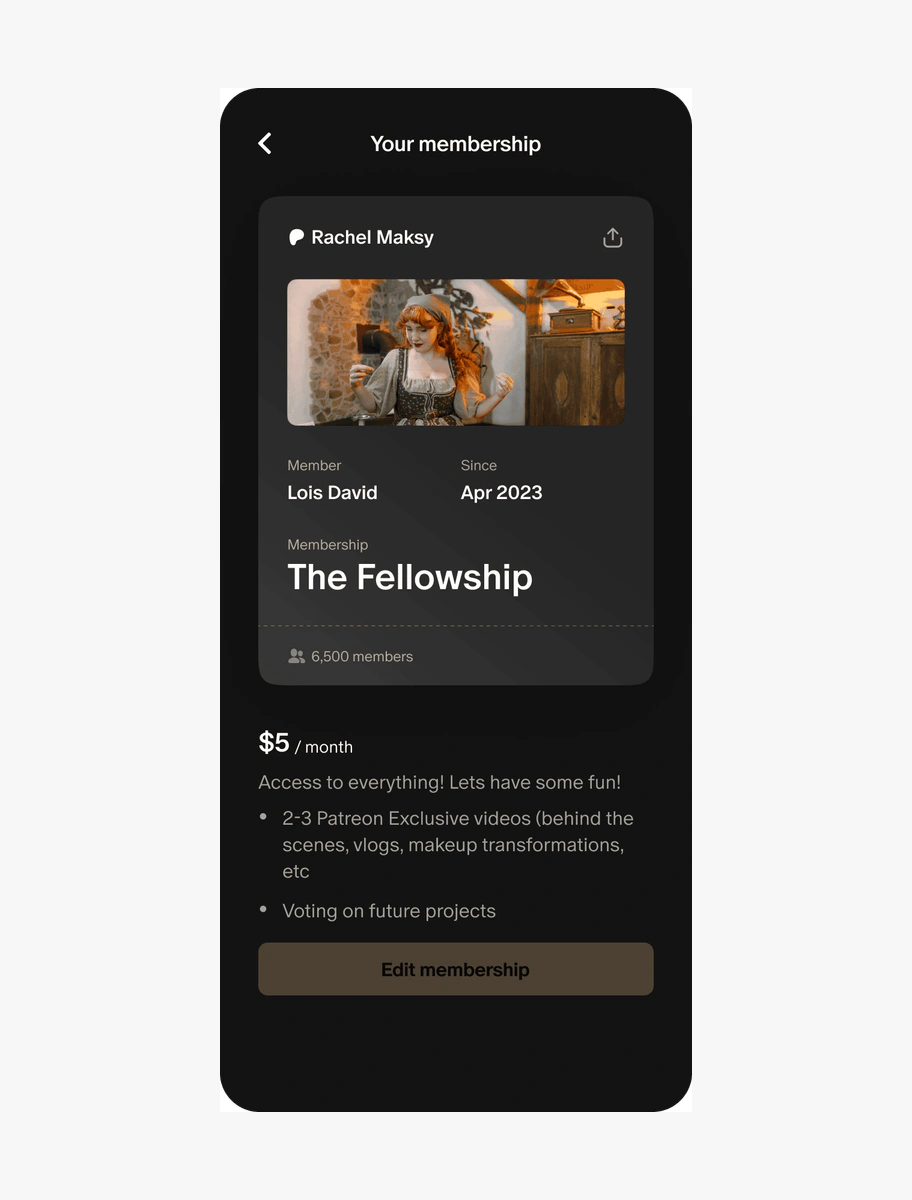
You can create monthly membership tiers with different prices, benefits, and content access. A simple structure might include an entry tier for bonus posts, a middle tier for complete archives and community access, and a premium tier for live sessions or direct feedback.
Annual memberships let eligible fans pay for a year upfront. This can improve cash flow, reduce monthly payment failures, and lower the number of fixed processing charges compared with twelve separate payments. Discounts can make annual plans more attractive, but the benefit should not be so large that it weakens the economics of the membership.
Patreon also supports free trials, gifting, discounts, and tier repricing for creators using subscription billing. These tools make it easier to run acquisition and retention campaigns without rebuilding the offer elsewhere.
Free Memberships and Audience Ownership
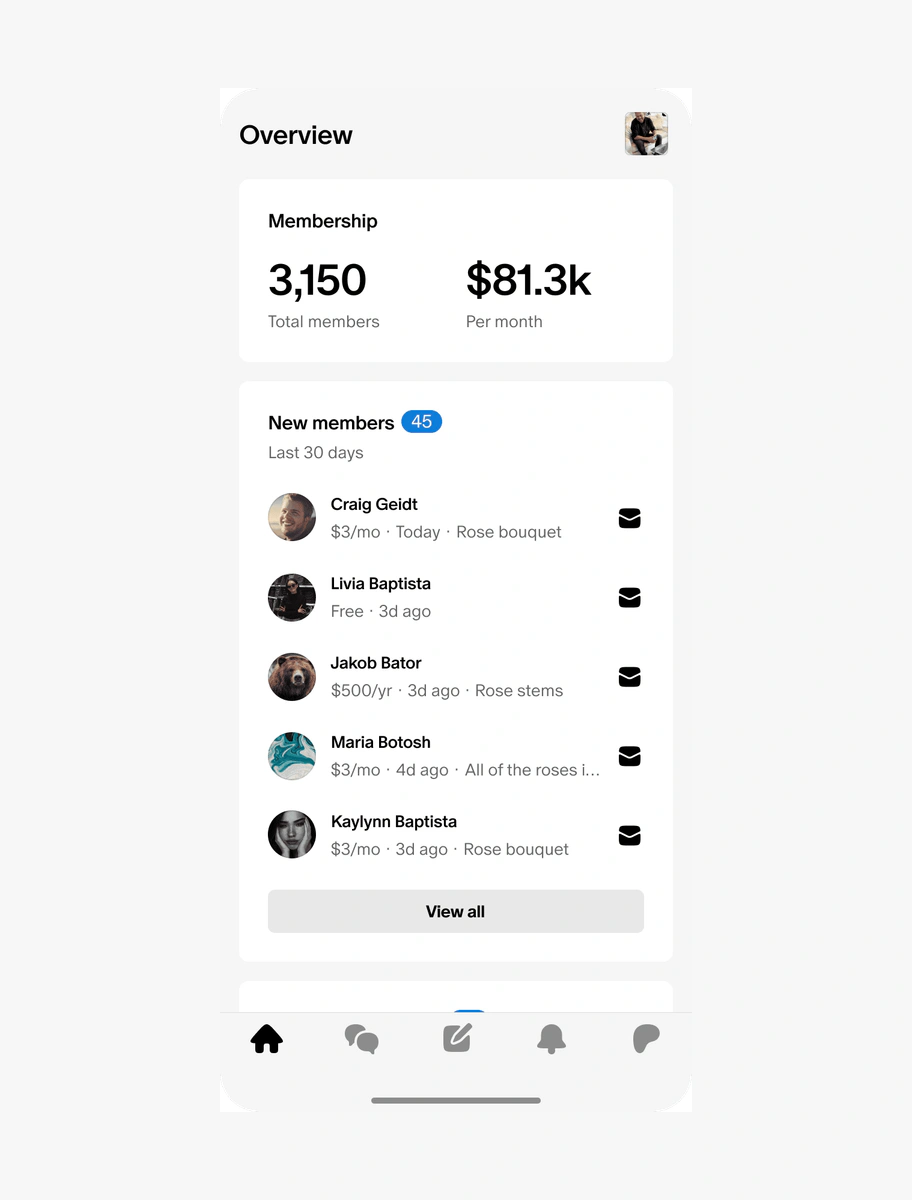
Free memberships create a useful bridge between a social follower and a paying customer. Fans can join with their name and email, receive eligible posts in their inbox, comment where permitted, and upgrade later.
Instead of sending every visitor directly to checkout, you can build a free audience, demonstrate recurring value, and promote a paid tier later. Canceling members can also remain connected for free.
You can view free and paid members in the Audience Relationship Manager and export audience data. That gives you more ownership than a social following, although Patreon still controls the platform, checkout, and member experience.
Posts, Collections, and Email Delivery
Creators can publish text, images, audio, video, links, polls, and downloadable files. Access can be public, available to free members, open to all members, restricted to paid members, or limited to selected tiers.
Collections help organize related work into a more usable library. A podcaster might group bonus episodes by season, while an educator could arrange lessons by topic. Posts can also reach members through email and app notifications, reducing dependence on a social algorithm for delivery.
The publishing tools work well for recurring content, but provide less design, SEO, and checkout control than a full content management system.
Native Video Hosting and Livestreaming
Eligible all-audiences creators can upload native video in 720p or 1080p, add custom thumbnails, create previews, review engagement insights, and distribute the audio from a video through podcast feeds. Once a creator has a paying fan, Patreon generally provides up to 100 hours of combined video uploads and livestreaming each month.
Native hosting removes the need to maintain a separate unlisted video workflow. It also keeps playback, comments, access, and analytics in the membership environment. However, Patreon Video is not currently available for 18+ creators, and it lacks the delivery controls, player customization, and advanced analytics of specialist video platforms.
Patreon Live suits Q&As, workshops, watch parties, and member updates. Professional webinars and multi-camera broadcasts may still require dedicated streaming software.
Podcast Hosting, Private RSS, and Spotify
Podcast creators are one of Patreon’s strongest user groups. Audio posts can be distributed through private RSS feeds so members listen in compatible podcast apps rather than returning to the Patreon page for every episode.
The Spotify integration is particularly useful because eligible public and members-only episodes can appear in Spotify while Patreon continues to control access. A member links the two accounts, and episode availability follows the membership tier.
Paid audio feels like a normal podcast subscription rather than a separate website experience, making Patreon particularly compelling for bonus and ad-free podcast feeds.
Community Chats, Comments, Polls, and Discord
Patreon includes comments, polls, direct messages, and community chats. Creators can build up to ten chat spaces and control whether access is available to all members, paid members, or selected tiers.
Native chats work well for announcements and informal discussion. Discord remains more capable for voice rooms, bots, events, and complex channels.
Patreon’s Discord integration can automatically assign server roles based on membership tiers. This is valuable, but creators should expect occasional connection and role-sync support requests from members.
Digital Products and One-Time Purchases
The Shop lets you sell digital media, posts, collections, downloadable files, podcast episodes, videos, tutorials, templates, and other eligible products without requiring a recurring membership.
One-time purchases can complement membership. You might sell a workshop separately, then invite the buyer to join for ongoing resources. Existing posts can also become paid collections.
Patreon applies platform and processing fees to these sales, so it is not automatically the cheapest storefront. Its advantage is convenience when the buyer already knows Patreon or belongs to your community.
Discovery, Quips, and Collaboration Posts
Patreon is developing a broader discovery network rather than relying entirely on creators to bring their own traffic. Public short-form Quips, free posts, a redesigned Home feed, recommendations, and collaboration posts can expose creators to relevant fans.
This improves on Patreon’s historically limited discovery, but it does not replace YouTube, TikTok, search, newsletters, or partnerships.
Use public content to show the personality and quality of the membership, then give visitors a clear free or paid next step.
Audience Management, Insights, and Retention Tools
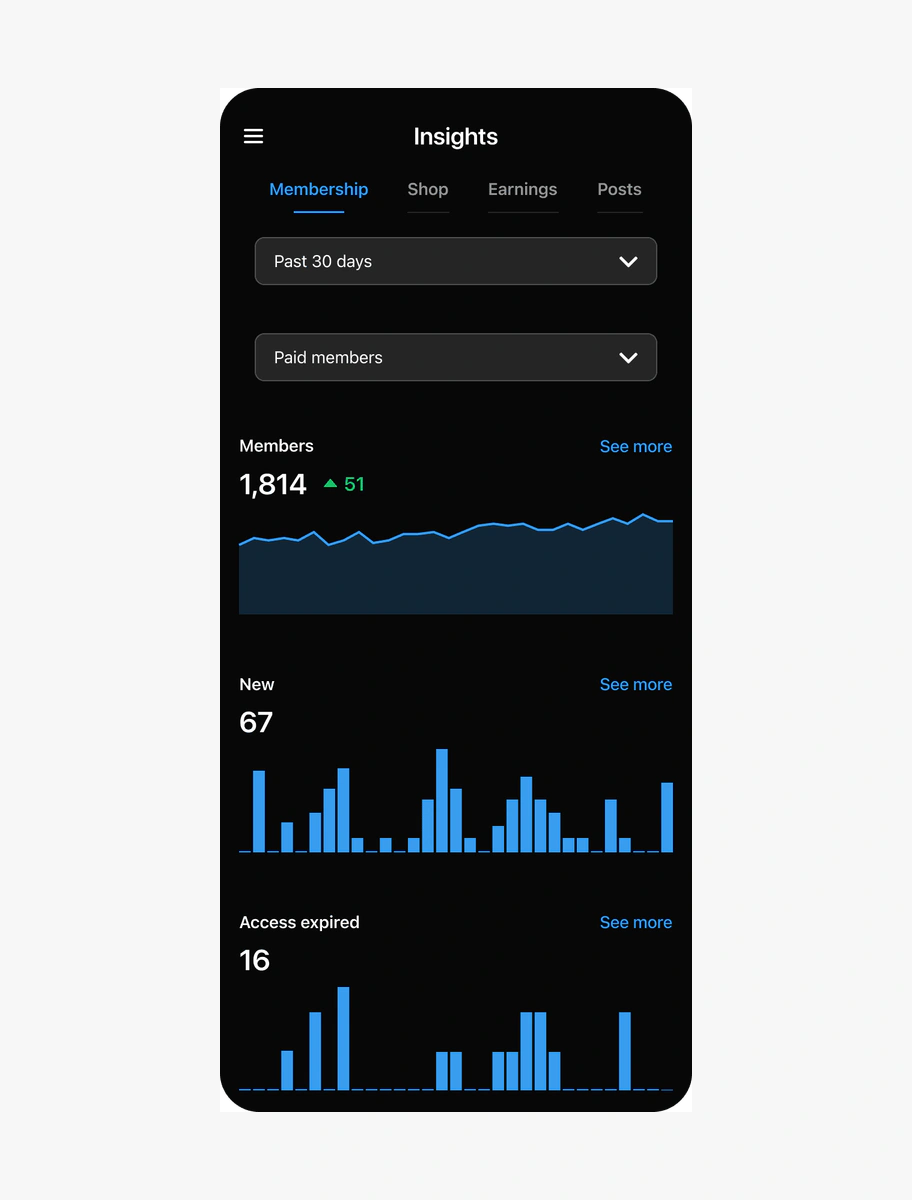
The Audience Relationship Manager lets you filter people by tier, status, join date, email, and other membership details. Insights show audience growth, earnings, post performance, and member activity.
Autopilot can identify growth and retention opportunities, while failed-payment recovery helps reduce involuntary churn. These features are valuable because a membership business depends as much on retaining existing members as attracting new ones.
The reporting is accessible, but it is not a substitute for a full CRM, advanced subscription analytics platform, or marketing automation system. Larger creator businesses will often export data and connect Patreon with email, accounting, community, and analytics tools.
Usability and Real Costs
Creator Experience and Membership Economics
Ease of Setup
Creating a page, defining tiers, publishing a welcome post, and connecting a payout method is relatively straightforward. The platform gives you a hosted page and recognizable checkout without requiring WordPress, Stripe configuration, member permissions, or custom development.
You still need a compelling promise, sustainable schedule, clear tiers, and retention plan. Patreon simplifies infrastructure, not demand creation.
The 10% Platform Fee
Creators who publish after August 4, 2025 generally enter Patreon’s standard plan, which takes 10% of successfully processed membership and one-time purchase revenue. Legacy creators may retain older 5%, 8%, or 11% arrangements if they remain eligible.
The fee includes the hosted page, memberships, digital sales, native video, community tools, and insights. Initial risk is low, but cost grows directly with revenue.
Payment Processing, Conversion, and Payout Fees
For a creator paid in US dollars, standard card and US PayPal or Venmo processing is typically 2.9% plus $0.30 per payment. Non-US PayPal or Venmo payments can cost more. A 2.5% conversion fee can apply when a fan pays in a different currency from the creator’s payout currency.
Payout fees vary by method, currency, and location. Patreon provides fraud monitoring, failed-payment recovery, and optional two-factor authentication. It may also collect VAT, GST, or sales tax where required.
What Patreon Fees Look Like in Practice
The following examples assume the 10% standard platform fee and a US card payment processed at 2.9% plus $0.30. They exclude payout fees, currency conversion, refunds, taxes on creator fees, and iOS in-app purchases.
| Fan Payment | Platform Fee | Processing Fee | Estimated Net | Effective Cost |
| $5 | $0.50 | $0.45 | $4.05 | 18.9% |
| $10 | $1.00 | $0.59 | $8.41 | 15.9% |
| $25 | $2.50 | $1.03 | $21.47 | 14.1% |
| $100 | $10.00 | $3.20 | $86.80 | 13.2% |
The fixed $0.30 component makes low-priced tiers proportionally expensive. A $5 tier can lose close to one-fifth of revenue before payout and other possible costs. This does not mean low tiers are always a mistake, but they should serve a clear conversion or community purpose.
The iOS App Store Fee
New purchases through Apple’s in-app purchase system can be subject to Apple’s fee. Creators can generally raise iOS prices to protect their earnings or keep prices consistent and absorb the difference. Fully offsetting a 30% fee requires an iOS price roughly 43% higher than the web price.
US iOS users may have access to Patreon’s mobile web checkout, which avoids Apple’s in-app fee. The exact experience depends on location and current platform rules.
Because web pricing may be lower, creators should communicate the difference clearly without making the mobile purchase journey confusing.
Subscription Billing Transition
Creators still using legacy billing models are scheduled to move to subscription billing by November 1, 2026. Under subscription billing, members pay when they join and renew on the same date each month.
This model is clearer than charging everyone on the first day of the month and supports free trials, gifting, discounts, Autopilot, and tier repricing. Long-time creators should communicate the change carefully.
Pros and Cons
Benefits and Limitations of Patreon
Positive
✅ Fast membership setup
✅ Familiar fan checkout
✅ Strong podcast delivery
✅ Free and paid community
✅ Multiple revenue formats
Negative
❌ 10% fee scales with revenue
❌ Extra processing and payout costs
❌ Limited design control
❌ iOS pricing complexity
❌ Not a complete marketing stack
Strengths and Benefits
- Fast membership setup – Launch recurring subscriptions without building a custom paywall and member database.
- Familiar fan checkout – Many creator audiences already understand Patreon and may trust its payment flow.
- Strong podcast delivery – Private RSS and Spotify access make paid audio easy to consume.
- Free and paid community – Build an email-connected audience before asking every visitor to subscribe.
- Multiple revenue formats – Combine memberships, annual plans, gifts, digital products, and live experiences.
Limitations and Drawbacks
- 10% fee scales with revenue – A percentage model becomes increasingly expensive as the membership grows.
- Extra transaction costs – Processing, payout, conversion, taxes, refunds, and iOS fees can reduce net income.
- Limited brand control – Pages and checkout remain recognizably Patreon rather than a fully owned experience.
- iOS pricing complexity – Creators must decide whether to increase app prices or absorb Apple’s fee.
- Not a complete marketing stack – Advanced email automation, funnels, courses, SEO, and CRM workflows need other tools.
Pricing
Patreon Pricing and Fees
Patreon does not charge a standard monthly software subscription for the core creator plan. Instead, it earns a percentage when you earn. Pricing was checked in August 2026, but legacy eligibility, taxes, processing, and payout methods can change the final cost.
| Cost Type | Typical Charge | When It Applies | What to Watch |
| Standard platform fee | 10% | New creator pages published after August 4, 2025 | Charged on memberships and one-time sales |
| Legacy platform fee | 5%, 8%, or 11% | Eligible continuously published legacy pages | Unpublishing can move a page to 10% |
| USD card processing | 2.9% + $0.30 | Standard US-dollar card payments | Fixed fee affects low-priced tiers |
| Currency conversion | 2.5% | Fan payment differs from payout currency | Calculated on the processed amount |
| Payout fee | Varies | When withdrawing creator funds | Depends on country, currency, and method |
| Apple in-app fee | Up to 30% | Eligible purchases through iOS IAP | Raise iOS price or absorb the cost |
Is Patreon Expensive?
Patreon is inexpensive to start because there is no large upfront commitment. It can be expensive to scale because the platform fee rises with revenue.
At $1,000 in monthly payments, the platform fee is $100 before processing. At $10,000, it is $1,000. A fixed-price alternative may save money, but compare hosting, email, checkout, tax, community, integrations, support, and migration costs.
Which Patreon Tier Price Works Best?
A very low tier can attract more members but loses a larger percentage to the fixed processing fee. A higher tier improves unit economics but requires stronger benefits.
For many creators, one clear entry tier and one premium tier work better than five confusing choices. Build each tier around a distinct outcome or level of access, not an arbitrary increase in the number of posts.
Best Use Cases
Who Should Use Patreon?
Best for Podcasters With Loyal Listeners
Patreon is especially strong when bonus audio is the main paid benefit. Private RSS, Spotify access, archives, posts, chats, and Discord roles create a familiar membership experience without forcing listeners into a separate course platform.
Best for Creators With an Existing Audience
The platform performs best when you already have trust and attention elsewhere. A smaller engaged audience can outperform a large passive following if the membership promise solves a specific need or deepens a valued relationship.
Best for Recurring Behind-the-Scenes Content
Artists, video creators, game developers, and writers can share early releases, work in progress, production notes, drafts, files, and member discussions. The recurring nature of the work supports an ongoing subscription better than a single finished product.
Best for Creators Who Want Low Setup Risk
You can test a membership without committing to an expensive community platform or custom website. Patreon earns when revenue arrives, which is attractive before demand is proven.
Not Ideal for Course-First or Fully Branded Businesses
Choose another platform when structured courses, certifications, advanced landing pages, deep email sequences, affiliate management, or branded mobile apps are central to the offer.
Competitors
Best Patreon Alternatives
Ko-fi – Best for Flexible Tips and Lower Platform Fees
Ko-fi supports tips, memberships, commissions, and a simple shop. It is better for lighter monetization and potentially lower fees, while Patreon offers deeper content, podcast, community, and discovery features.
Buy Me a Coffee – Best for Simple Fan Support
Buy Me a Coffee focuses on quick contributions, memberships, and extras. Choose it when simplicity matters most, or Patreon when archives, podcasts, community, and tier access are central.
Circle – Best for a Branded Community
Circle is better for structured spaces, events, courses, workflows, and stronger branding. It requires more setup and a fixed subscription, but the community feels more owned.
Substack – Best for Paid Newsletters
Substack is stronger for email-first writers and podcasters, combining free and paid newsletters, recommendations, notes, and discovery. Patreon is more flexible for mixed-media tiers and community benefits.
Kit – Best for Email Automation and Creator Commerce
Kit is better for landing pages, tagging, sequences, automations, sponsorships, and email funnels. Many creators use Kit for nurturing and Patreon for paid access. Read the full Kit review.
| Platform | Best For | Pricing Style | Main Advantage Over Patreon |
| Ko-fi | Tips, commissions, and flexible creator sales | Free and subscription options | Potentially lower fees and simpler monetization |
| Buy Me a Coffee | Fast fan support | Revenue share | Simpler contribution experience |
| Circle | Branded communities and courses | Fixed subscription plus possible fees | Deeper community structure and branding |
| Substack | Paid newsletters and podcasts | Revenue share | Email-first publishing and discovery |
| Kit | Email automation and funnels | Subscriber-based subscription | Stronger lifecycle marketing control |
Best Practices
Getting the Most Out of Patreon
Start With One Recurring Promise
Define the reason someone should remain a member next month. A reliable bonus episode, monthly workshop, early release, resource library, or direct community experience is stronger than a vague promise of exclusive content.
Use Free Memberships as a Conversion Layer
Publish useful free posts and capture email-connected members before pushing every visitor toward payment. Then promote the paid tier when the content naturally demonstrates its value.
Keep the Tier Structure Simple
Launch with one or two paid tiers unless your audience clearly needs more. Too many choices create decision friction and increase benefit-management work.
Price Around Net Revenue
Calculate platform, processing, conversion, payout, tax, refund, benefit, and fulfillment costs. Do not price a tier based only on what competitors charge.
Build an Audience Outside Patreon
Export member data, maintain an email strategy, and keep growing through search, video, social content, collaborations, and partnerships. Patreon should strengthen your direct audience relationship, not become your only acquisition channel.
Conclusion
Final Thoughts
Patreon remains one of the most complete and recognizable creator membership platforms in 2026. It combines payments, gated content, free audience growth, podcast delivery, video, livestreaming, community tools, digital sales, and member management with a relatively low barrier to launch.
Its strongest use case is not a creator starting from zero. It is a creator with an engaged audience and a repeatable reason for fans to stay subscribed. Podcasters, video creators, writers, artists, and educators can all build effective memberships when the benefits are clear and sustainable.
The main concern is cost at scale. A 10% platform fee sits above processing, payout, conversion, taxes, and potential iOS complications. As revenue grows, compare that percentage with the complete cost of a fixed-price community or owned membership stack.
Overall, Patreon is recommended when speed, familiarity, mixed-media delivery, and community matter more than complete brand control. Ko-fi and Buy Me a Coffee are simpler for support, Circle is stronger for an owned community, Substack is better for newsletter-first businesses, and Kit provides deeper email automation.
Have more questions?
Frequently Asked Questions
-
What is Patreon used for?
Patreon helps creators earn directly from fans through paid memberships, annual plans, free memberships, digital product sales, gated posts, podcasts, video, livestreaming, and community tools.
-
How much does Patreon charge creators?
New creators generally pay a 10% platform fee, plus payment processing, payout fees, possible currency conversion, and applicable taxes. Legacy creators may retain older rates.
-
Is Patreon free to start?
Yes. You can create and publish a Patreon page without paying a fixed monthly subscription. Patreon deducts fees when you receive successful membership or product payments.
-
Is Patreon worth it for small creators?
Patreon can be worthwhile for a small creator with an engaged audience and a clear recurring benefit. It is less effective when the offer is vague or the audience is not ready to pay.
-
Does Patreon support one-time payments?
Yes. Creators can sell eligible digital products, posts, videos, podcast episodes, collections, and downloadable files as one-time purchases through the Shop.
-
Can you host a podcast on Patreon?
Yes. Patreon supports audio posts, private RSS feeds, multiple podcasts, and Spotify distribution for eligible public and members-only episodes.
-
Can Patreon host video?
Eligible all-audiences creators can upload native video and livestream. Creators with a paying fan generally receive up to 100 hours of combined video and live media each month.
-
Does Patreon own your audience?
Creators can access and export member information, including email addresses, but Patreon still controls the hosted platform and checkout. Maintaining an external email strategy remains important.
-
What is the best alternative to Patreon?
Ko-fi is strong for flexible support, Buy Me a Coffee for simplicity, Circle for branded communities, Substack for newsletters, and Kit for email automation and funnels.
-
How many Patreon tiers should you create?
Most new creators should begin with one or two paid tiers. Each tier should provide a clear level of access or outcome without creating excessive benefit-management work.