
ZoomInfo remains one of the best-known platforms for B2B contact data, buying signals, enrichment, and go-to-market intelligence. However, its paid packages use custom pricing, annual contracts, and consumption credits, which may not suit every sales team. ZoomInfo Lite now gives you a free entry point, but growing teams can still prefer alternatives with clearer pricing, stronger outreach automation, specialized AI agents, or more flexible data workflows.
This updated guide compares seven ZoomInfo alternatives in a practical order: Alta, Reply.io, Pubrio, Apollo.io, Oppora.ai, Go4Database, and SmartReach AI. The tools do not solve exactly the same problem. Some replace ZoomInfo’s data layer, while others focus on autonomous prospecting, multichannel engagement, market signals, or affordable list building.
Why Look for a ZoomInfo Alternative?
ZoomInfo can be a strong choice when you need an enterprise-grade intelligence platform and can operationalize its data across sales, marketing, and RevOps. You may still benefit from another platform when your priorities are different.
- More transparent pricing – Apollo.io, Oppora.ai, Go4Database, and Reply.io publish entry prices, which makes budgeting easier.
- Stronger execution – Alta and Reply.io automate outreach and qualification instead of stopping at contact discovery.
- Different data strengths – Pubrio focuses on market expansion and timing signals, while Go4Database emphasizes affordable global contact lists.
- Lower operational complexity – An all-in-one tool can reduce the need to connect separate databases, email sequencers, enrichment tools, and AI assistants.
- Better fit for smaller teams – Self-serve plans and free tiers allow you to test data quality before making a larger commitment.
How to Choose the Right ZoomInfo Competitor
Start by deciding whether your main problem is data, timing, or execution. If you already have clean data but weak outreach, Reply.io may offer more value than another database. If your team wants autonomous prospecting and qualification, Alta is the more strategic option. If budget and lead volume are the priority, Apollo.io, Oppora.ai, or Go4Database may be easier to adopt.
You should also test accuracy against your own ideal customer profile. A database can look impressive in a demo but still perform poorly in a niche geography, industry, or seniority level. Use free plans, sample exports, and short trials to compare deliverability, direct-dial coverage, enrichment quality, and CRM fit before committing.
Alta

What Sets Alta Apart?
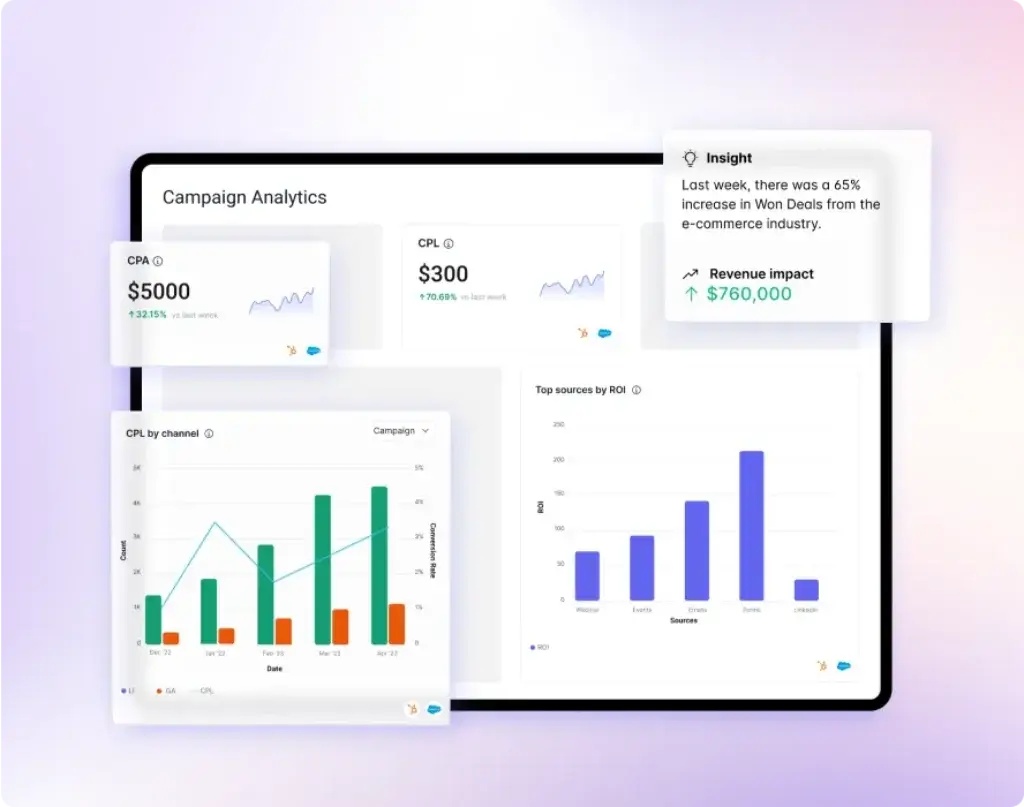
Alta is no longer best described as a simple AI SDR. It is an AI go-to-market system built around three coordinated agents. Katie handles outbound prospecting and personalized multichannel engagement, Alex qualifies inbound leads through calls and chat, and Luna turns CRM data and more than 50 connected sources into buying signals, lookalike audiences, and campaign direction.
This makes Alta a strong ZoomInfo alternative when your main goal is not only finding contacts. You are replacing a data-heavy workflow with agents that can research accounts, launch outreach, qualify responses, book meetings, and keep context synchronized across your revenue stack.
Key Features
- AI outbound agent – Katie identifies prospects, monitors buying signals, and runs personalized outreach across email, LinkedIn, and calls.
- AI inbound qualification – Alex responds to inbound leads, checks fit against your criteria, and routes qualified buyers to the correct calendar.
- Growth and signal orchestration – Luna connects CRM data with enrichment and external signals to improve targeting and campaign timing.
- Shared intelligence layer – The agents learn from the same account, conversation, and pipeline context instead of operating as disconnected tools.
- CRM and data integrations – Alta connects with Salesforce, HubSpot, and more than 50 GTM tools and data sources.
- Enterprise security – Alta publishes SOC 2 and ISO 27001 compliance information through its trust center.
Pros & Cons
Positive
✅ Autonomous outbound and inbound agents
✅ Shared intelligence across the GTM motion
✅ Signal-based targeting from 50+ sources
✅ Strong fit for scaling B2B revenue teams
Negative
❌ Pricing requires a custom quote
❌ More implementation than a self-serve database
❌ Best value depends on CRM data quality
❌ May be excessive for simple list building
Alta Pricing
Alta now uses customized, outcome-oriented pricing rather than the older public per-user tiers. The company creates a proposal based on your team size, required agents, pipeline goals, integrations, and usage.
- Pricing model – Custom quote
- Integrations – CRM and 50+ tool connections are included in the pricing approach
- Onboarding – White-glove onboarding is included
- Best budgeting approach – Compare the quote with the cost of SDR labor, data subscriptions, enrichment, calling, and sequencing tools
Ideal Use Cases
Alta is best for you if:
- You want AI agents to execute prospecting and qualification, not only recommend next steps
- You need outbound, inbound, and revenue intelligence on one shared platform
- Your CRM contains enough historical data to support stronger targeting and personalization
- You are replacing several point solutions or delaying additional SDR hiring
- You sell a B2B product with enough contract value to justify a managed rollout
Reply.io

Platform Overview
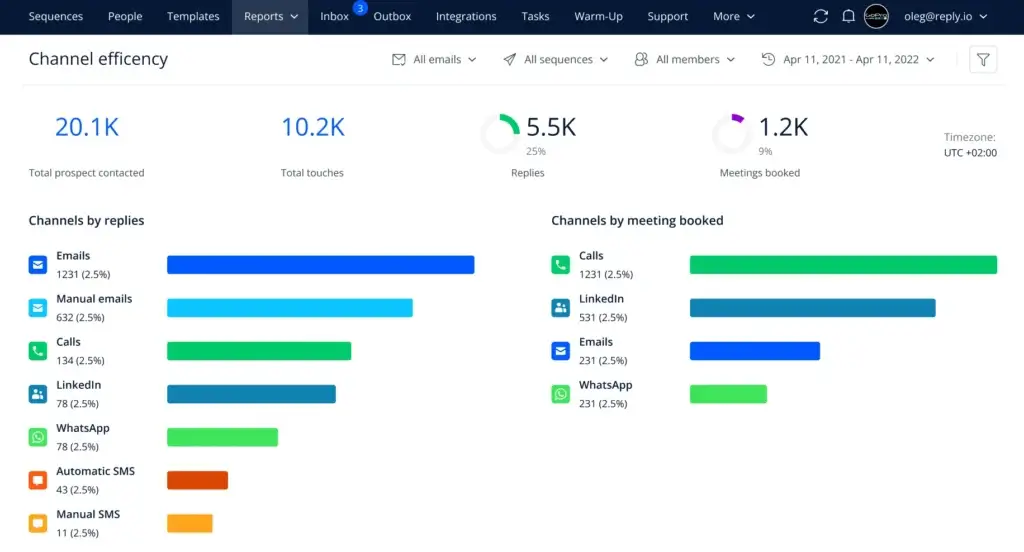
Reply.io is a sales engagement platform that combines contact discovery, email automation, LinkedIn steps, calls, SMS, WhatsApp tasks, meeting scheduling, and AI personalization. Its current product line also includes Jason AI SDR, which can automate audience selection, research, messaging, responses, and meeting booking.
Reply.io is a better ZoomInfo alternative when you already value data but need a stronger execution layer. The platform advertises access to more than 1 billion global B2B contacts, but its main advantage is turning data into coordinated multichannel sequences rather than treating prospecting as a separate task.
Key Features
- Real-time B2B data – Search a global contact layer and enrich prospects without maintaining a separate data subscription for every campaign.
- Conditional multichannel sequences – Combine email, LinkedIn, calls, SMS, WhatsApp, and custom Zapier actions.
- Jason AI SDR – Automate targeting, personalization, replies, intent-based outreach, and meeting booking.
- Email infrastructure – Use mailbox warm-up, deliverability monitoring, inbox protection, and high-volume sending plans.
- Unified inbox and scheduler – Manage replies and booked meetings from the same workspace.
- API and integrations – Connect Reply.io with CRM, data, automation, and internal workflows.
Pros & Cons
Positive
✅ Strong multichannel sequence builder
✅ Large real-time contact layer
✅ AI SDR and human-led workflows
✅ Useful deliverability and mailbox tools
Negative
❌ Plan structure can be difficult to compare
❌ LinkedIn and calling may require add-ons
❌ AI SDR pricing is higher than basic outreach
❌ Advanced setup takes time
Reply.io Pricing
Reply.io separates email-volume, multichannel, and AI SDR plans. Pricing changes according to active contacts, mailboxes, channels, and automation depth.
- Email Volume – From $49 per user per month with annual billing
- Multichannel All-Inclusive – From $89 per user per month with annual billing
- Jason AI SDR – From $500 per month
- Trial – A 14-day trial is available for the multichannel platform
- Potential extras – LinkedIn accounts, calls, SMS, and higher contact volumes can increase the total cost
Ideal Use Cases
Reply.io is a strong choice if:
- You want prospect data and outreach execution in one platform
- Your cadence includes email, LinkedIn, phone, SMS, or WhatsApp
- You need deliverability controls for multiple mailboxes
- You want to choose between rep-managed sequences and an AI SDR
- You run outbound campaigns for an internal sales team or agency clients
Pubrio

Platform Overview
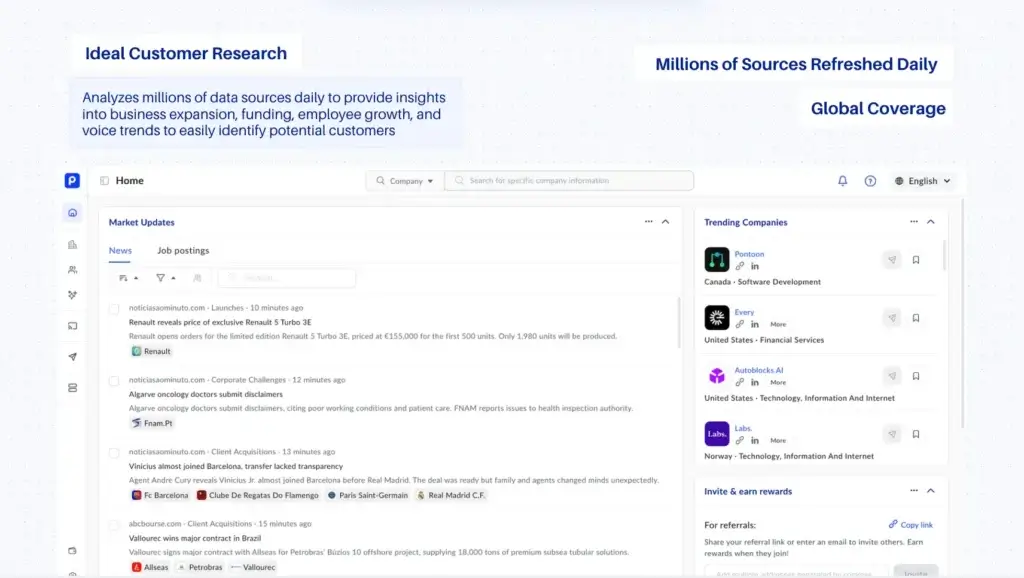
Pubrio has expanded beyond a conventional contact database. Its current positioning centers on market expansion intelligence, combining company and people search with monitors that track funding, hiring, technology changes, advertising activity, and market movement across more than 200 markets.
This makes Pubrio useful when timing matters as much as contact accuracy. Instead of exporting a broad list and hoping it is relevant, you can monitor specific account movements, attach decision-makers to those signals, and route the opportunity into a sequence or CRM workflow.
Key Features
- Global company and contact search – Pubrio reports coverage of more than 800 million companies and 560 million professional contacts.
- Market expansion graph – Track companies entering new markets and changing their operating footprint.
- Real-time monitors – Watch for funding, hiring, technology switches, and other buying moments.
- Sequences and activation – Move researched accounts into outreach workflows without rebuilding lists manually.
- Ronna AI and Sheets – Use AI-assisted research and spreadsheet-style data workflows for account analysis.
- Manual data research – Add a service layer for custom or difficult research projects.
Pros & Cons
Positive
✅ Strong global and localized data coverage
✅ Useful market movement and expansion signals
✅ Free entry plan for testing monitors
✅ Combines data, timing, and activation
Negative
❌ Pricing details are partly dynamic
❌ New positioning may require process changes
❌ Signal volume can create noise without a clear ICP
❌ Not as mature as large enterprise incumbents
Pubrio Pricing
Pubrio offers Free, Startup, Corporate, and Organization tiers. The exact monthly presentation can vary with billing frequency and selected usage.
- Free – $0 with limited usage and free monitors
- Startup – From approximately $99 per month with annual billing
- Corporate – Higher data, sequence, and team allowances
- Organization – Custom configuration for larger teams and data needs
- Annual billing – Pubrio advertises a 20% annual discount
Ideal Use Cases
Pubrio is best if you want:
- Global company and contact coverage beyond a North America-first workflow
- Signals that reveal when a company is expanding, hiring, raising, or changing technology
- Account monitoring instead of repeated manual list searches
- A combination of self-serve software and custom research support
- A more timing-focused alternative to a static B2B database
Apollo.io

Platform Overview
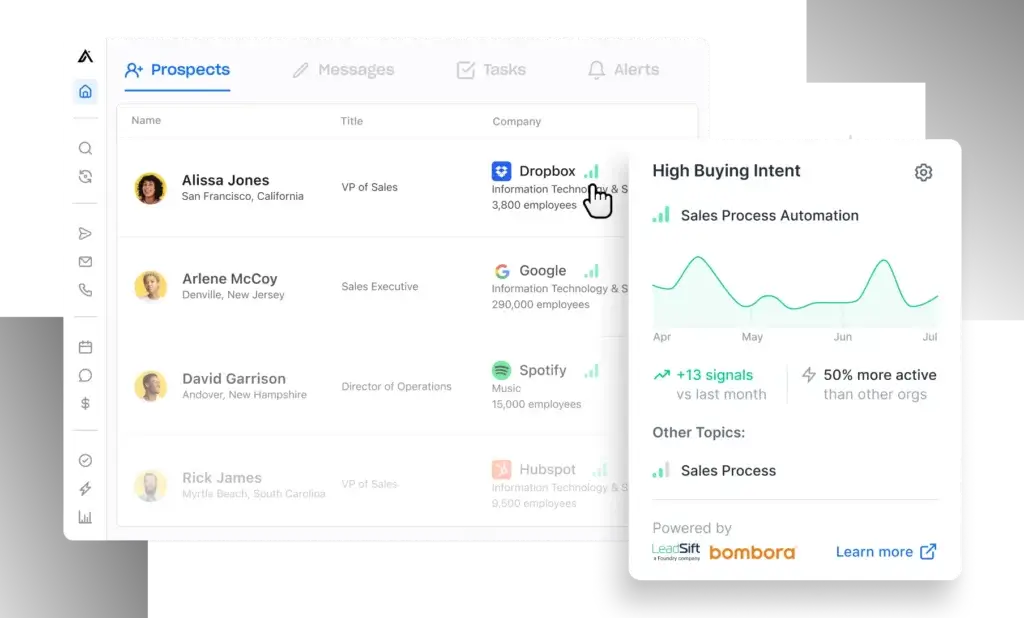
Apollo.io remains one of the most direct ZoomInfo alternatives for teams that want a large prospect database, enrichment, intent filters, sequences, meeting tools, workflow automation, and a dialer in a self-serve product. It is easier to start than most enterprise intelligence platforms because pricing and feature limits are published.
The most important update is Apollo’s newer credit structure. Paid plans now combine annual credit grants with AI research, lead scoring, waterfall enrichment, deliverability tools, CRM integrations, and unlimited sequences. This creates strong value, but you should still calculate how fast your team will consume credits for mobile data, enrichment, and exports.
Key Features
- Prospecting database – Search people and companies using advanced firmographic, role, geographic, and technology filters.
- AI research and lead scoring – Prioritize accounts and create research summaries without leaving the platform.
- Sequences and A/Z testing – Build automated outreach campaigns and compare multiple message variants.
- Waterfall enrichment – Improve record completion by using multiple data paths rather than one lookup source.
- Deliverability suite – Warm mailboxes, monitor sending health, and manage domains inside the sales workflow.
- CRM, API, and workflow automation – Sync records and trigger actions across your broader GTM stack.
Pros & Cons
Positive
✅ Transparent self-serve pricing
✅ Broad database and enrichment tools
✅ Sequences, dialer, and AI in one platform
✅ Strong free plan for testing
Negative
❌ Credits require careful monitoring
❌ Interface can feel dense for new users
❌ Data quality varies by segment and geography
❌ Organization plan has a three-seat minimum
Apollo.io Pricing
Apollo.io publishes four main plans with annual billing discounts and different credit allocations.
- Free – $0 with 900 credits per seat per year, granted monthly
- Basic – $49 per seat per month, billed annually
- Professional – $79 per seat per month, billed annually
- Organization – $119 per seat per month, billed annually, with a three-seat minimum
- Trial – A 14-day trial is available for selected paid plans
Ideal Use Cases
Apollo.io is ideal if:
- You want a close functional substitute for ZoomInfo at a lower entry cost
- You prefer a self-serve database with built-in outreach
- Your team uses Gmail, Salesforce, HubSpot, or LinkedIn during prospecting
- You want AI research, enrichment, and sequences without connecting several vendors
- You can monitor credit usage and verify data quality before scaling campaigns
Oppora.ai

Platform Overview
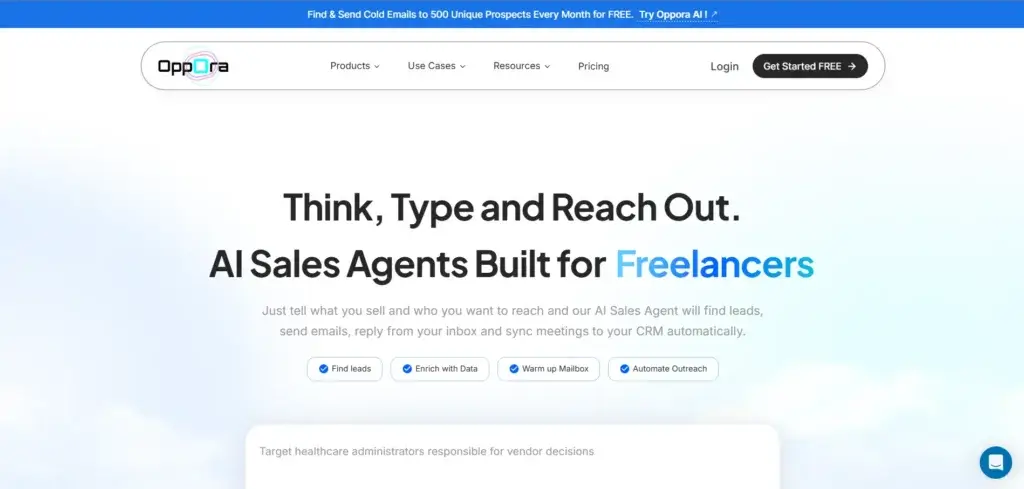
Oppora.ai is an agentic outbound sales platform designed to replace fragmented workflows for lead search, enrichment, email verification, mailbox warm-up, campaign automation, reply handling, and lightweight CRM management. You can use individual tools or build a broader outbound system around its AI agents.
Oppora.ai is interesting as a ZoomInfo alternative because it focuses on accessible automation rather than enterprise data contracts. It is particularly relevant for founders, agencies, and small sales teams that want to combine contact discovery and outreach without paying for a large platform before they have validated their motion.
Key Features
- Smart Finder and Contact Hunter – Build prospect lists and identify relevant decision-makers.
- ICP Builder and lead scoring – Define target criteria and prioritize stronger-fit prospects.
- Company enrichment and email verification – Add company context and reduce avoidable bounces before sending.
- Outreach Engine – Launch automated email campaigns with follow-ups and personalization.
- Workflow automation – Connect lead sourcing, enrichment, scoring, and outreach into repeatable processes.
- Reply Ora and Sales CRM – Manage replies and keep outbound opportunities organized in the same platform.
- Email warm-up and LinkedIn extension – Support deliverability and browser-based prospecting workflows.
Pros & Cons
Positive
✅ Low entry price for an all-in-one platform
✅ Covers the full outbound workflow
✅ Modular tools for data-only use cases
✅ Good fit for founders and lean teams
Negative
❌ Smaller ecosystem than established platforms
❌ Advanced AI usage depends on credits
❌ Data coverage should be tested by market
❌ Done-for-you service requires separate pricing
Oppora.ai Pricing
Oppora.ai combines self-serve subscriptions, small feature-specific plans, and done-for-you outbound services.
- Free – Free entry plan for testing the platform
- Pro – $34 per month for founders and small teams
- Mini plans – Feature-specific access starts at $7
- Growth and Business – Higher-volume self-serve options with additional credits and automation
- Done for You – Managed outbound service with separate pricing
- Annual billing – The platform advertises a 17% annual discount
Ideal Use Cases
Oppora.ai is a good fit if:
- You want lead sourcing, verification, outreach, and reply handling in one affordable platform
- You are a founder or small team testing outbound before investing in enterprise software
- You prefer modular access to individual sales tasks
- You want an AI-assisted workflow without building complex automations from scratch
- You may later outsource campaign management through a done-for-you service
Go4Database


Platform Overview
Go4Database is a global business contact search platform aimed at startups, freelancers, small businesses, and marketing teams that need high-volume prospect lists at a lower entry price. The company presents a database of hundreds of millions of global business contacts, including verified mobile numbers and industry-specific lists.
Unlike Alta or Reply.io, Go4Database is primarily a data and list-building alternative. It is most useful when your team already has a CRM and outreach process but needs a more affordable way to source contacts by role, location, industry, or niche category.
Key Features
- Global business contact search – Search a broad database of business records across countries and industries.
- Industry-specific lists – Build targeted lists for roles, sectors, education, healthcare, real estate, and other categories.
- Email and mobile data – Access business emails and phone data where available.
- AI-assisted lead generation – Use the platform’s newer AI tools to narrow target audiences and speed up list creation.
- Email verification tools – Check contact data before activating campaigns.
- CRM access – Go4Database promotes included CRM access with selected offers and subscriptions.
- Custom list support – Request help when a target segment is difficult to build through standard filters.
Pros & Cons
Positive
✅ Affordable plans for large lead volumes
✅ Broad global and industry coverage
✅ Simple fit for list-building workflows
✅ Free lead allowance for initial testing
Negative
❌ Less advanced outreach automation
❌ Accuracy should be independently sampled
❌ Interface and ecosystem are less mature
❌ Best value depends on list freshness
Go4Database Pricing
Go4Database publishes simple monthly plans based largely on contact volume.
- Free access – The site promotes a free lead allowance for testing
- Nano – $35 per month for 1,500 contacts
- Micro – $49 per month for 3,000 contacts
- Higher-volume plans – Available for larger contact requirements
- Billing – Annual subscriptions and promotional discounts may change the effective monthly price
Ideal Use Cases
Go4Database works best if:
- You need a large quantity of B2B contacts at a predictable cost
- You already use another tool for sequencing, calling, or CRM management
- Your target audience can be defined by industry, role, location, or education category
- You want to test a lower-cost database before committing to ZoomInfo
- You are willing to validate a sample before purchasing or exporting at scale
SmartReach AI

Platform Overview
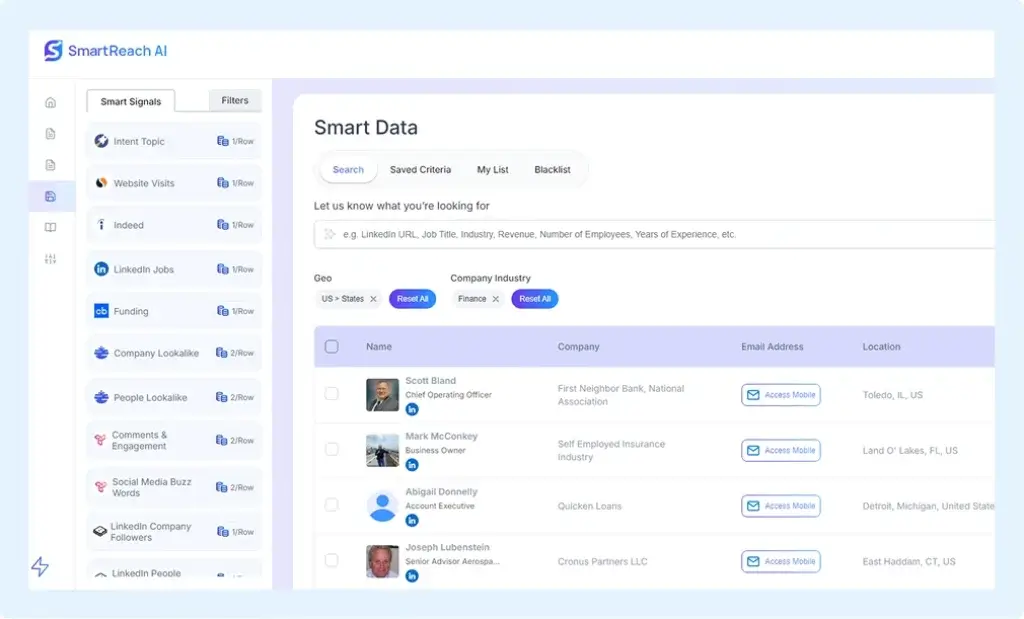
SmartReach AI has changed significantly from the lower-cost prospecting and outreach product described in the previous version of this article. Its current positioning is outcome intelligence for private equity, venture capital, investment banking, and high-ticket B2B teams that compete on early market signals.
The platform now focuses on identifying off-market opportunities, ranking ideal customer profiles, detecting competitor movements, and sending verified signals into CRM workflows. It is less comparable to a basic contact database, but it can replace part of ZoomInfo’s intent and signal layer for organizations that need specialized intelligence.
Key Features
- AI signal scoring – Rank accounts according to behavioral, competitive, market, and business signals.
- ICP ranking – Prioritize companies that best match your investment or high-ticket sales criteria.
- Verified playbooks – Use predefined signal frameworks based on the platform’s data and campaign reference engine.
- Competitor and market monitoring – Detect hiring spikes, funding activity, broker movement, and other high-value triggers.
- CRM delivery – Push intelligence directly into your existing revenue workflow.
- Dedicated analyst support – Higher tiers add custom signal design, audits, and strategic support.
Pros & Cons
Positive
✅ Specialized high-ticket intent signals
✅ Direct CRM delivery
✅ Useful for PE, VC, and investment banking
✅ Dedicated analyst options
Negative
❌ Much higher price than the previous product
❌ One-time onboarding fee
❌ Not designed for basic cold email teams
❌ Less direct contact-database replacement
SmartReach AI Pricing
SmartReach AI now uses premium monthly pricing. All tiers require a one-time infrastructure onboarding fee.
- Starter – $3,500 per month
- Growth – $5,000 per month
- Scale – $7,500 per month
- Onboarding – $2,500 one-time infrastructure fee
- Partner credit – A $500 monthly credit is advertised for live data sync-back on eligible tiers
Ideal Use Cases
SmartReach AI is best for you if:
- You sell high-ticket B2B services and need earlier account signals
- You work in private equity, venture capital, search funds, or investment banking
- Your team values custom intelligence more than a self-serve contact database
- You want account signals delivered directly into your CRM
- You have the budget and internal process to act on specialized market intelligence
Comparison Table of ZoomInfo Alternatives
| Platform | Core Strength | Starting Price* | Best For |
| Alta | Autonomous outbound, inbound, and growth agents | Custom quote | B2B teams replacing fragmented GTM workflows |
| Reply.io | Contact data plus multichannel sales engagement | $49/user/month annually | SDRs, agencies, and outbound teams |
| Pubrio | Global company data and market movement signals | Free; Startup from about $99/month annually | Teams targeting expansion, funding, hiring, and technology triggers |
| Apollo.io | Self-serve database, enrichment, sequences, and AI | Free; Basic $49/user/month annually | Teams wanting a direct all-in-one ZoomInfo alternative |
| Oppora.ai | Affordable agentic prospecting and outreach workflows | Free; Pro $34/month | Founders, agencies, and small sales teams |
| Go4Database | High-volume global business contact lists | Nano $35/month | Budget-conscious teams with an existing outreach stack |
| SmartReach AI | High-ticket B2B outcome and market intelligence | $3,500/month plus onboarding | PE, VC, investment banking, and specialized B2B teams |
Which ZoomInfo Alternative Should You Choose?
Alta is the strongest strategic choice when you want AI agents to operate across outbound, inbound, and revenue intelligence. It is not the cheapest option, but it can replace more manual work and more point solutions than a traditional database.
Reply.io is the best fit when multichannel outreach is your priority. It gives you data, sequences, deliverability tools, and an optional AI SDR without requiring a separate engagement platform.
Pubrio is the most interesting option for international market intelligence and expansion timing. It helps you act on company movement instead of prospecting only from static attributes.
Apollo.io is the easiest direct replacement for many small and mid-sized teams. Its transparent plans, free tier, database, enrichment, and engagement tools make it practical to test and scale.
Oppora.ai offers the most accessible agentic workflow for founders and lean teams, while Go4Database is better when affordable contact volume matters more than sophisticated automation.
SmartReach AI now belongs in a more specialized category. Choose it when you need premium outcome intelligence for high-ticket markets, not when you only need a low-cost email sequencer.
Conclusion
The best ZoomInfo alternative depends on which part of ZoomInfo you are actually trying to replace. A contact database, an intent platform, an enrichment layer, and an outreach engine solve different problems, even when vendors package them together.
For most self-serve teams, Apollo.io provides the closest balance of data, pricing transparency, enrichment, and engagement. Reply.io is stronger for multichannel execution, while Alta is the better option when you want autonomous agents to perform the work. Pubrio brings a differentiated market-signal approach, Oppora.ai and Go4Database lower the entry cost, and SmartReach AI serves a narrower high-ticket intelligence use case.
Before choosing, export a representative sample from your target market, verify email and phone accuracy, test CRM synchronization, and calculate total cost based on real usage. The platform that produces the most usable conversations and qualified pipeline is more valuable than the one with the largest headline database.
Frequently Asked Questions
-
What is the best overall ZoomInfo alternative?
Apollo.io is the best overall self-serve alternative for many small and mid-sized teams because it combines a large B2B database, enrichment, AI research, sequences, and transparent pricing. Alta is stronger when you want autonomous AI agents rather than a rep-operated platform.
-
Which ZoomInfo alternative is best for AI sales agents?
Alta is the strongest option in this list for coordinated AI agents. Katie runs outbound, Alex qualifies inbound leads, and Luna turns CRM and external data into buying signals and campaign direction.
-
Which ZoomInfo competitor has the most transparent pricing?
Apollo.io, Oppora.ai, Go4Database, and Reply.io publish entry prices. Apollo.io is the easiest to compare at the seat level, while Oppora.ai and Go4Database provide lower-cost entry options for smaller teams.
-
Is Reply.io a data provider or an outreach platform?
Reply.io is primarily a sales engagement platform, but it also includes real-time B2B data, enrichment, and contact search. It is best when you want to move directly from prospect discovery into multichannel outreach.
-
How is Pubrio different from ZoomInfo?
Pubrio emphasizes global market movement and expansion signals. It helps you monitor funding, hiring, technology changes, and market entry events, then connect those signals with relevant companies and decision-makers.
-
Is Oppora.ai suitable for small businesses?
Yes. Oppora.ai is designed for founders, agencies, and smaller sales teams that want lead search, enrichment, verification, warm-up, outreach automation, and reply management without starting with an enterprise contract.
-
What is Go4Database best used for?
Go4Database is best for affordable, high-volume contact list building. It suits teams that already have a CRM or sequencing tool and mainly need business emails, phone data, and niche industry lists.
-
Has SmartReach AI changed its product and pricing?
Yes. SmartReach AI now positions itself as premium outcome intelligence for high-ticket B2B, private equity, venture capital, and investment banking. Its current pricing starts at $3,500 per month plus a one-time onboarding fee.
-
Does ZoomInfo offer a free plan?
ZoomInfo now offers ZoomInfo Lite as a permanent free entry tier with limited monthly credits. It can help you test the data and interface before evaluating a custom paid package.
-
How should you test a ZoomInfo alternative?
Build a sample based on your real ICP, verify email and direct-dial accuracy, measure bounce and reply rates, test CRM synchronization, and calculate the cost per usable contact or qualified meeting. Database size alone is not enough.